


Online Retirement Account
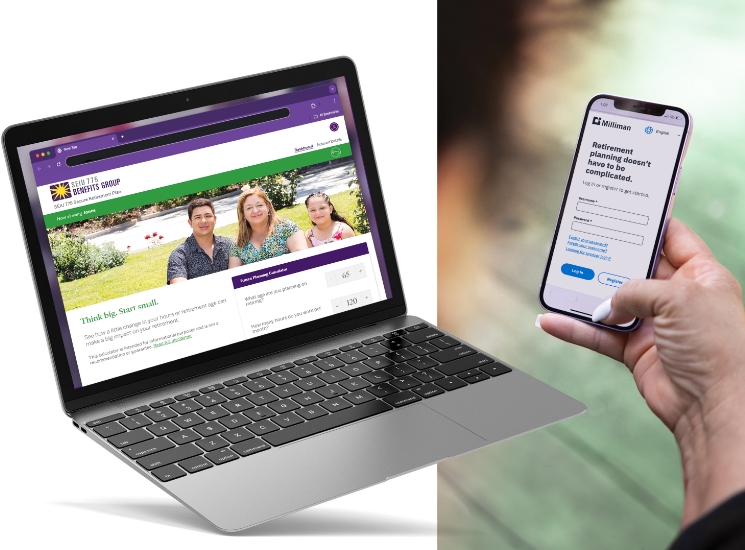
Secure Retirement Plan participants can access their online account, hosted by Milliman.
Watch your money grow
Check your account balance and see your employers contributions.
Access your documents
Review your plan documents, monthly statements and more.
Get retirement planning tools
Access the retirement calculator, specially designed for caregivers, and other planning tools anytime.
Name a beneficiary
Assign a beneficiary or who will get your funds if you pass away.
Update your information
Keep your contact information current to receive statements and important updates.
Account Access & Help
Your online account is available in English, Spanish, Vietnamese, Korean and Chinese.
Click on the arrow in the top right corner of the screen on the Milliman website to access your account in your preferred language.
If you have never created an account or if you have not logged in since June 2020, it’s easy to sign up. For security reasons, there are several steps to verify your identity in order to set up your account. These steps help prevent others from accessing the money in your account.
- Go to Retirement: My Plan (hosted by the retirement benefits administrator, Milliman).
- Click on “Register”.
- You will need a Registration PIN (Personal Identification Number) to continue the login process.
The PIN will be sent to the email address on file when you sign up for Retirement: My Plan. If you don’t have an email address, the website will ask you to request a Registration PIN that will be mailed to your address on file. Once received, enter the PIN to continue the registration process. - Set up your username and password.
- Log in.
- You will be asked to create an 8-digit “Distribution PIN”*.
If you need help logging in or have questions, contact a Milliman Secure Retirement representative at 1-800-726-8303. Help is available in your language. Learn more.
*This security feature can help prevent unauthorized distributions; you’ll need to use your Distribution PIN when you’re ready to take money out of your account.
A beneficiary is the person(s) who would receive the money in your account if you pass away.
- Log in to Retirement: My Plan.
- Click on the Profile icon in the upper right hand corner and choose Beneficiaries.
- You will need Social Security numbers and birth dates for whomever you decide to elect.
Even if you are no longer working as a caregiver, your retirement benefits are still active through Retirement: My Plan.
Milliman is the administrator for the Secure Retirement Plan (SRP). Milliman will send you account statements and additional information by email or mail.
Online Retirement Account Support
If you need help logging in or have questions, contact a Milliman Secure Retirement representative at 1-800-726-8303. Help is available in your language.
Retirement for Former Caregivers
Even if you are no longer working as a caregiver, you still have your Secure Retirement Plan (SRP) and resources to help you prepare for retirement.
Common Retirement Terms to Know
Learn the definitions of common retirement terms and definitions you need to know in order to make decisions for your financial future.
Tips for Caregiver Money Management
Find resources for topics like tax help, retirement planning, retirement calculators, budgeting and more.