Get tips for training success, guidance on what training you need to begin working and learn when you can access your caregiver benefits.
Learning Library
Caregiver Learning Center User Guide
User Guide Tips
Click on a task tab to view instructions.
Click the dots to move through the images.
Click on a task tab to view instructions.
Swipe to move through the images.
Continuing Education (CE) courses in the Learning Library are an optional benefit available to caregivers who don’t have a CE requirement.
This guide walks you through accessing your account, enrolling and completing Learning Library Courses. If you need help with system requirements or managing your profile and language preferences visit the getting started guide.
Access Your Account
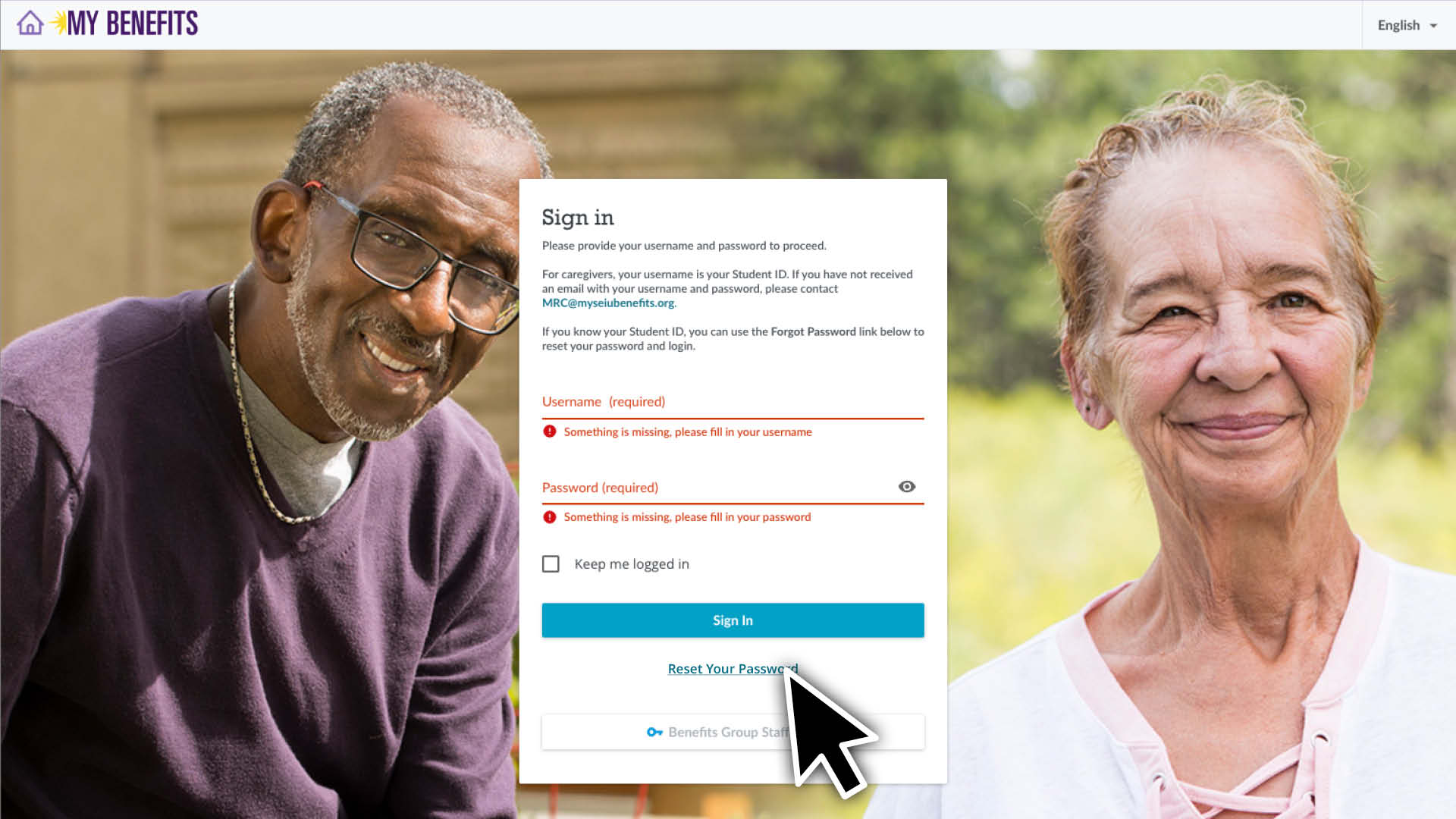
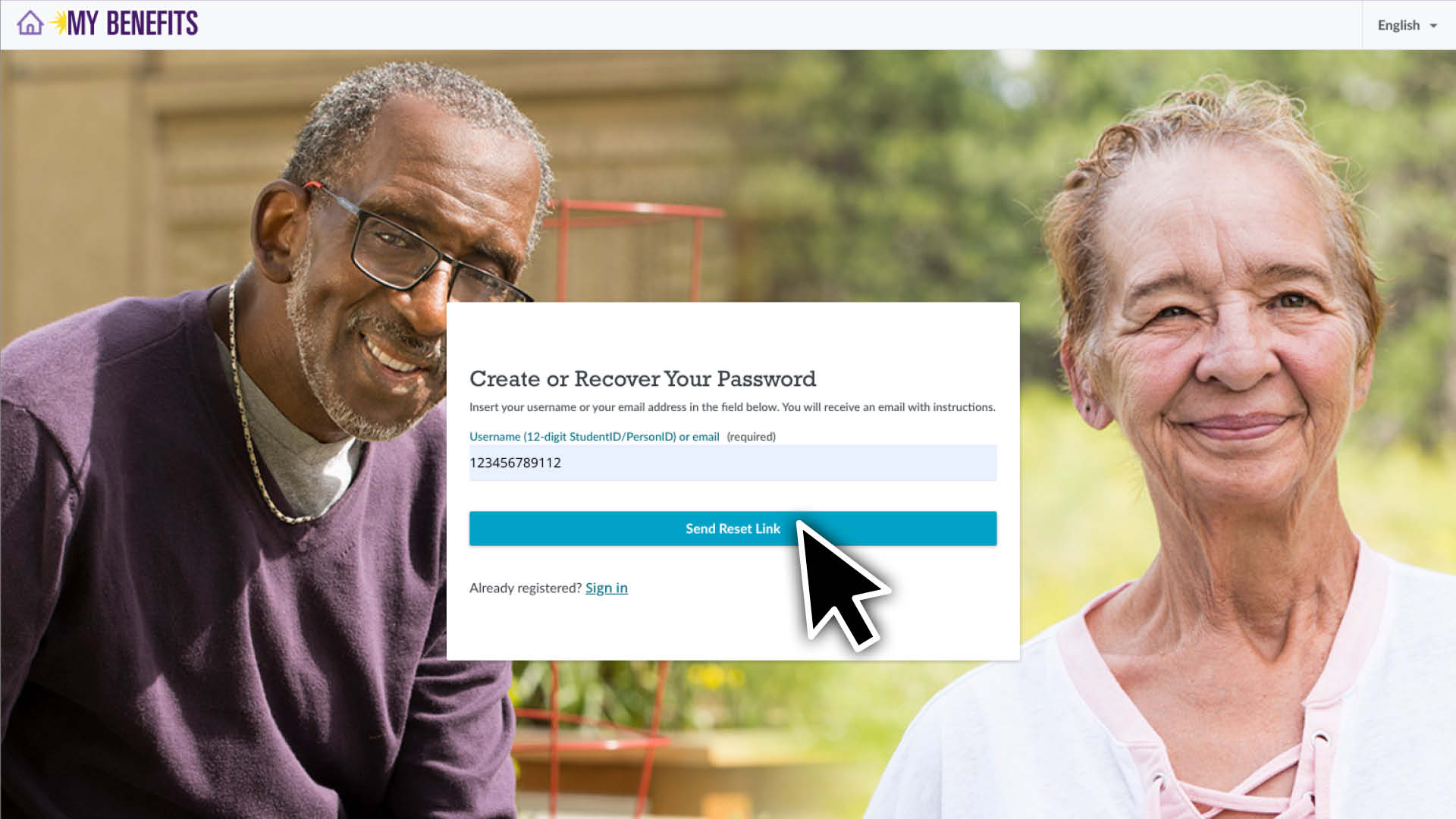
To access your account for the first time or reset your password, you will need to know your 12-digit Student ID to log in. If you do not know it, call 1-866-371-3200 or email mrc@myseiubenefits.org.
Enter your Student ID and click the Send Reset Link button.
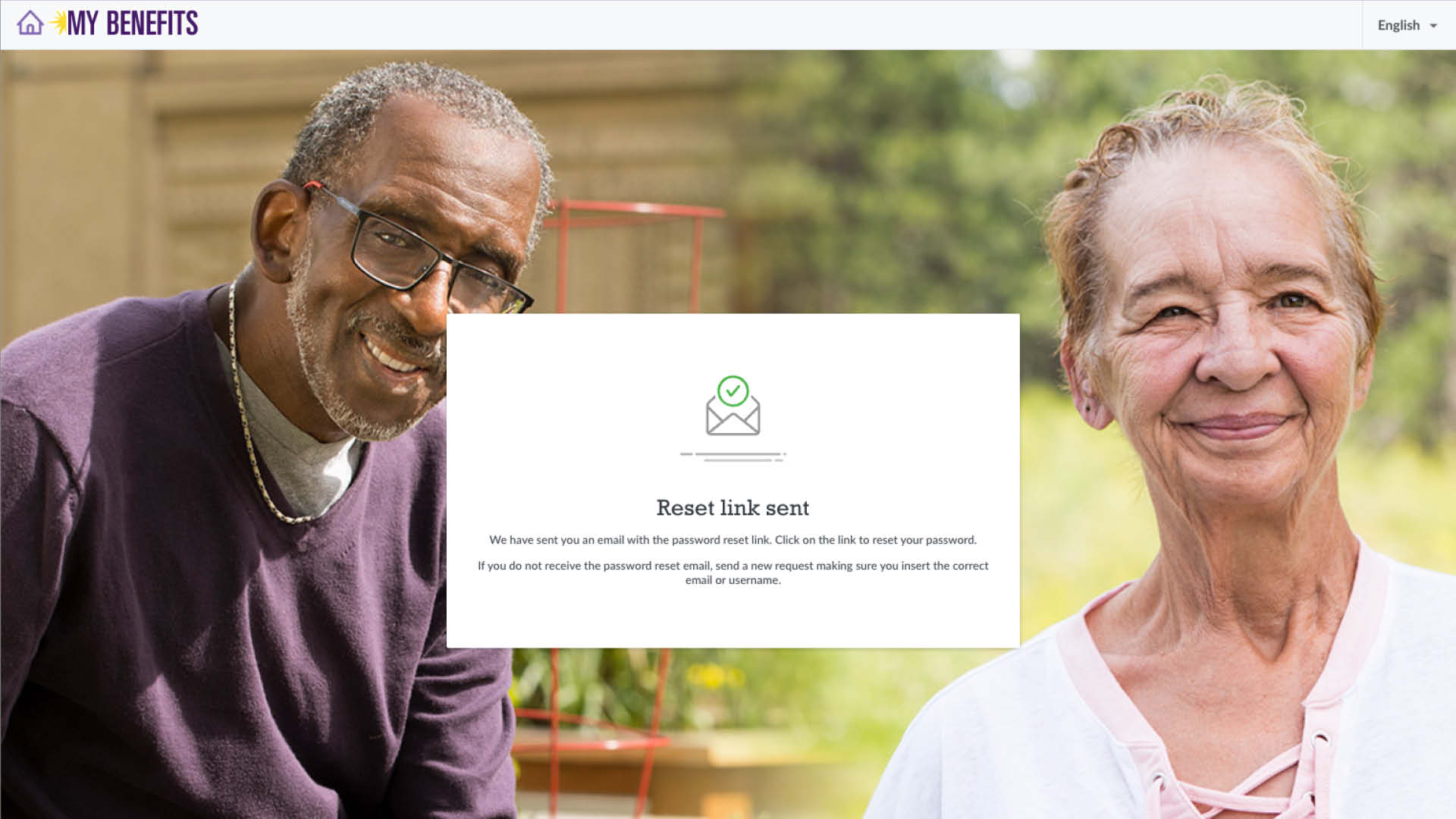
You will be sent an email with the subject line “New Password”. Click the link in the email.
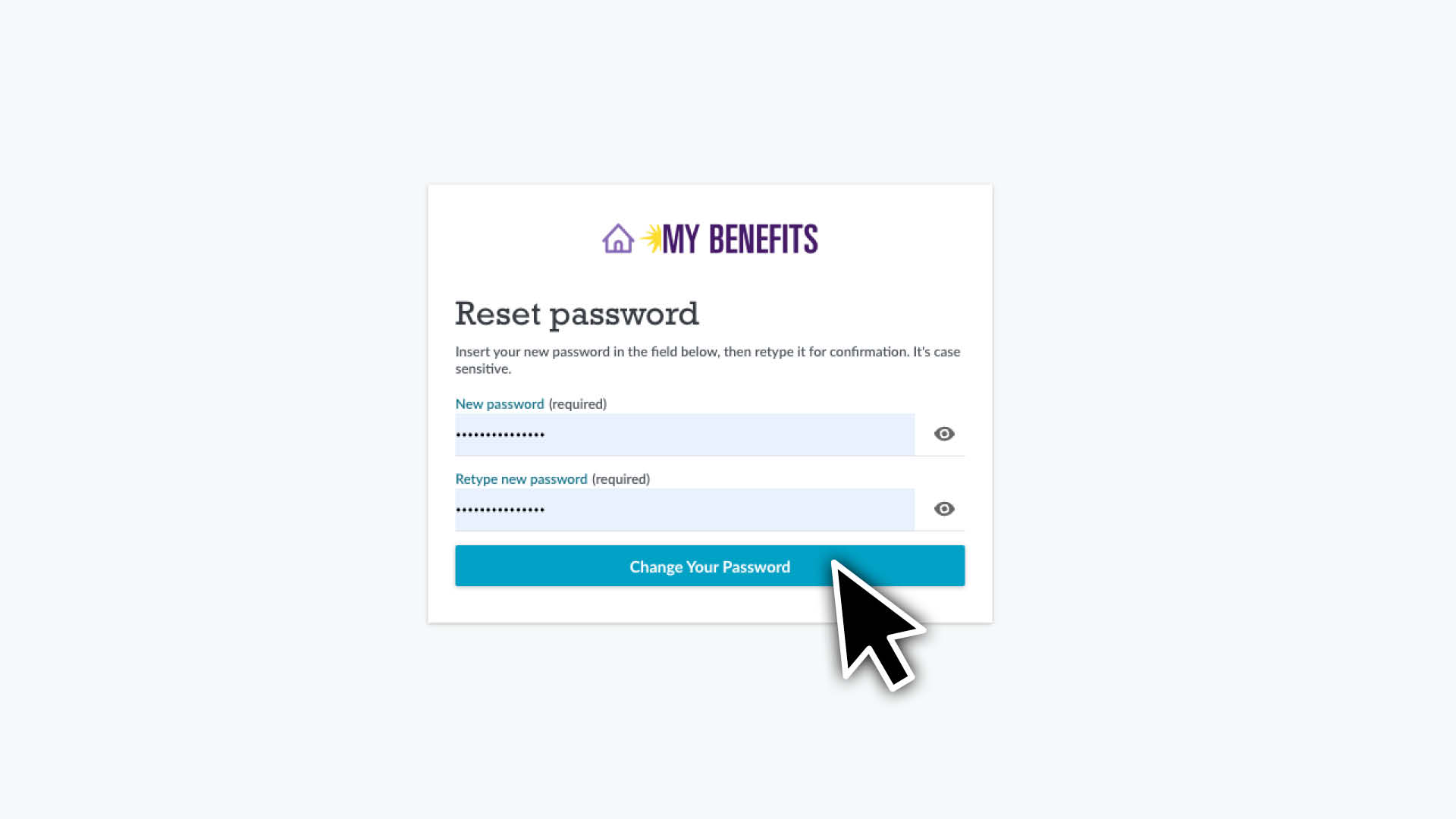
Enter and confirm your new password and click Change Your Password.
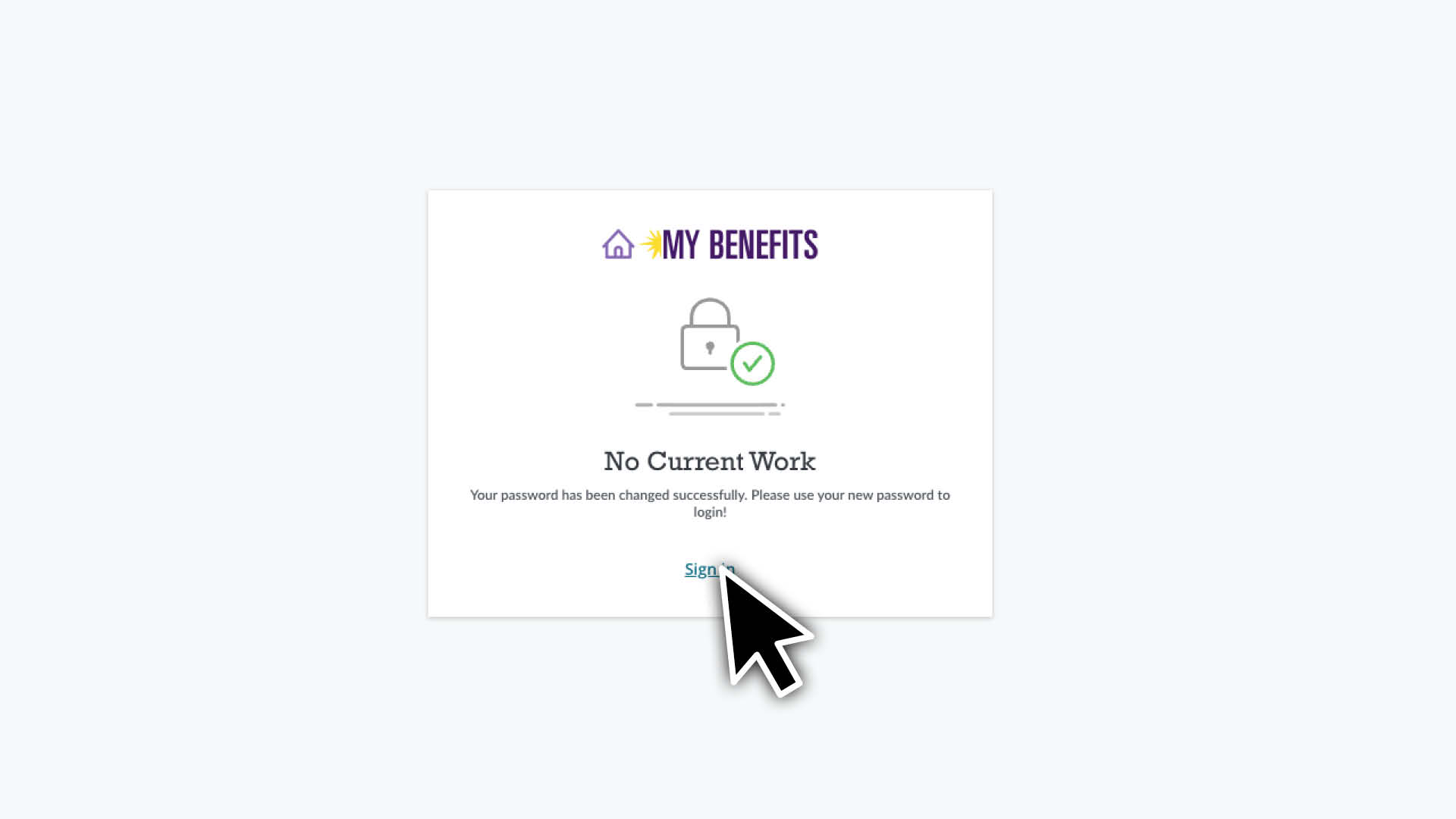
Click the Sign In link to be taken to the sign in page. Enter your 12-digit Student ID and new password and click the Sign In button.
If this is your first time logging in you will need to read and accept the Terms of Agreement by checking the box and clicking the I Agree button.
Find and Enroll in Courses
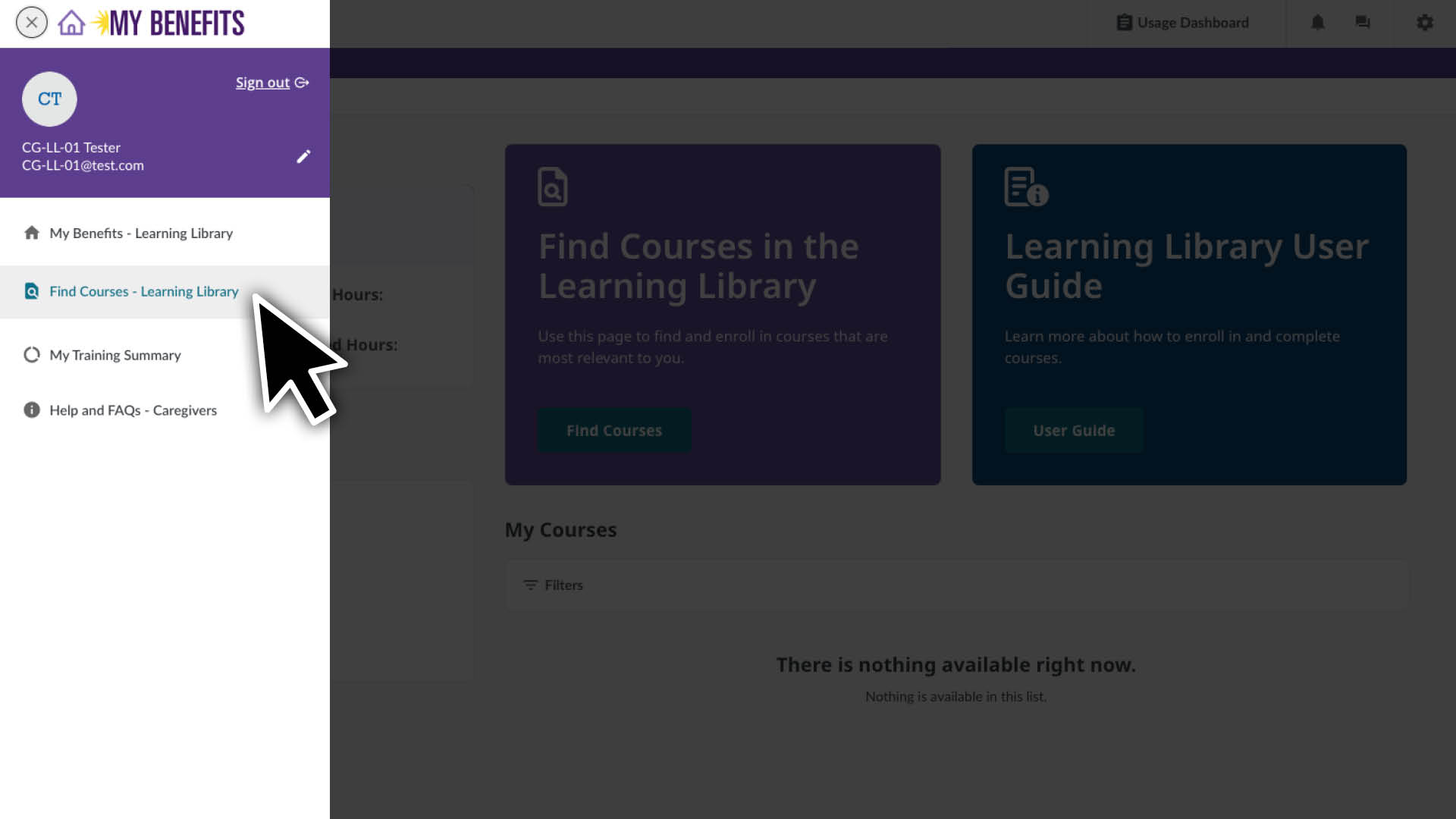
Click the menu icon.
Select the Find Courses Page.
Use the filter to select your preferred language. • Click the filter icon. • Click the language drop down. • Select your language. • Click the X to close the filter window.
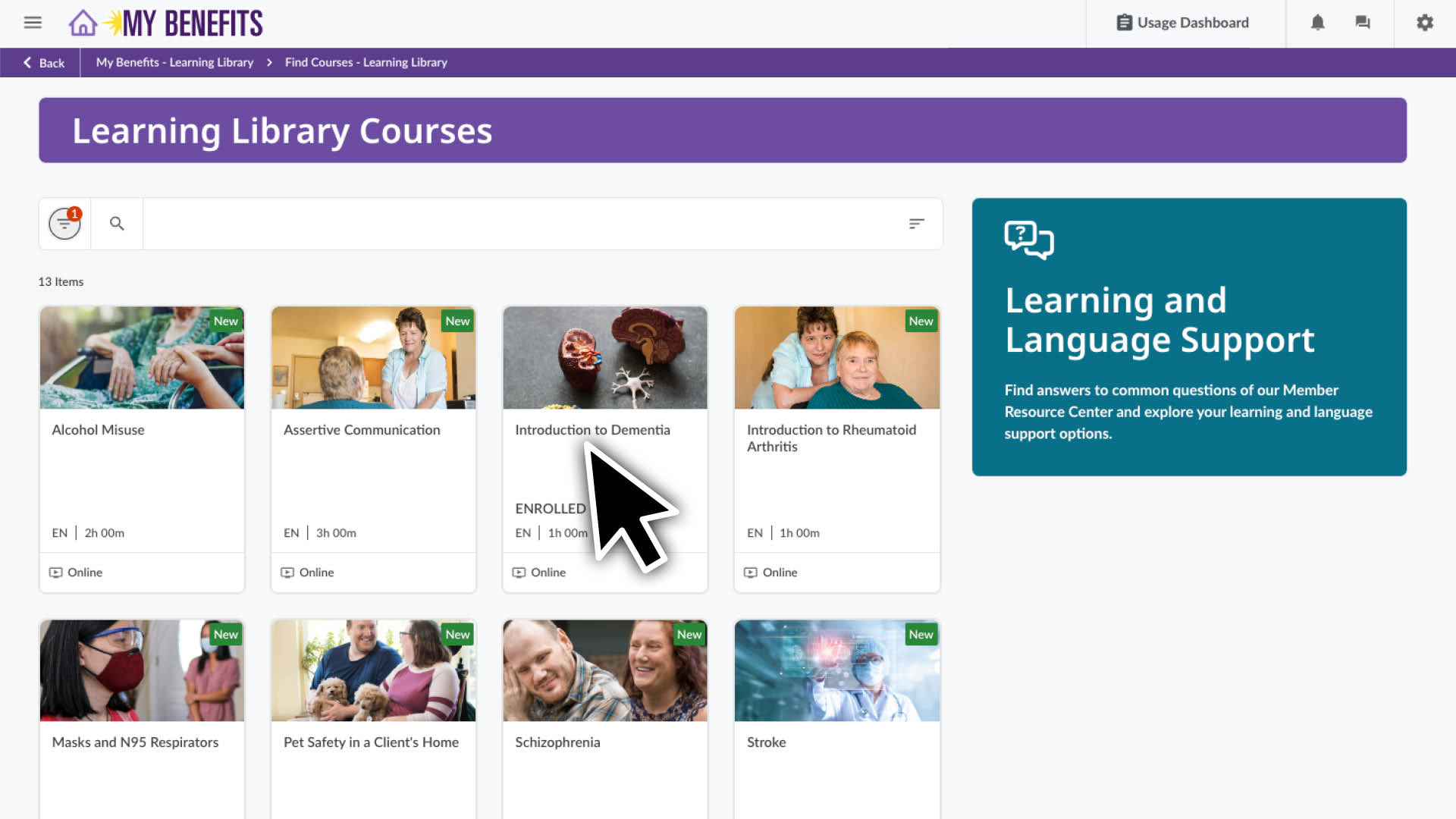
You can also click to the search icon to find topics relevant to you.
Click on a course to see the course detail page.
Click the Enroll button to enroll in the course.
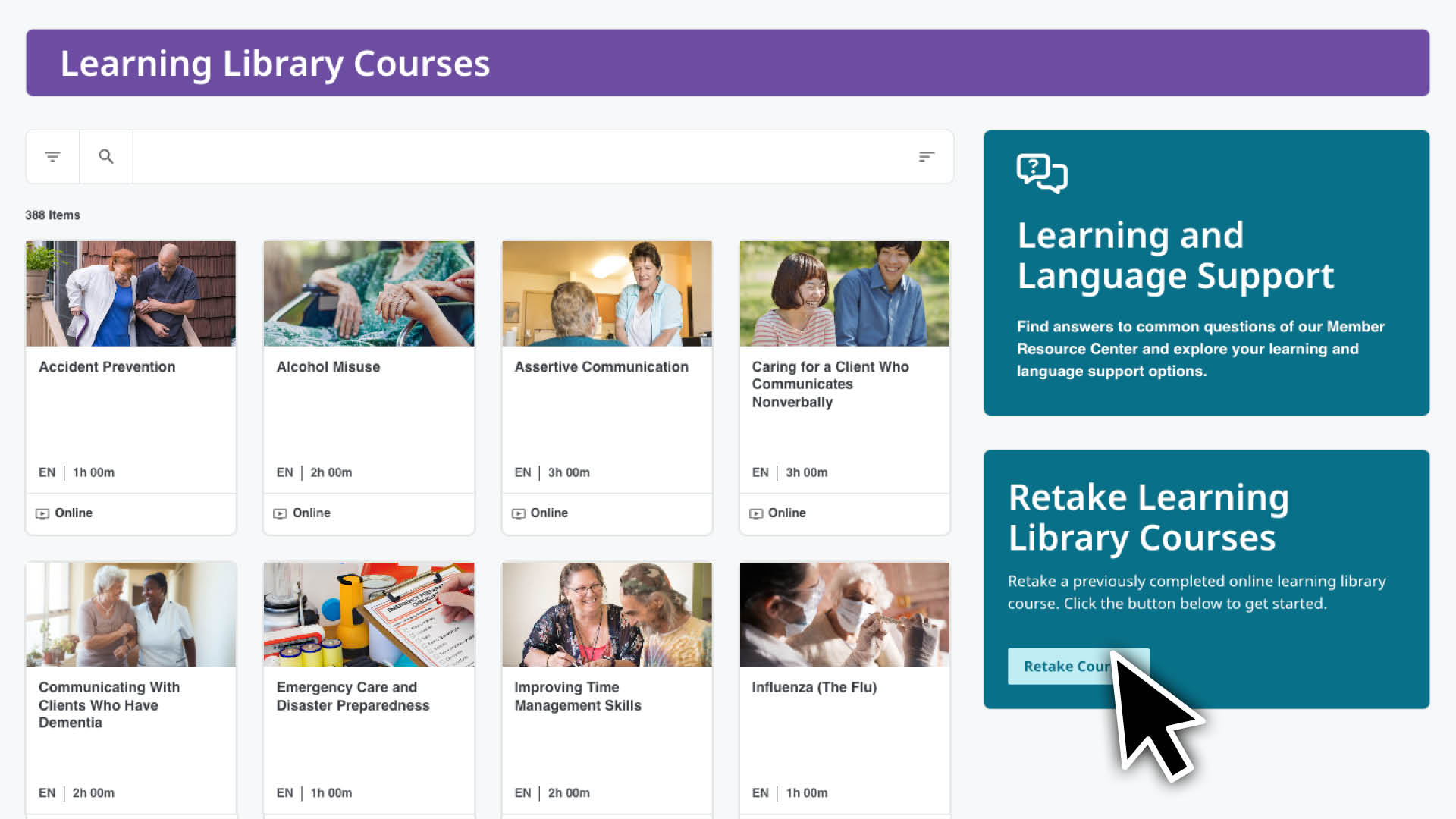
Retake CE Courses
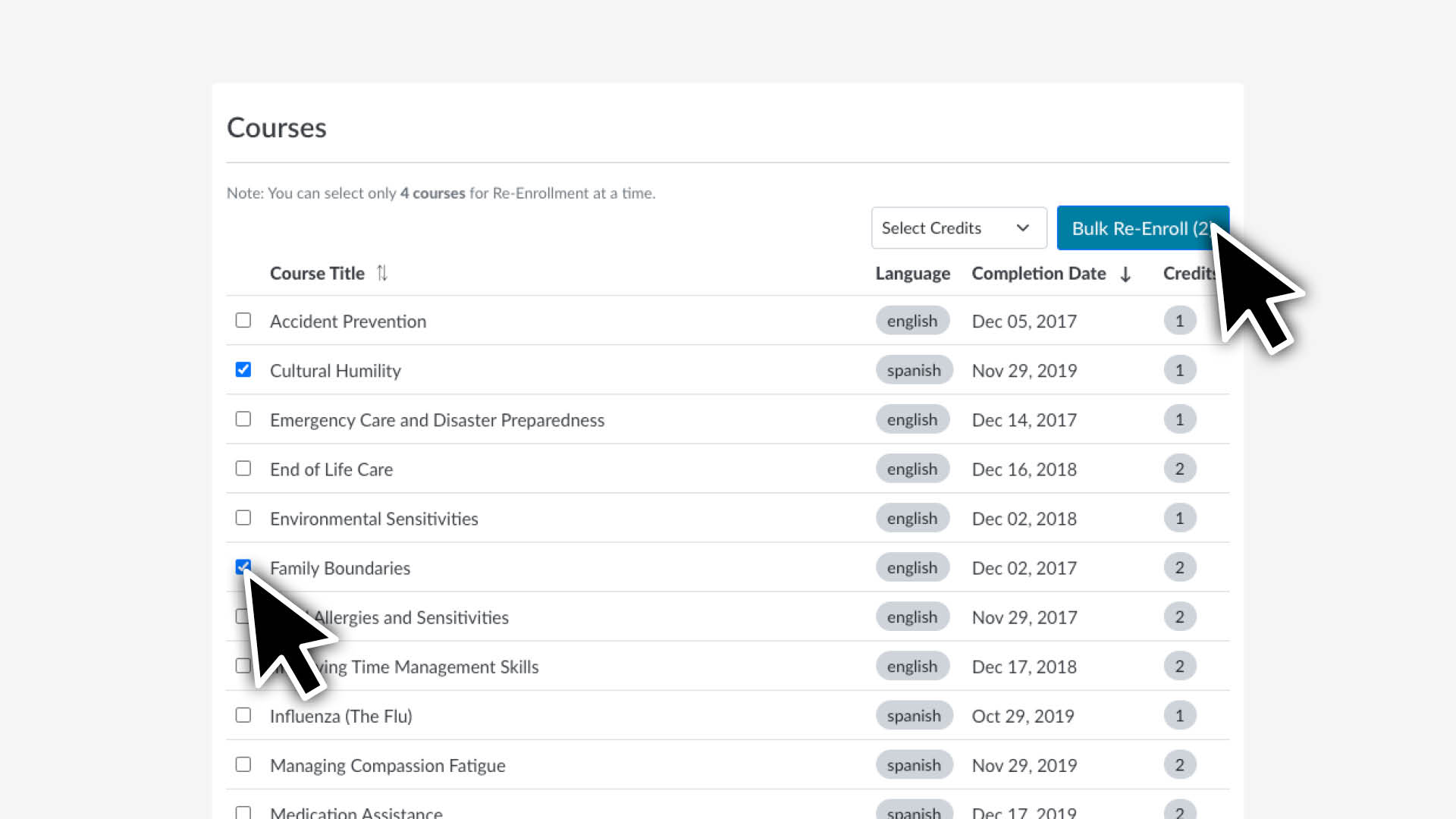
To see courses available to retake and enroll: Courses completed within the past 90 days can’t be retaken. If you wish to enroll in more than 4 courses, repeat the steps.
Scroll to the bottom of the page and select the Retake Courses button.
Review & Select Courses:
Check the box for each course you want to retake.
Select the Bulk Re-enroll button.
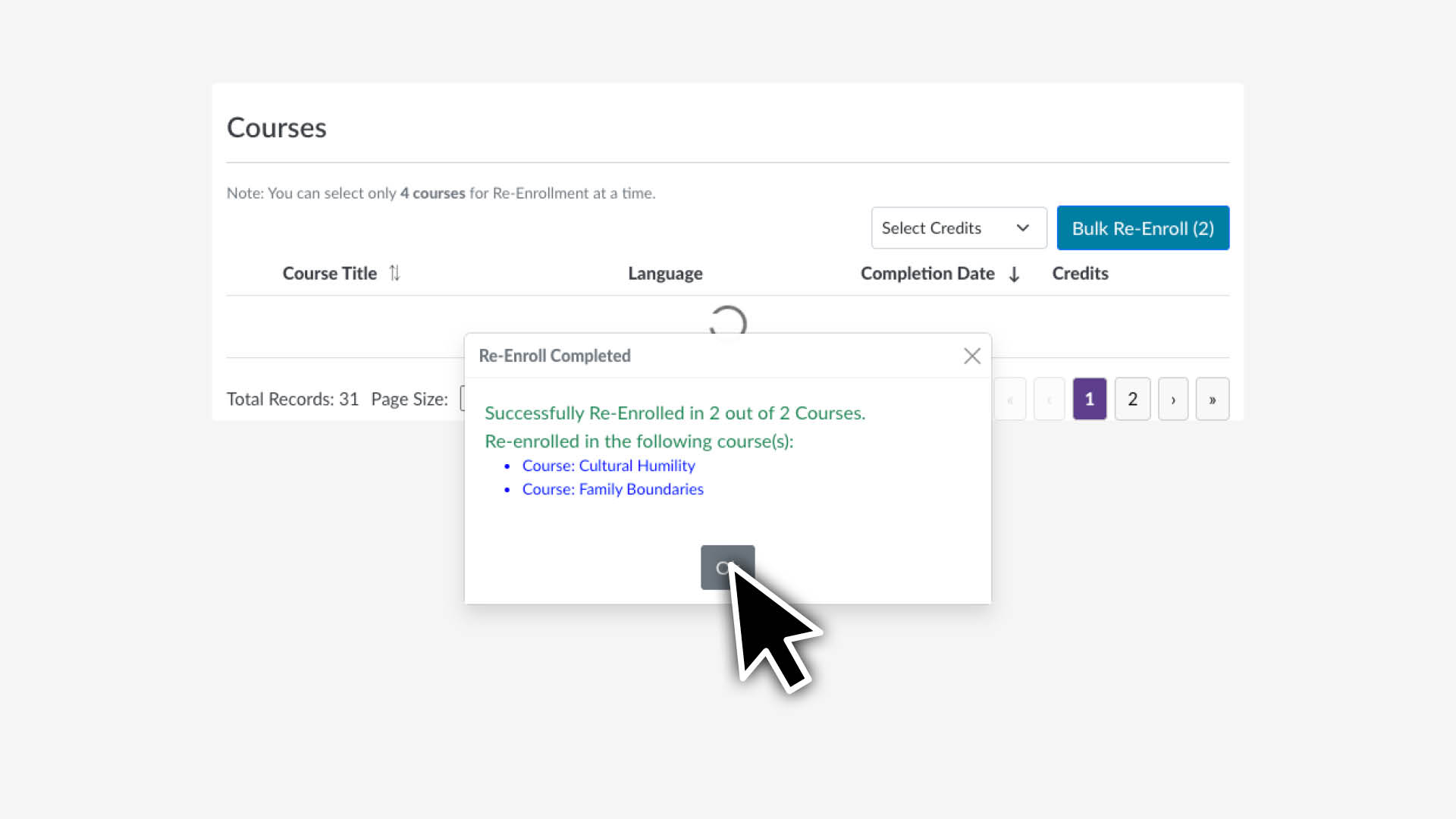
Confirm Selection:
Review the confirmation showing the selected course(s).
Select OK to complete enrollment.
View Your Enrolled Courses
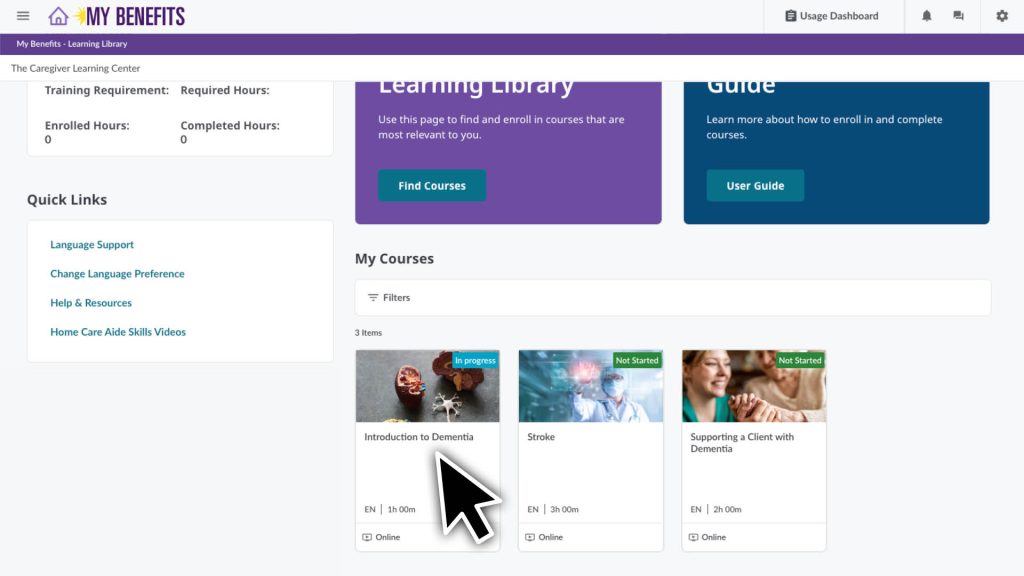
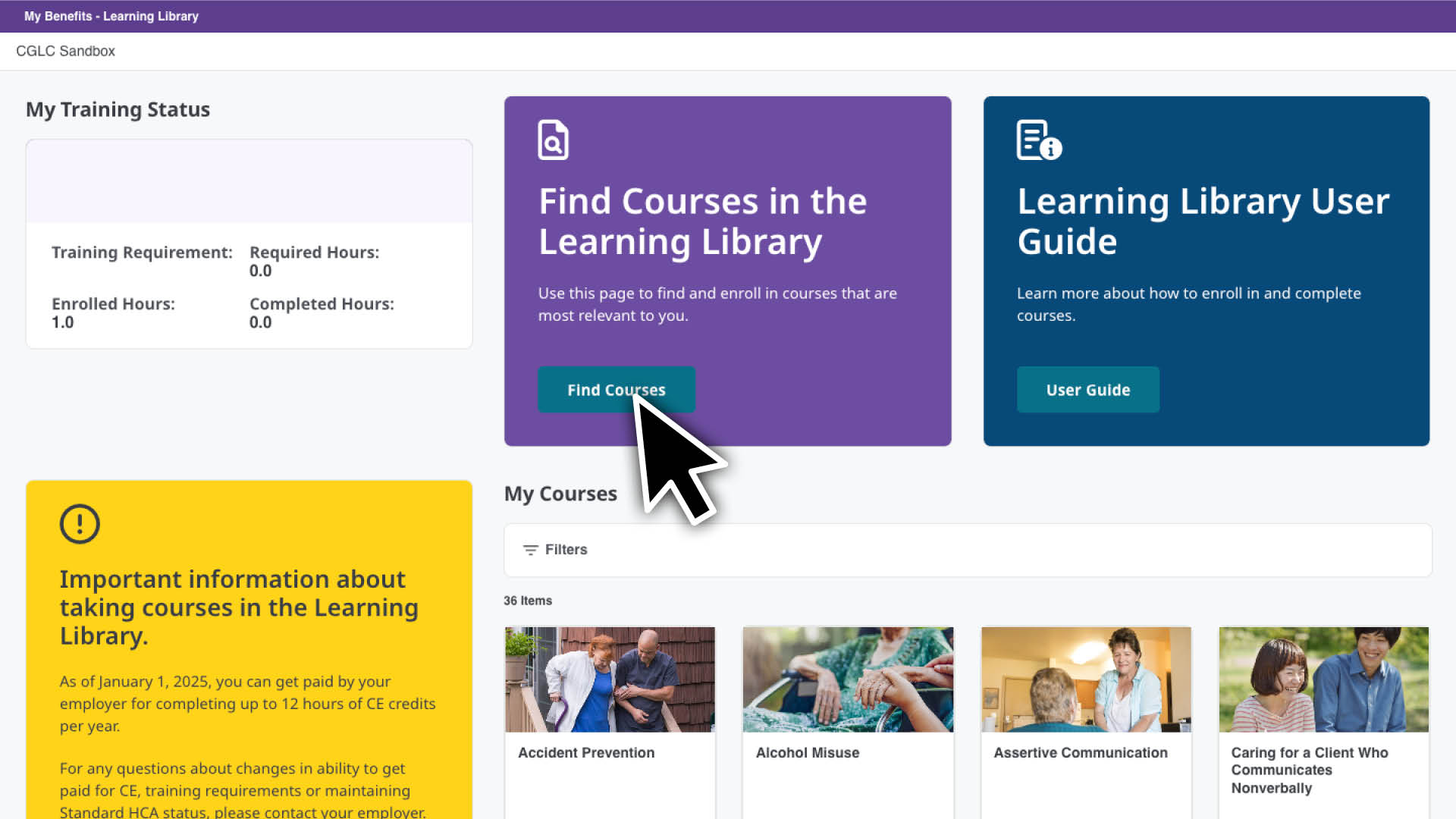
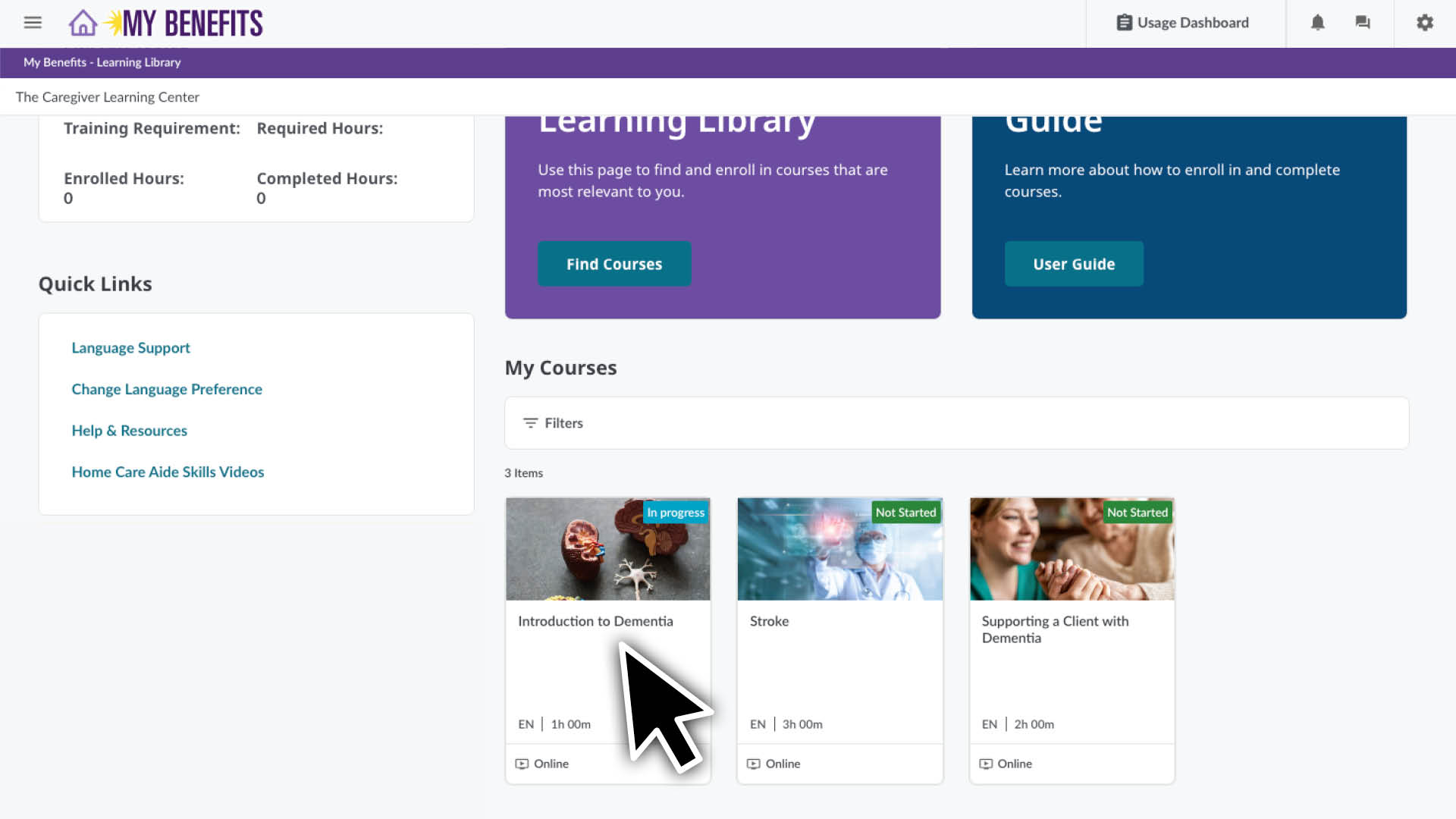
You can see the courses you are enrolled in from your home page. You’ll see this page when you first log in and can return to it at any time by clicking the home icon at the top of the screen.
In the My Courses section you can:
See which courses you have in progress, not started and completed.
Click the Course that you would like to begin or resume.
Complete a Course
The Learning Library makes it easy to learn at your own pace, when it’s convenient for you. You can stop and come back to a course at any time.
From the home page, click on a course to see the course lesson page.
Click the Begin or Resume button and follow the instructions.
Courses typically begin with a pre-assessment to see what you know and end with with a post-assessment. The system will guide through the assessments and each lesson.
In addition to being able to start or resume an online course you can see:
Your progressor where you currently are in the course.
The course description, materials and resources at the bottom of the page. Materials are needed to complete your course and resources are optional but may be helpful.
Unenroll from a Course
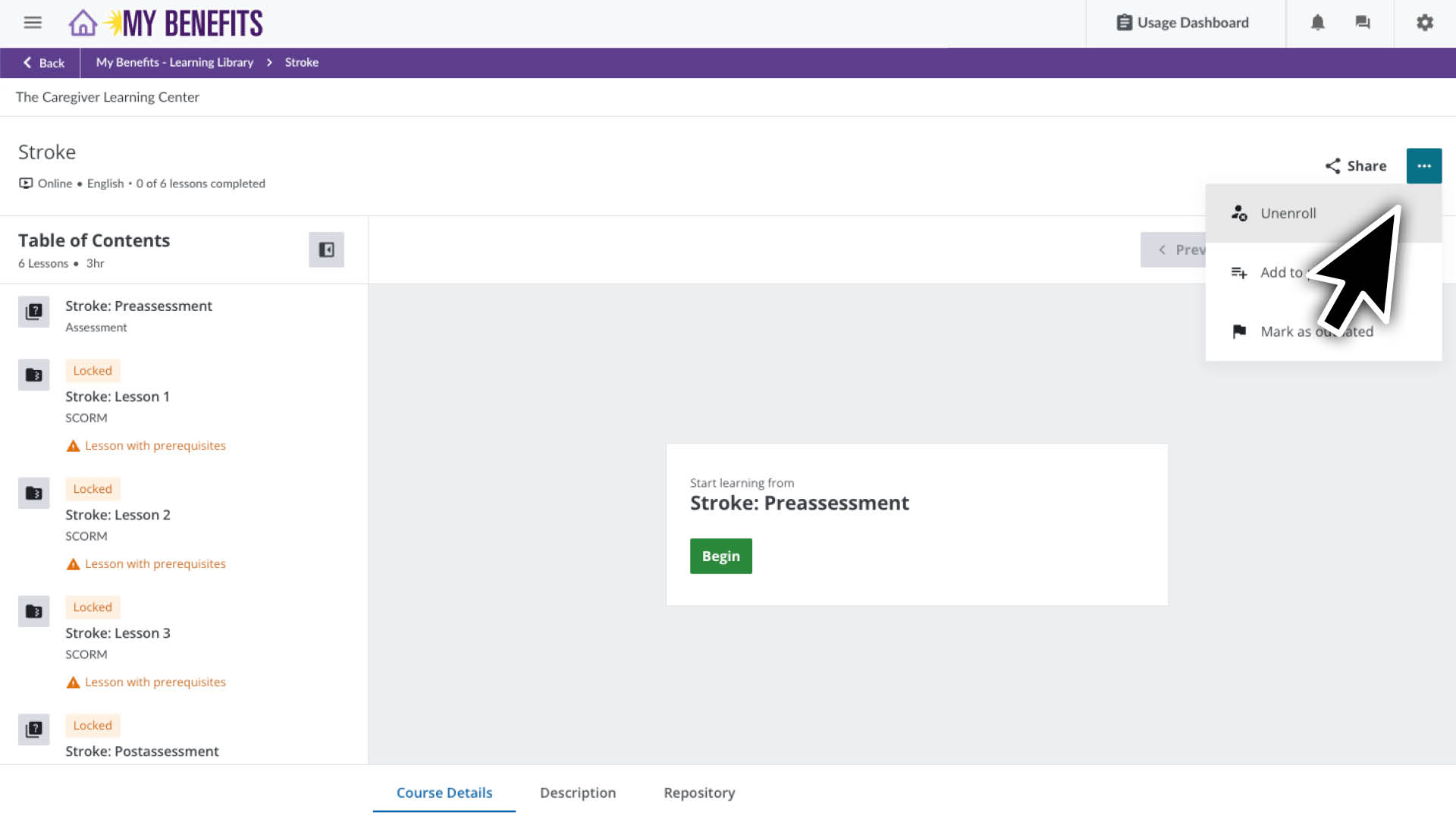
On your homepage click on the course you would like to unenroll from.
On the course page click thethree dots in the top right corner.
ClickUnenroll in the drop down.
In the pop up, click Uneneroll.
You are now unenrolled from the course. Click the home icon in the top right to return to the home page.
Lorem ipsum dolor sit amet, consectetur adipiscing elit, sed do eiusmod tempor incididunt ut labore et dolore magna aliqua. Ut enim ad minim veniam, quis nostrud exercitation ullamco laboris nisi ut aliquip ex ea commodo consequat. Duis aute irure dolor in reprehenderit in voluptate velit esse cillum dolore eu fugiat nulla pariatur. Excepteur sint occaecat cupidatat non proident, sunt in culpa qui officia deserunt mollit anim id est laborum.