Basic Training 70

Caregiver Learning Center User Guide

  • Hover your mouse over an image to pause it.
  • Click the dots to move through the images.
  • Tap an image to pause it.
  • Swipe to move through the images.

Before You Get Started

If you’re new to the Caregiver Learning Center, start with the Getting Started Guide to learn how to access your account, navigate pages and manage your profile.

To complete your basic training, you will need to: 

  • Enroll in Basic Training 70
  • Attend 8 full days of in-person classroom lessons
  • Complete 21 hours of online webinars

Basic Training 70 is a 70-hour training that prepares you with the information and skills you need to successfully pass the certification exam and become a Home Care Aide (HCA).

  1. Once you are logged in, click the Enroll button.
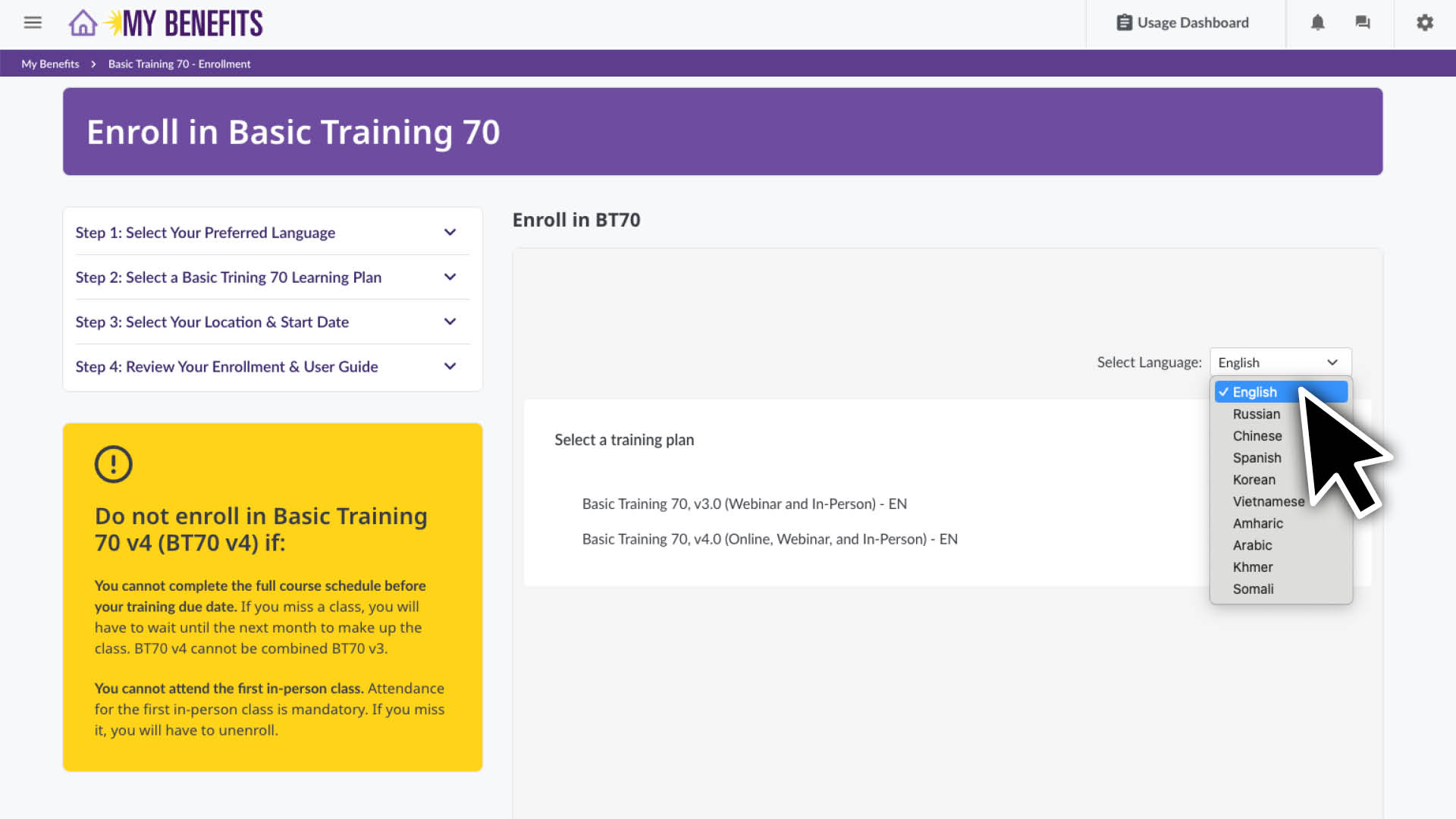
  2. Scroll down to the enroll section and select your preferred language for training.
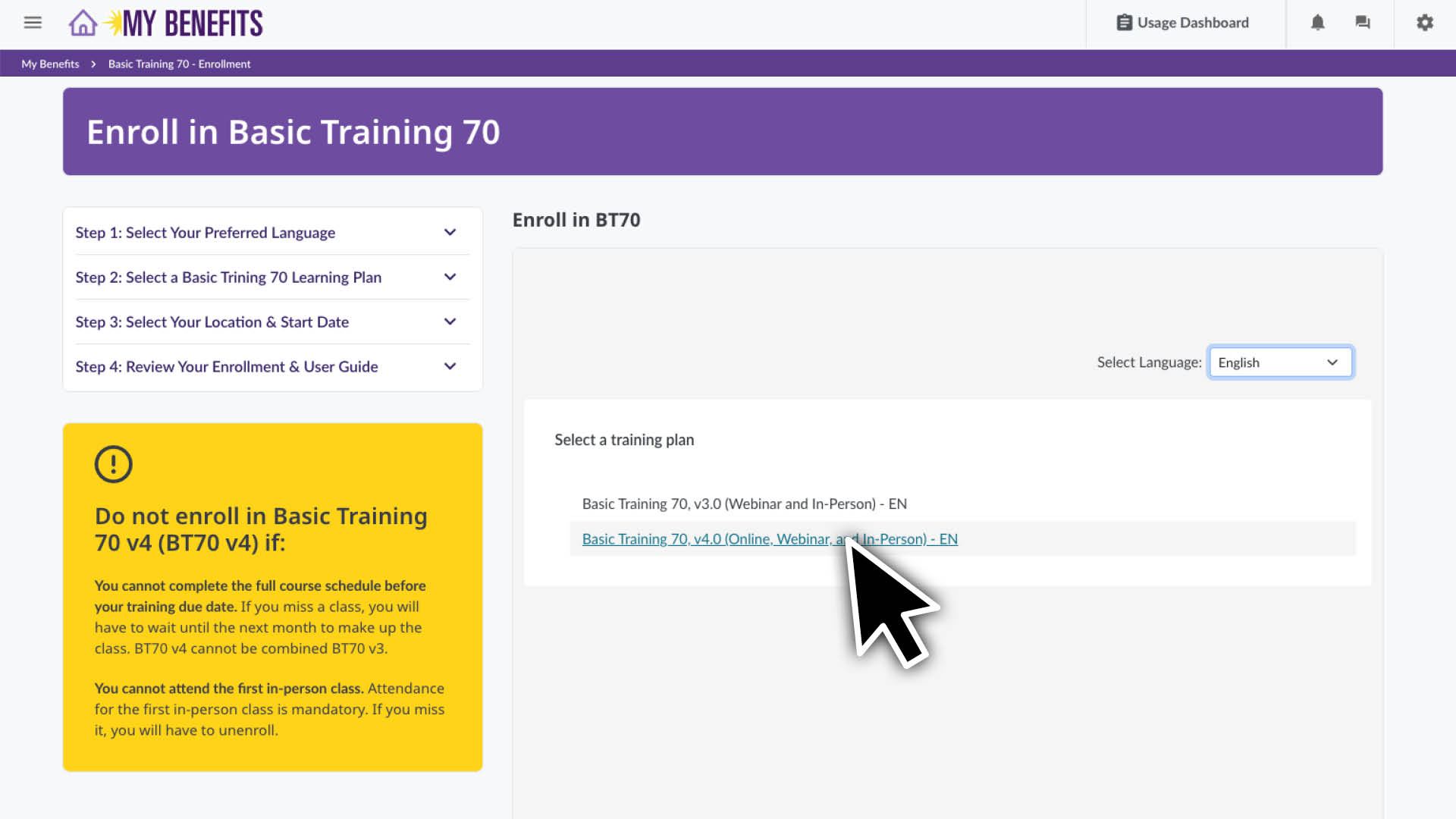
  3. Click on your preferred version of Basic Training 70.
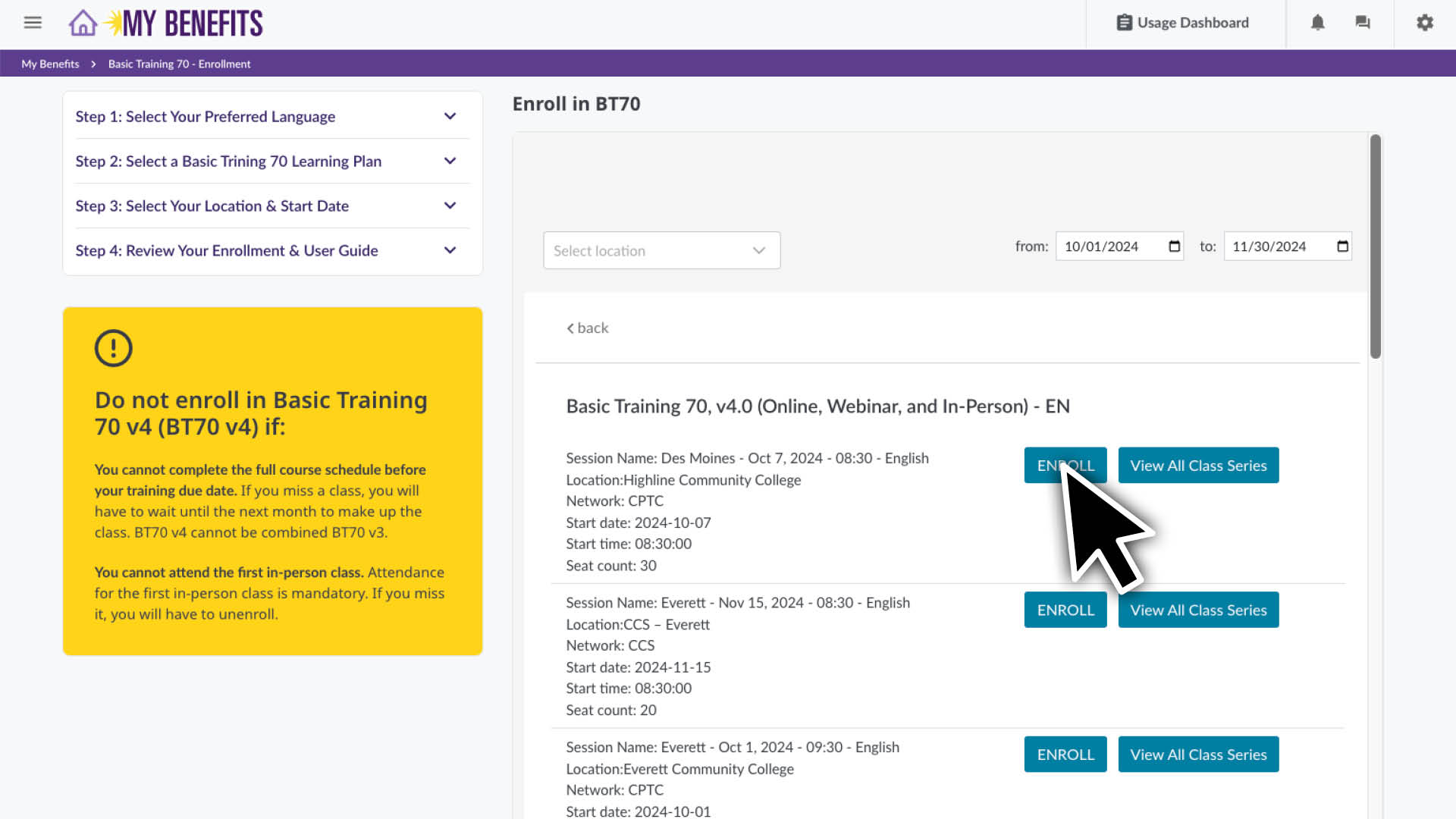
  4. You will see a class list, sorted by location and start date. Scroll to find your preferred location.
    Note: You can see the full schedule for that class series by clicking the View All Class Series button.
  5. Click the Enroll button on the class series you want to enroll in.
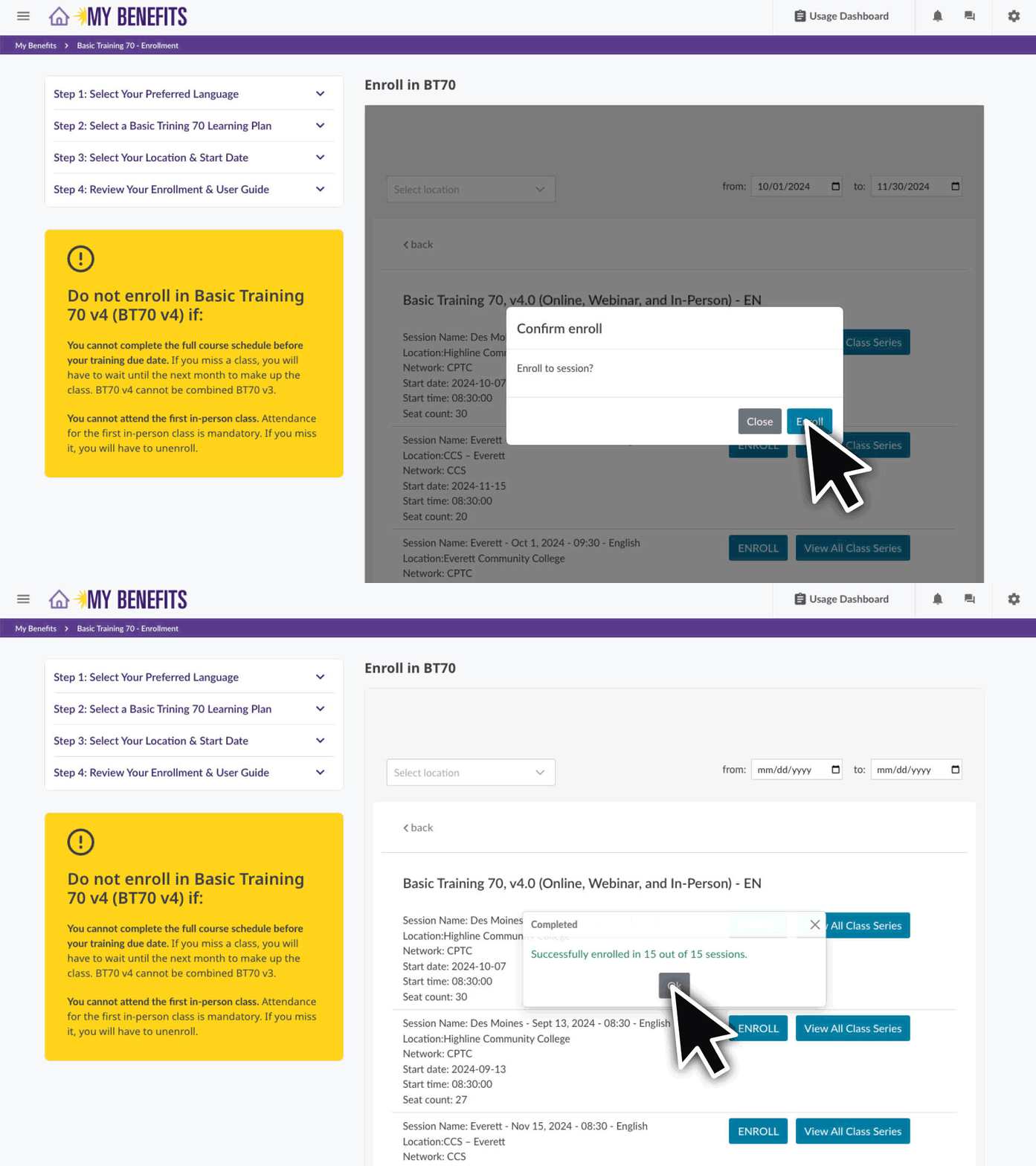
  6. Confirm your enrollment by clicking the Enroll button and then the OK button.
    If you get a message that says “Unable to enroll in these sessions:”, you are still enrolled in BT70 but you will need to schedule those sessions. Learn how here.

You are now enrolled! Click the logo to return to your home page. 

If you get a message that says "Unable to enroll in these sessions"

contact the Member Resources Center at 1-866-371-3200 to help you schedule your remaining classes.

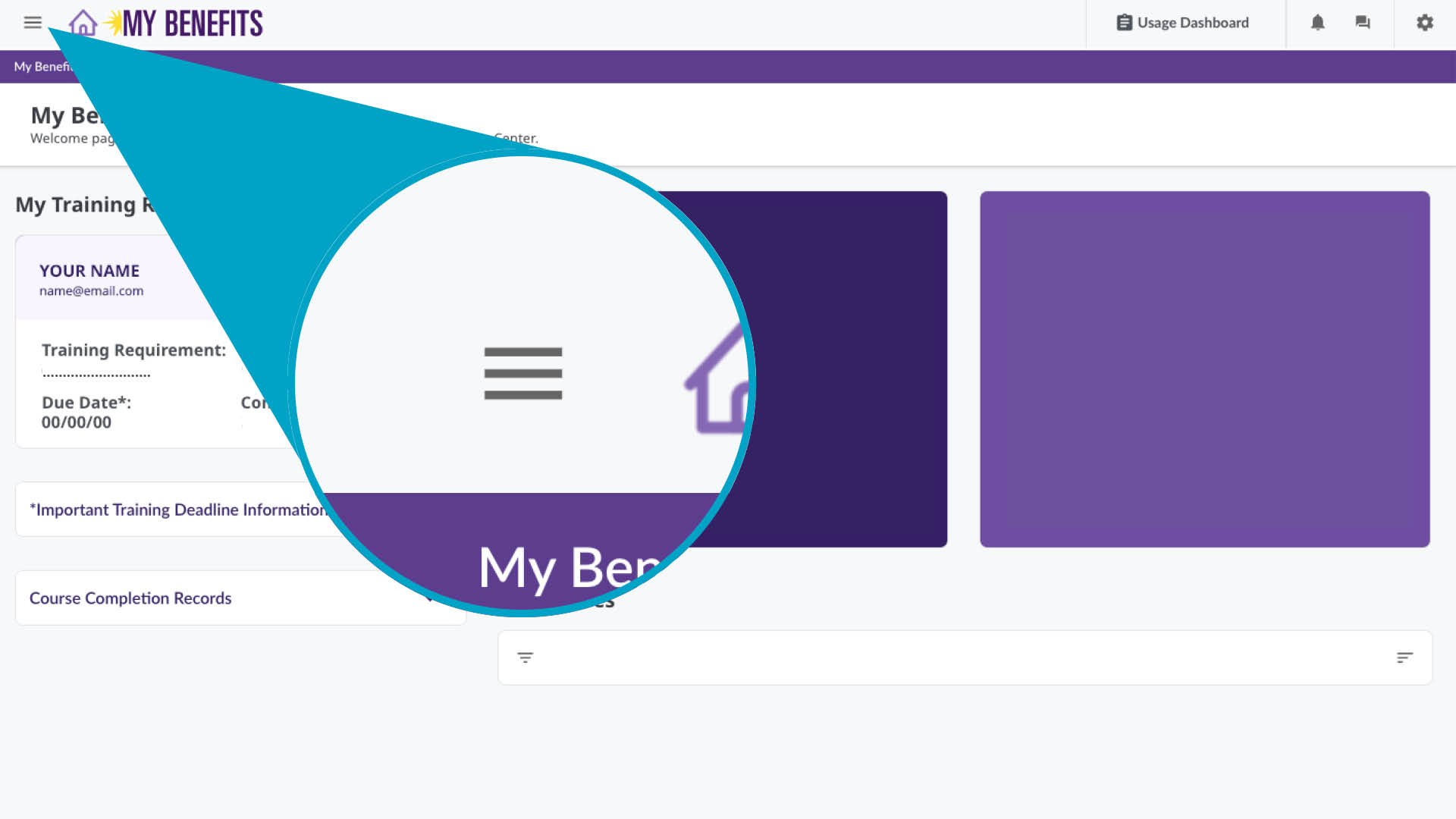
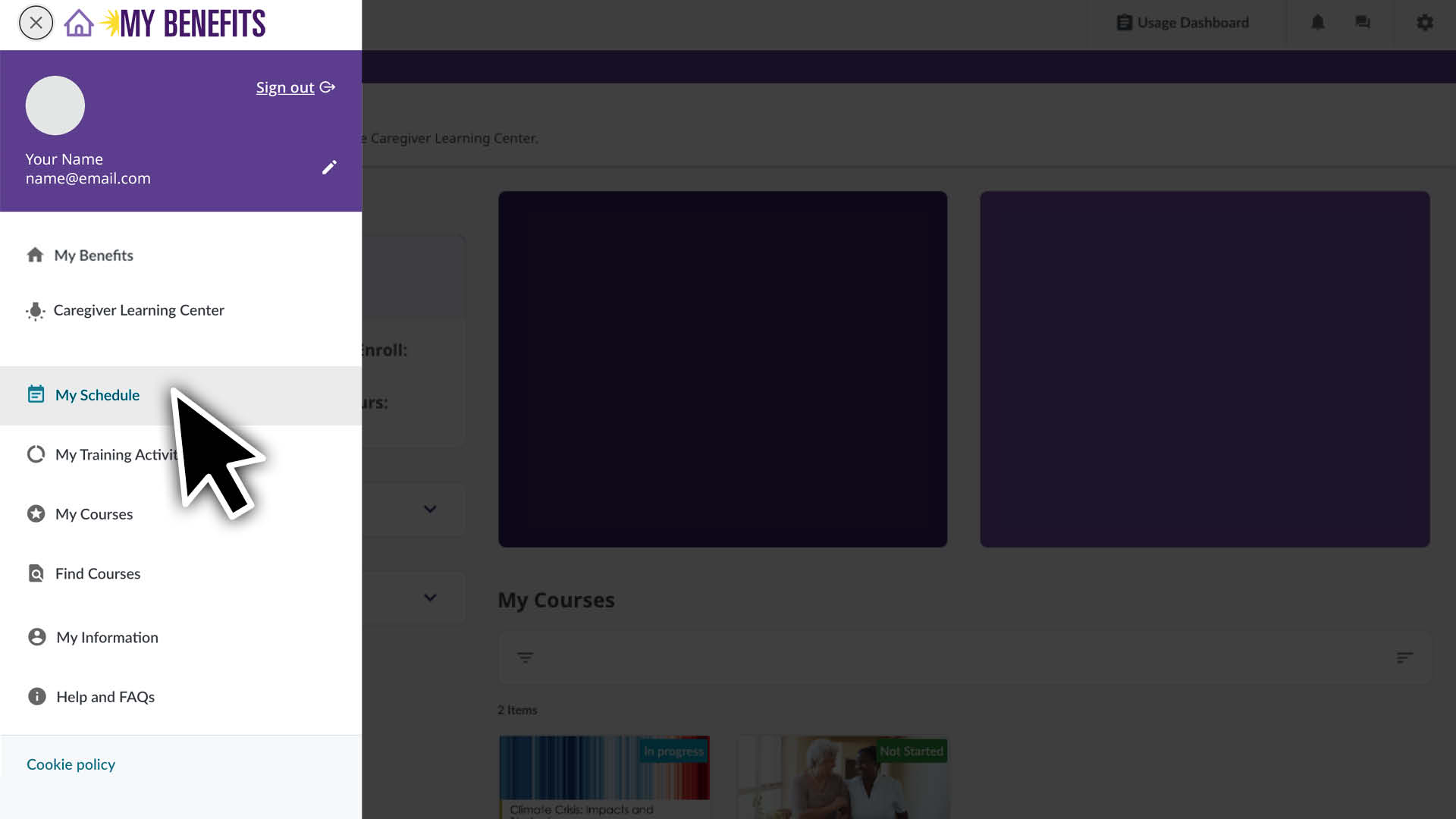
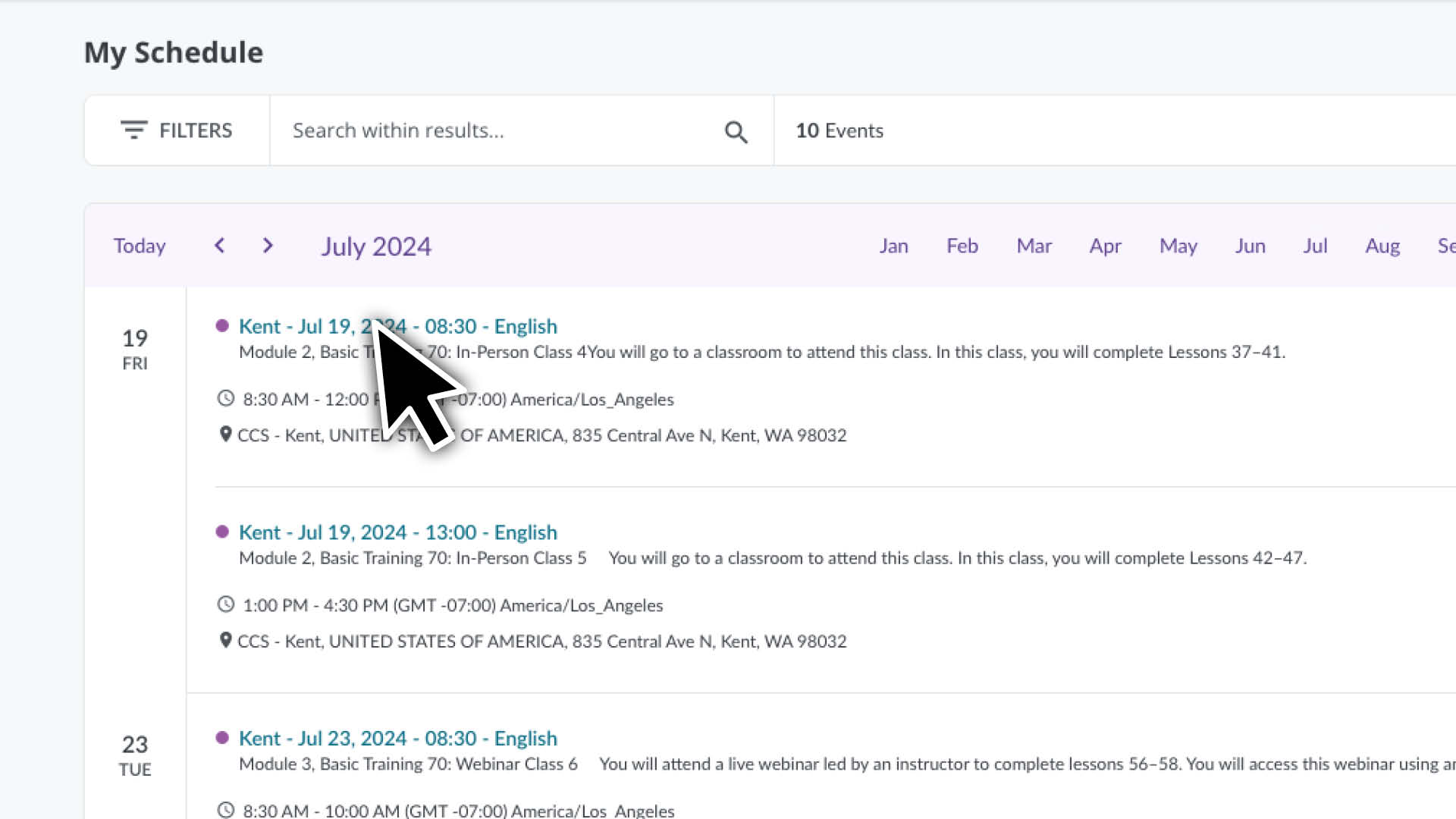
Click the menu icon and select the My Schedule page.

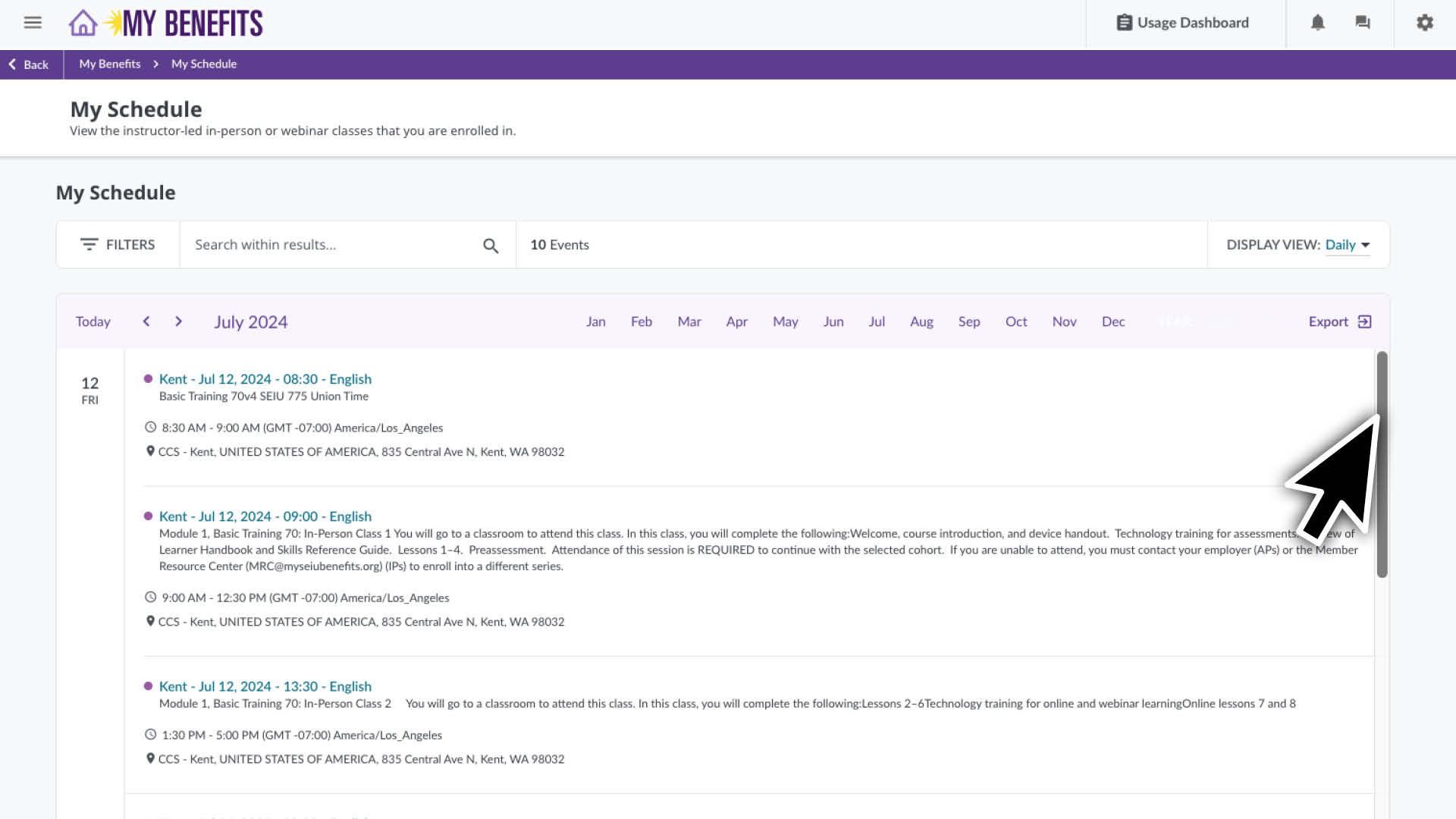
  • You’ll see a list of courses you are enrolled in for the current month.
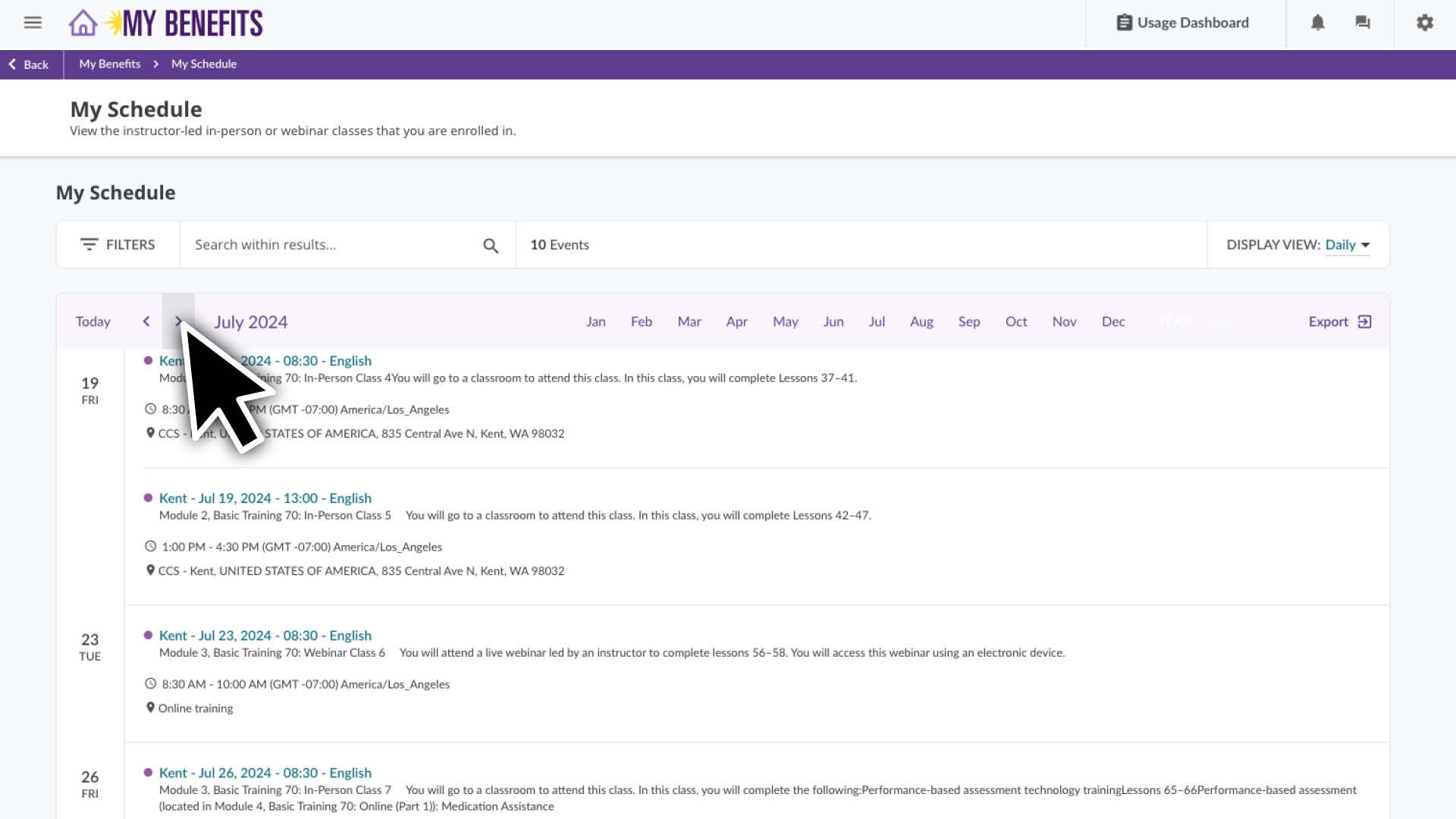
  • Scroll down to see more classes for that month or use the arrows to select a different month.

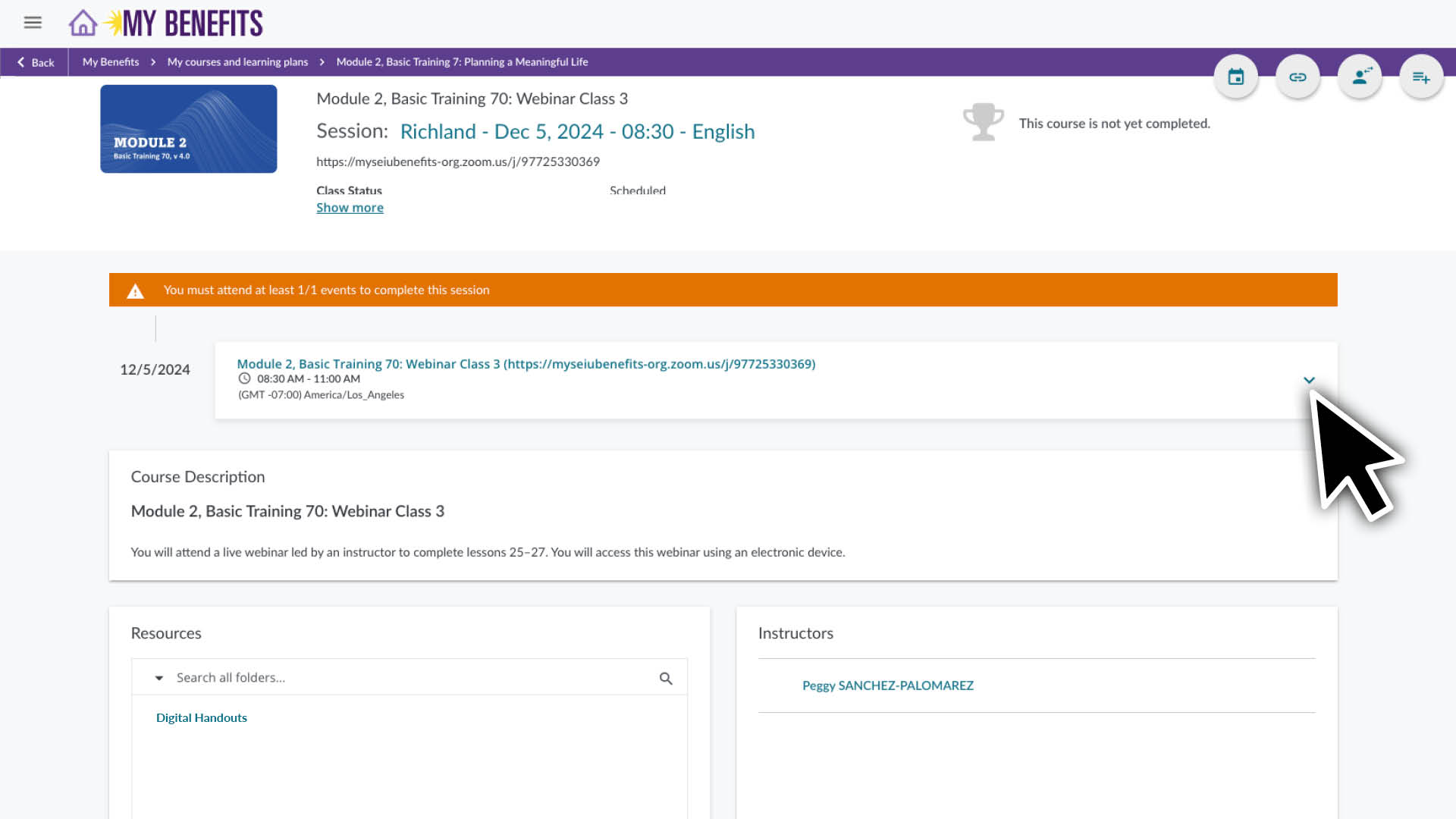
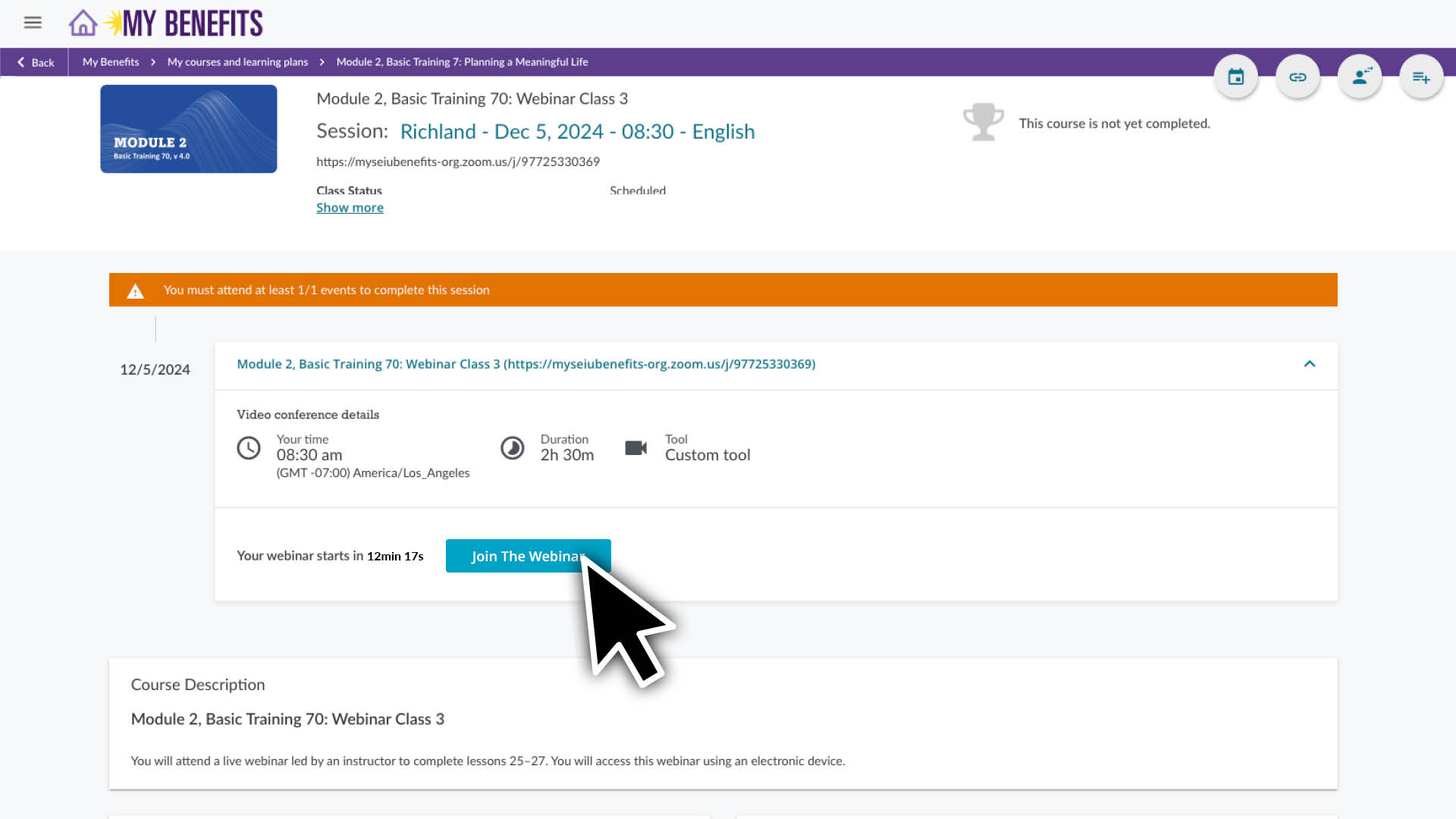
Click on a course to see it’s page and course details. See additional instructions below for accessing your Webinar Zoom link.

To use Zoom you will need access to:

  • A computer, tablet or smartphone that has audio and video functionality.
  • A reliable WiFi or internet connection. Check your connection prior to your class, it should be good enough to stream an online video smoothly. 

To download Zoom:
Go to zoom.us/download and download the version suited for your device. You can get further instructions on how to download and install Zoom here.


If you’re new to Zoom:
These links will show you how to trouble shoot your audio and video, use the chat feature and change your profile preferences.

Getting started with Zoom

Zoom video, audio and chat controls

 

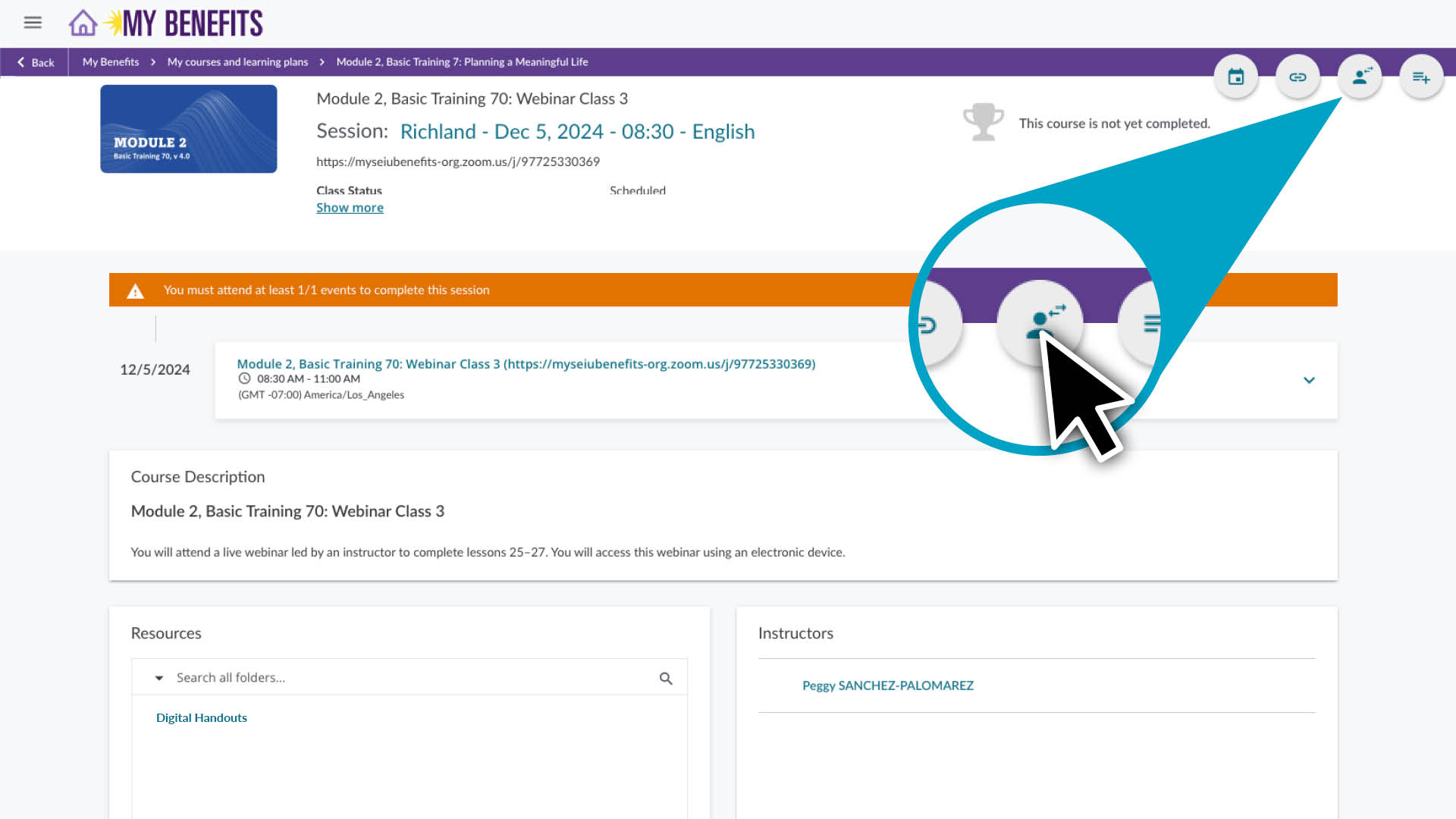
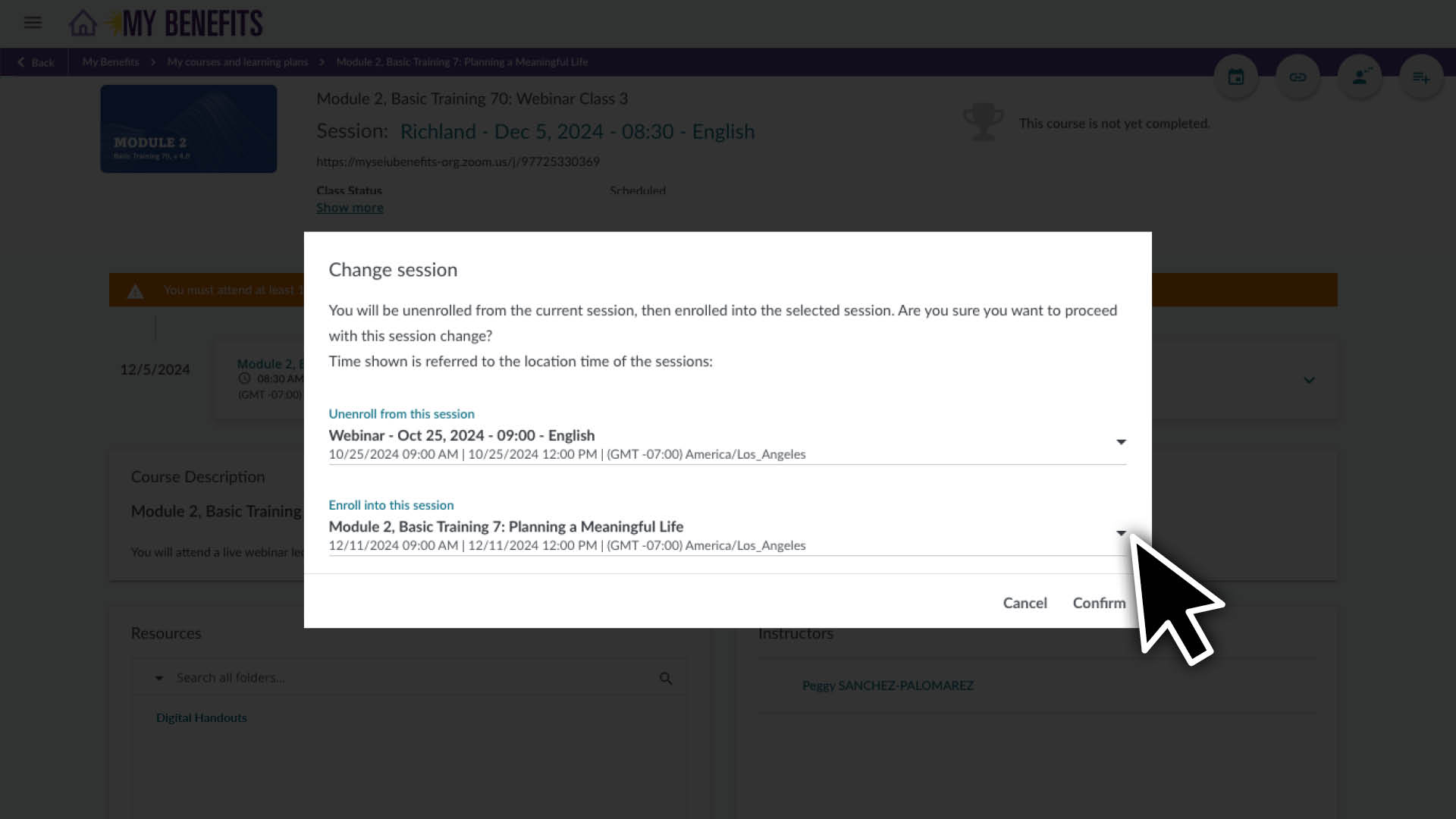
Follow the instructions above to go to the page for the course you would like to reschedule.

  1. Click the user icon located in the top right corner of the course page.
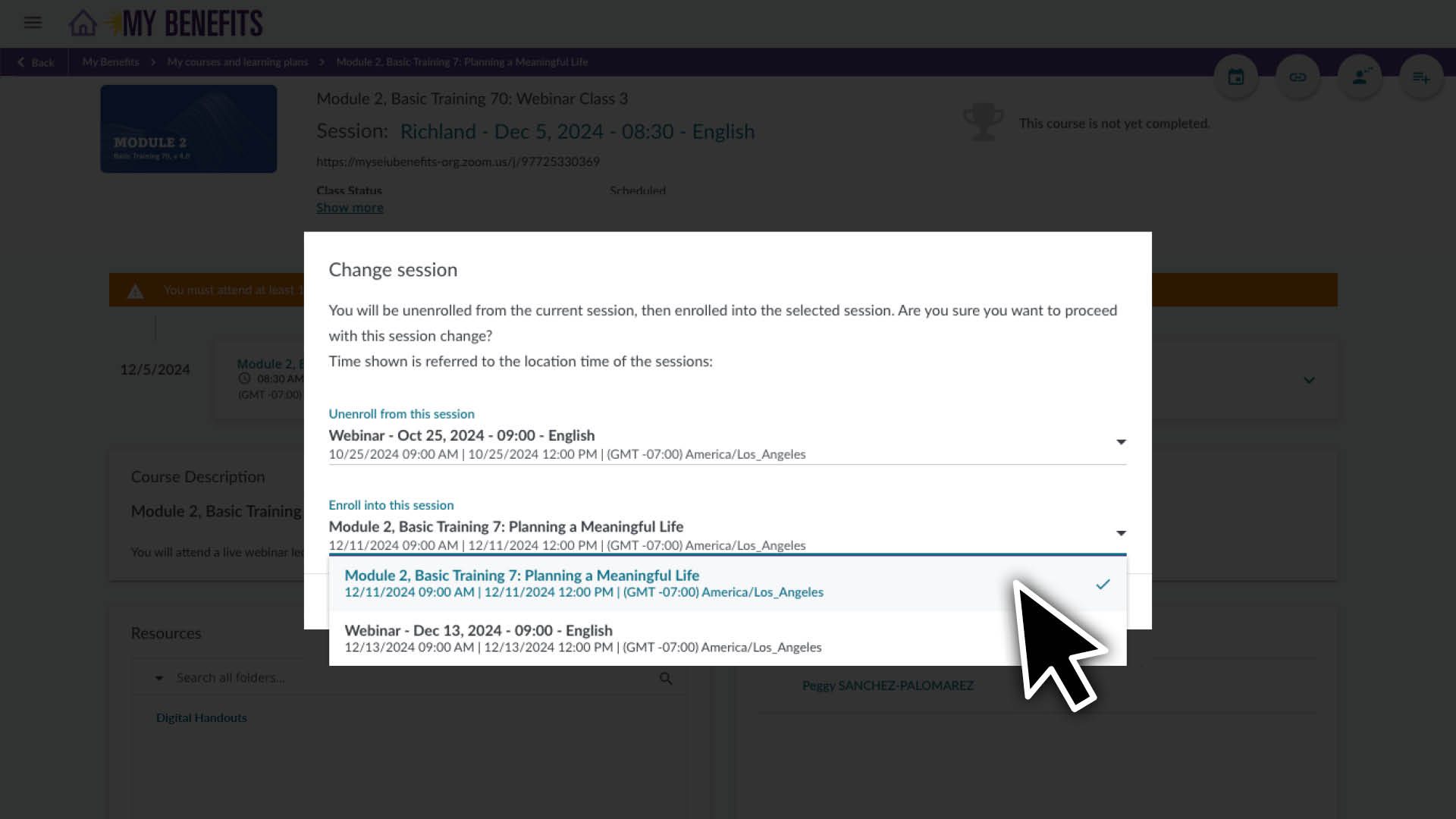
  2. On the Enroll in this session section, click the down arrow to view your options.
  3. Click on the course session you would like to switch to.  
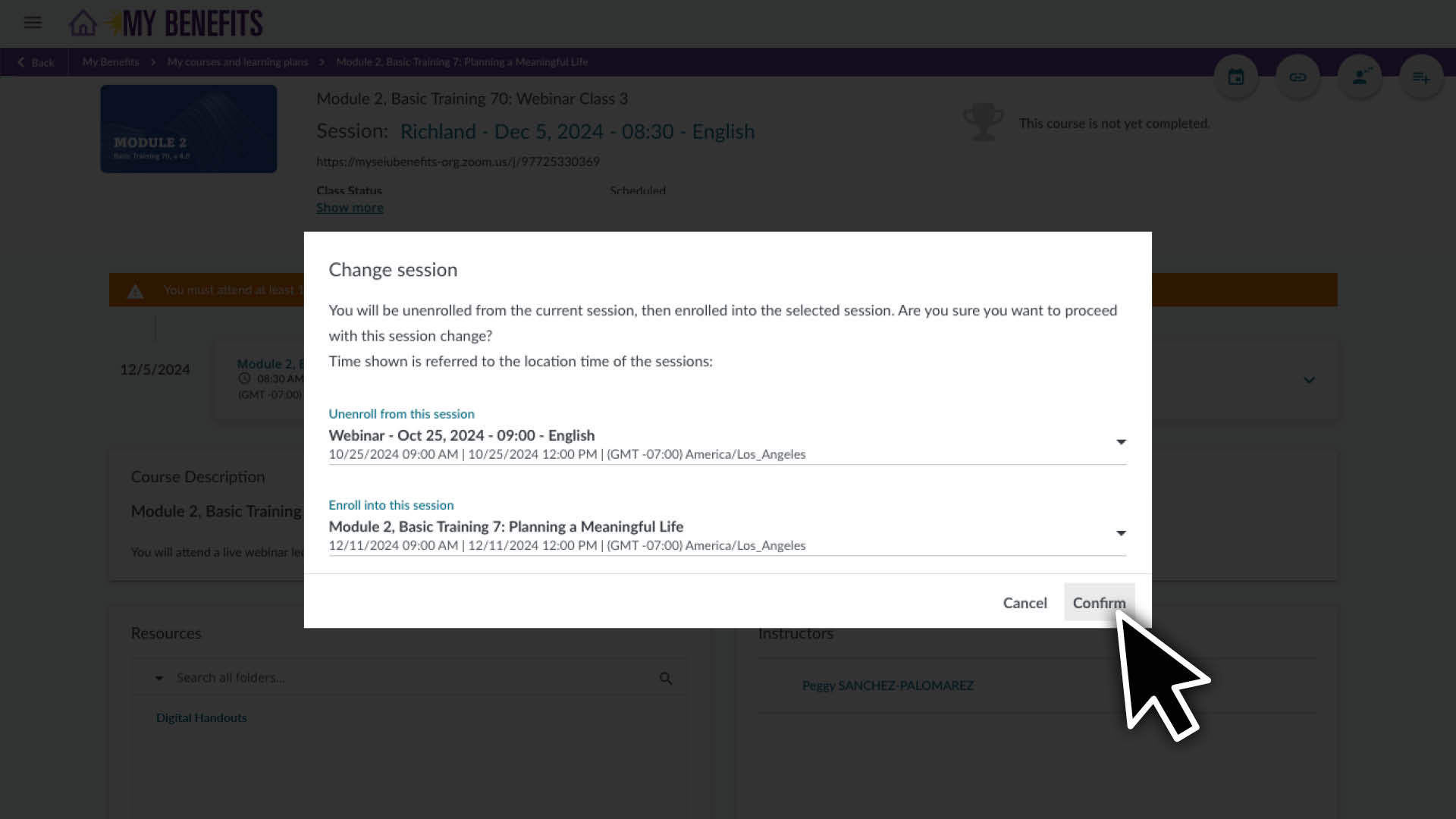
  4. Click the Confirm button.

After confirming the change, the page will refresh with the new schedule information.

Add Your Heading Text Here

Lorem ipsum dolor sit amet, consectetur adipiscing elit, sed do eiusmod tempor incididunt ut labore et dolore magna aliqua. Ut enim ad minim veniam, quis nostrud exercitation ullamco laboris nisi ut aliquip ex ea commodo consequat. Duis aute irure dolor in reprehenderit in voluptate velit esse cillum dolore eu fugiat nulla pariatur. Excepteur sint occaecat cupidatat non proident, sunt in culpa qui officia deserunt mollit anim id est laborum.

Member Resource Center (MRC) will be closed from December 24 – January 1.

If you have questions about enrolling or completing your training, contact the MRC before they are closed. The MRC will reopen on January 2. 

Note: Contact your employer for questions about your training requirement, pay or deadline.

Get help online:

Caregiver Learning Center System Access 

The Caregiver Learning Center cannot be accessed at caregiverlearning.org. Please use seiu775bg.docebosaas.com to access your training.

Thank you for your time and valuable insight!

Make the most of your learning benefits. Read about this year’s Continuing Education new online courses or explore your learning support options.

Caregiver Learning Center System Maintenance

June 6 (Thursday) – June 10 (Monday)

You can log in, enroll and take your training in the Caregiver Learning Center during this time. 

If you complete training during the System Maintenance, it will be sent to your employer after June 10. 

Please contact your employer if you have questions about your training requirement, deadline or payment.