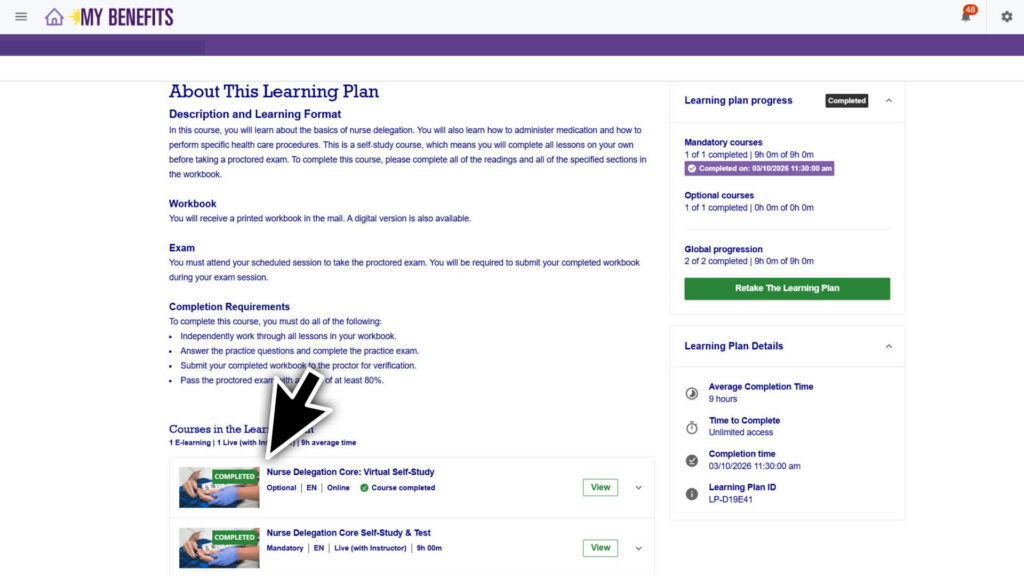
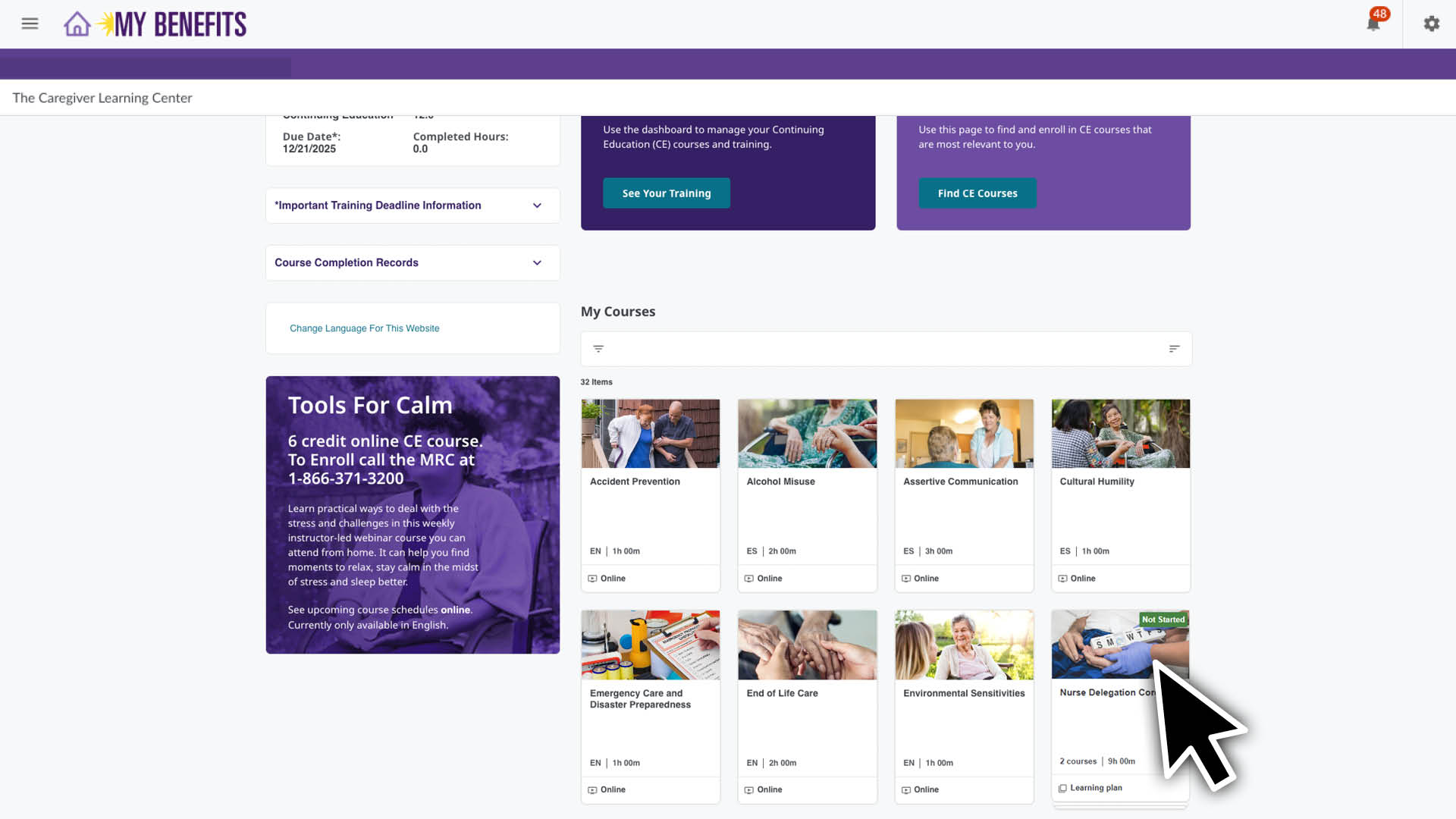
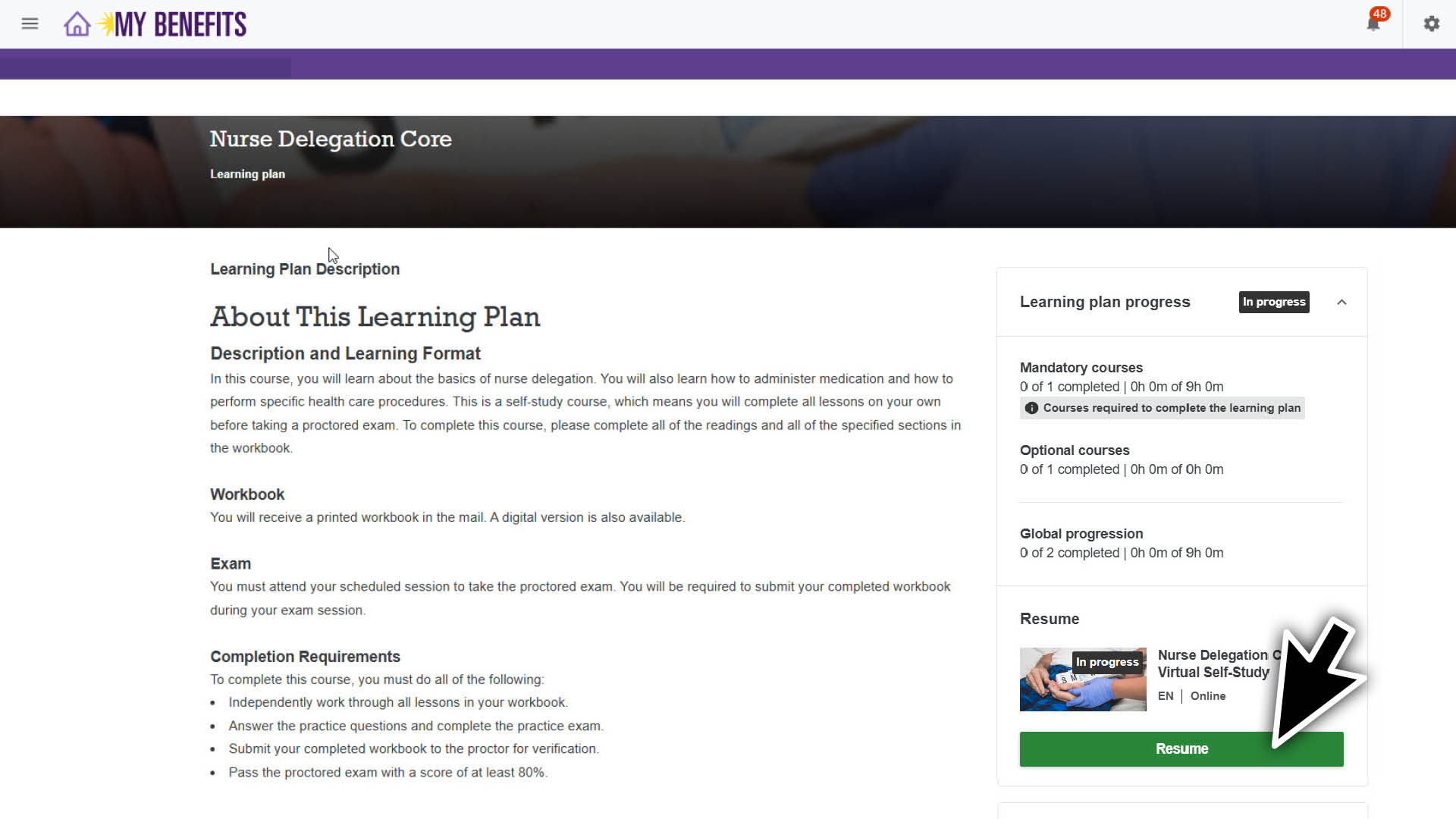
All tasks for Nurse Delegation begin in your Learning Plan. Follow the steps in the Navigate to the Learning Plan section below. The instructions apply for both Nurse Delegation Core and Nurse Delegation Diabetes.
You’ll see an overview of the learning plan and the 2 required courses.
Complete Your Digital Workbook
The Nurse Delegation workbook must be completed before your scheduled exam date. You can choose to complete the physical workbook mailed to you or the digital workbook in the Caregiver Learning Center.
To download and complete the digital workbook:
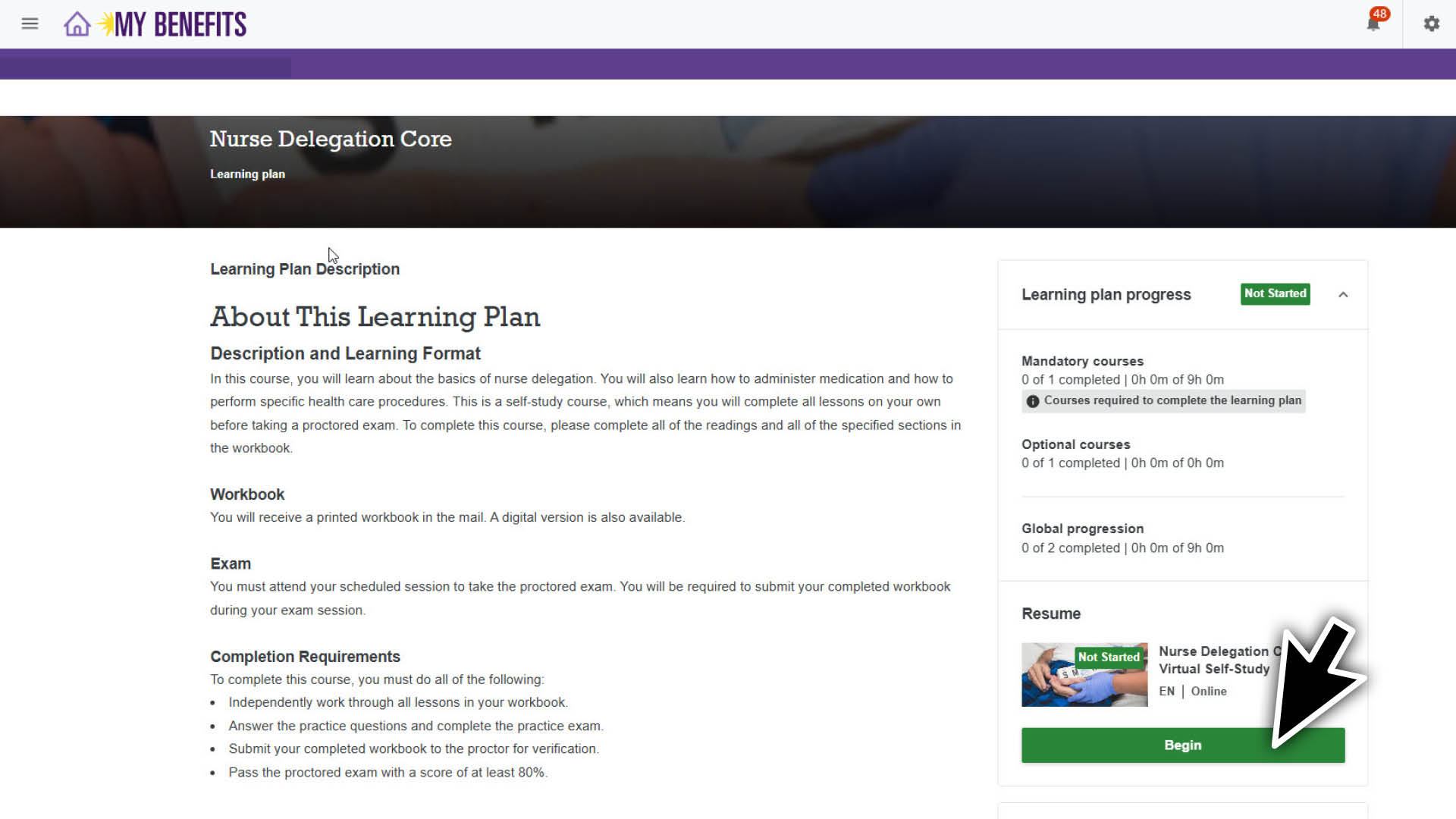
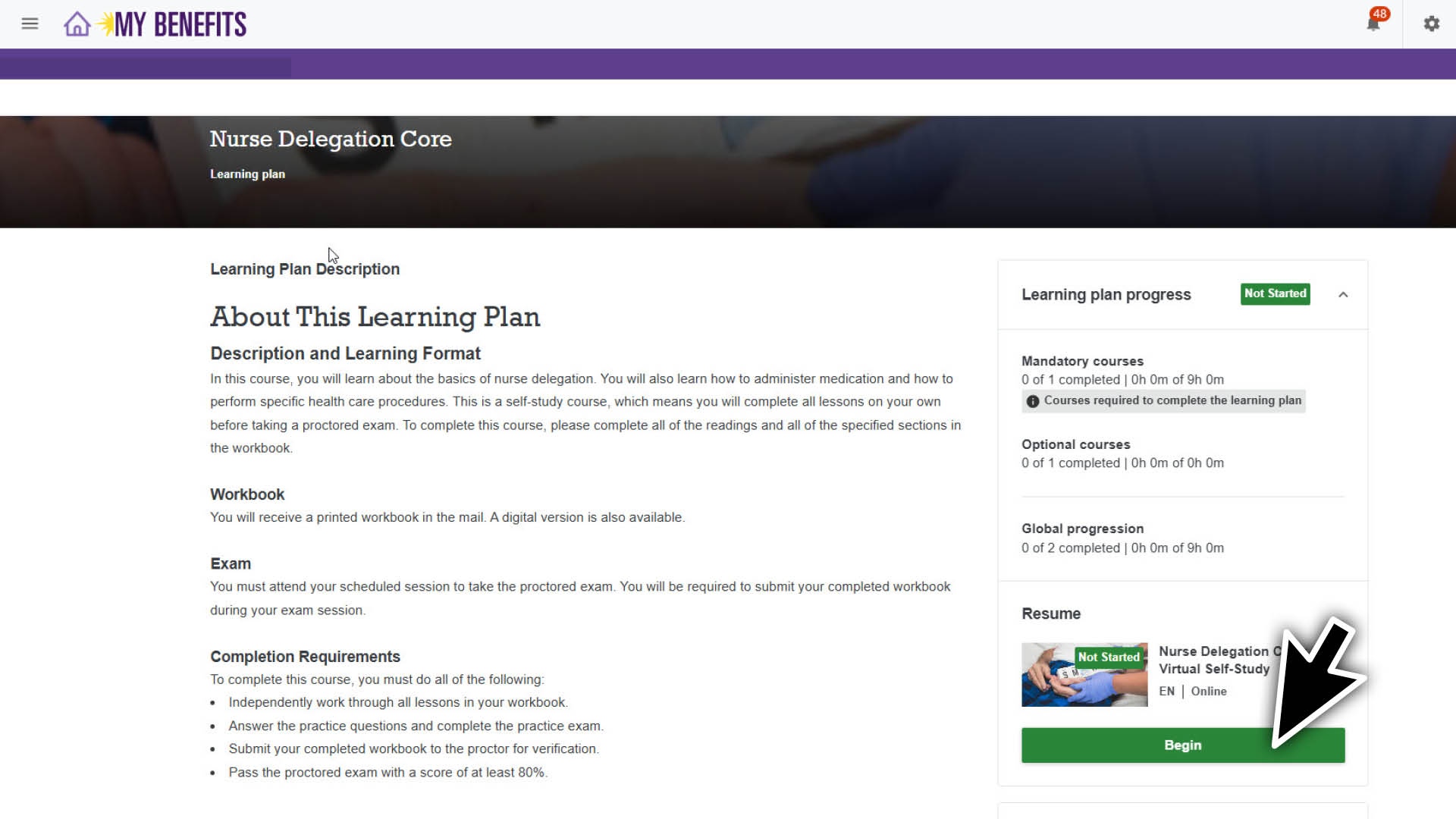
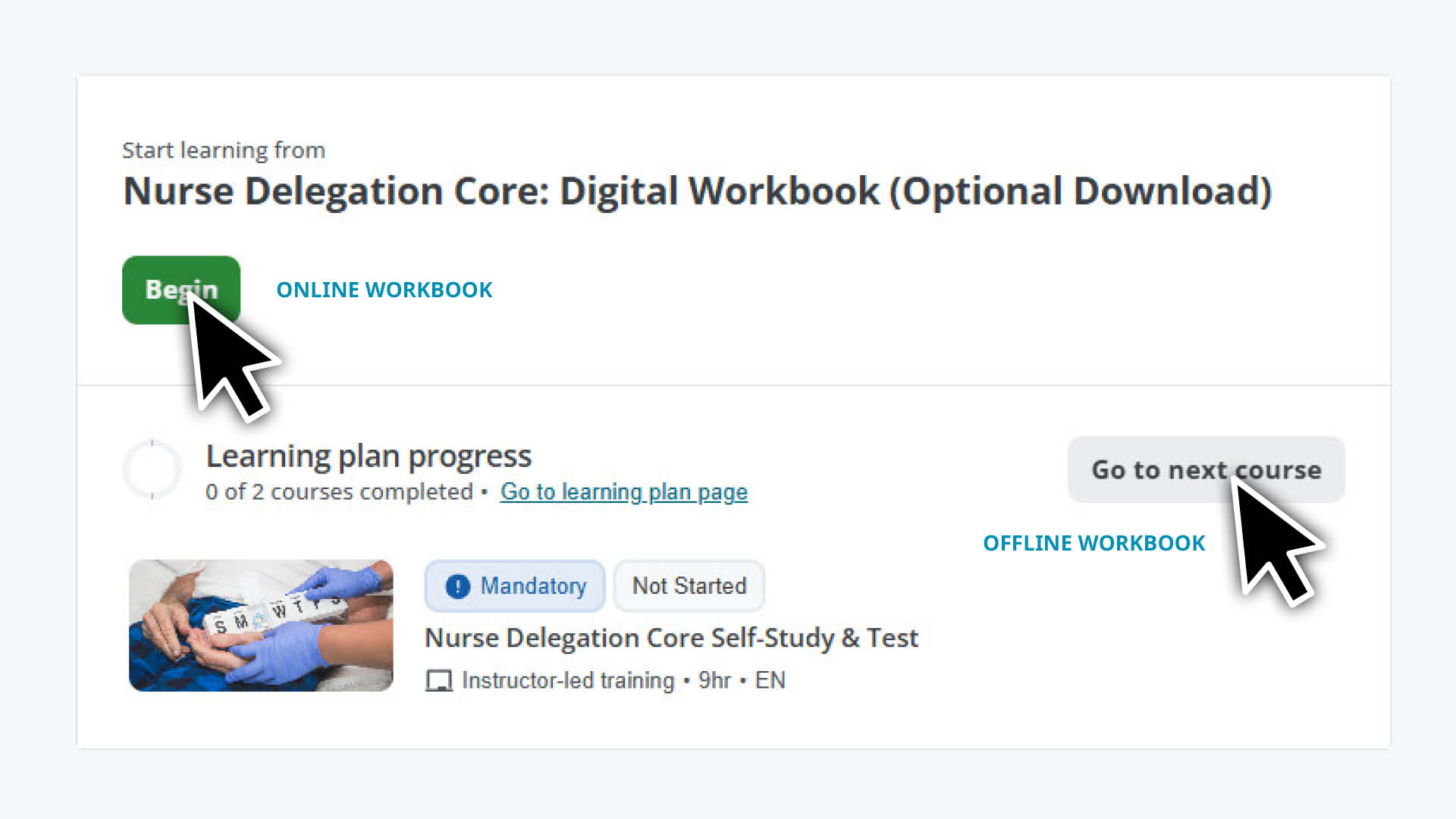
On the learning plan page, select Begin.
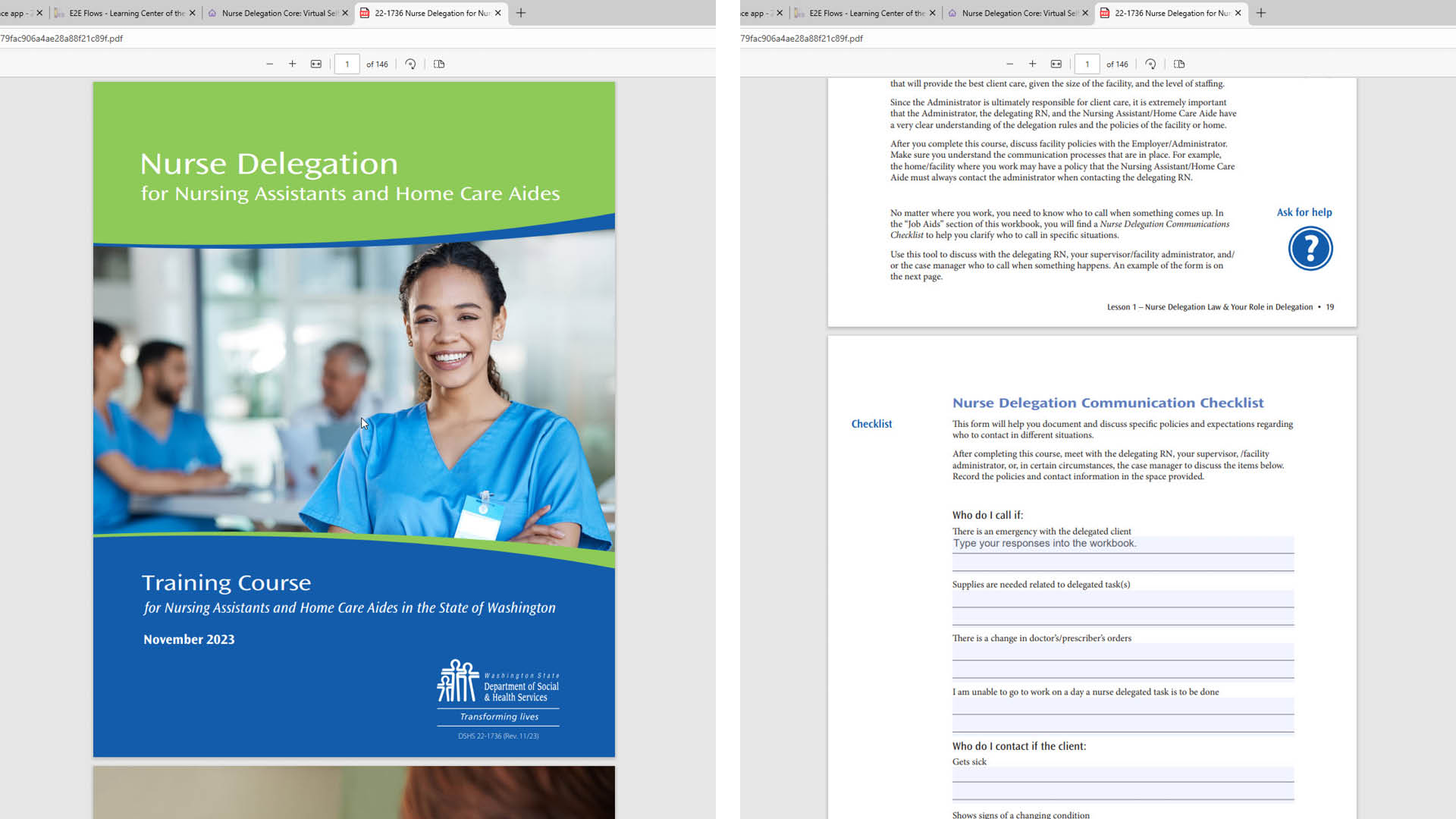
Select Download file to open the workbook in a new browser window.
Complete the workbook by typing directly into the PDF.
Save your completed workbook to your computer.
Upload Your Digital Workbook
If you complete your workbook digitally, you must submit it before you can take your scheduled exam.
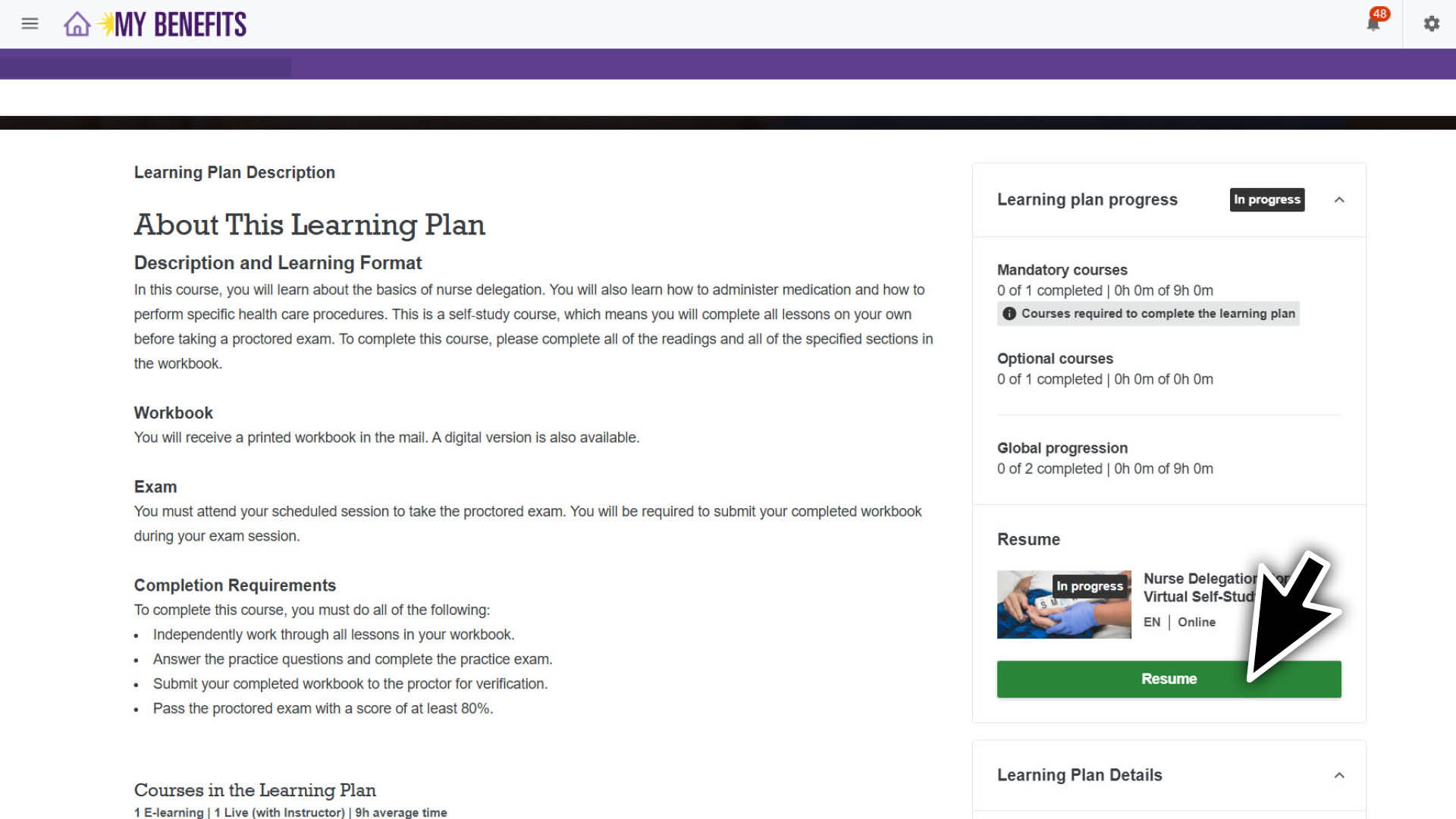
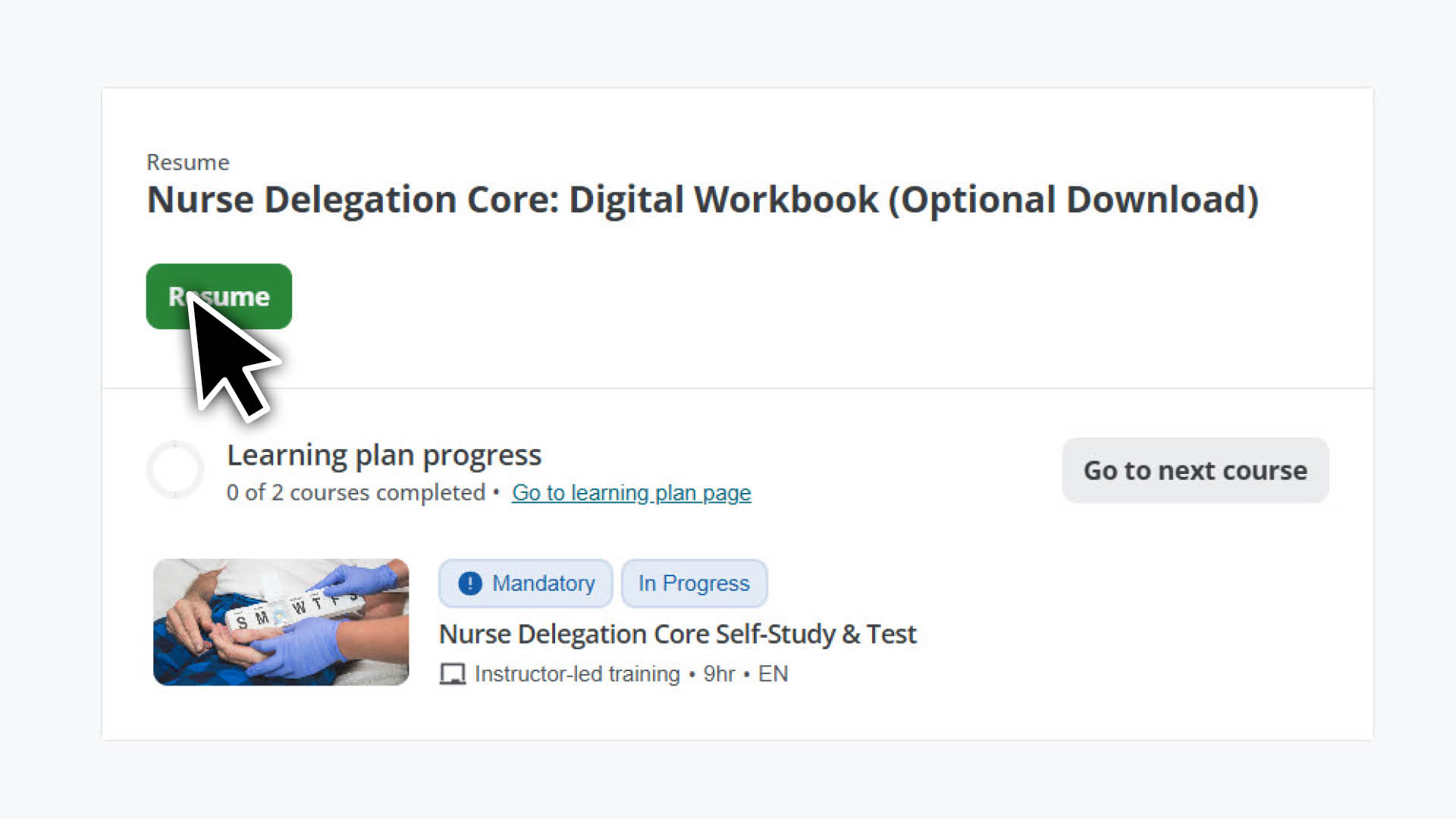
On the learning plan page, select Resume.
Select Resume again.
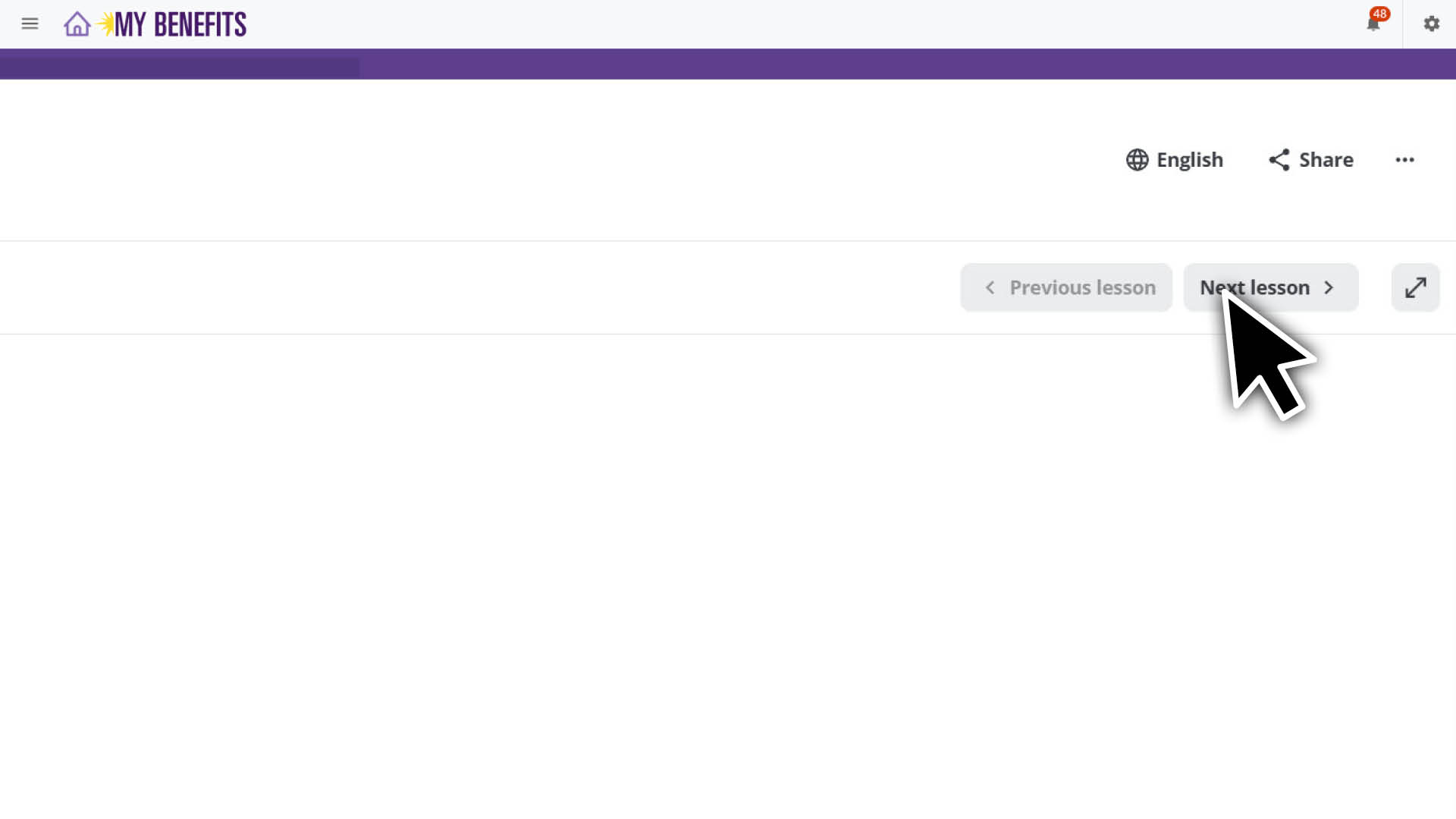
When the file download screen appears again, select Next lesson.
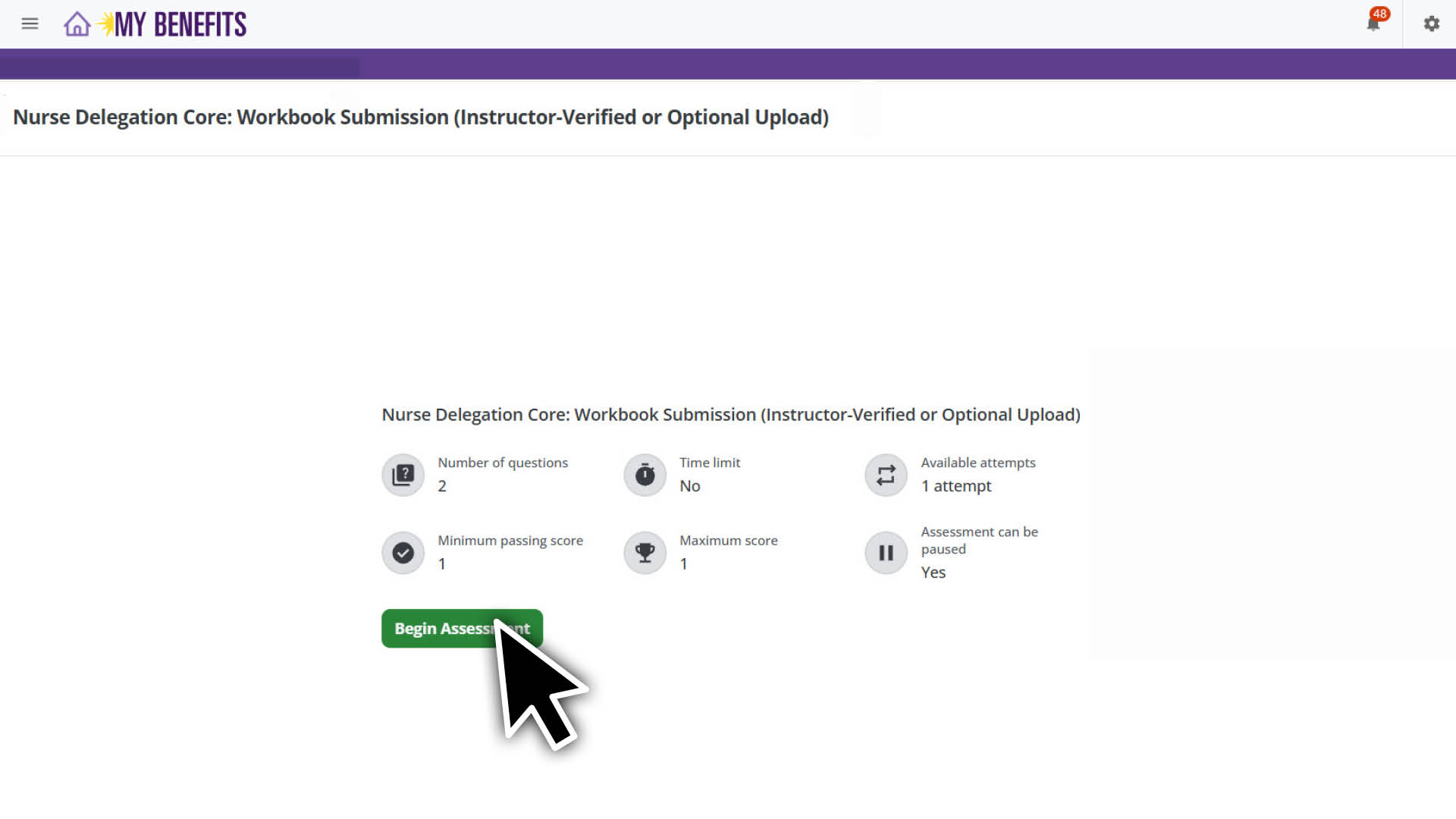
Select Begin Assessment to upload your workbook.
In the pop-up, select Begin Assessment again.
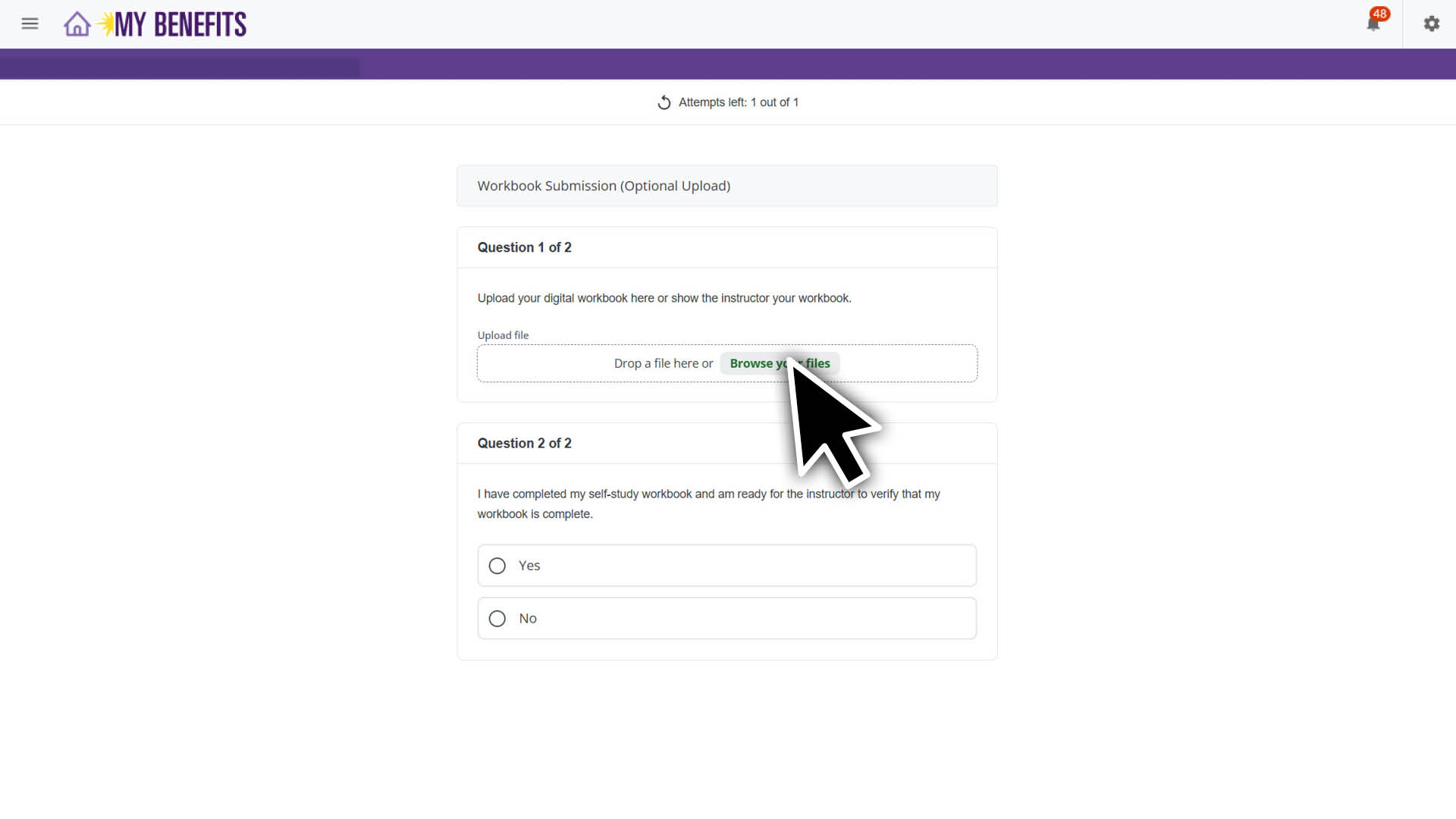
Select Browse your files, select your completed workbook and click Open.
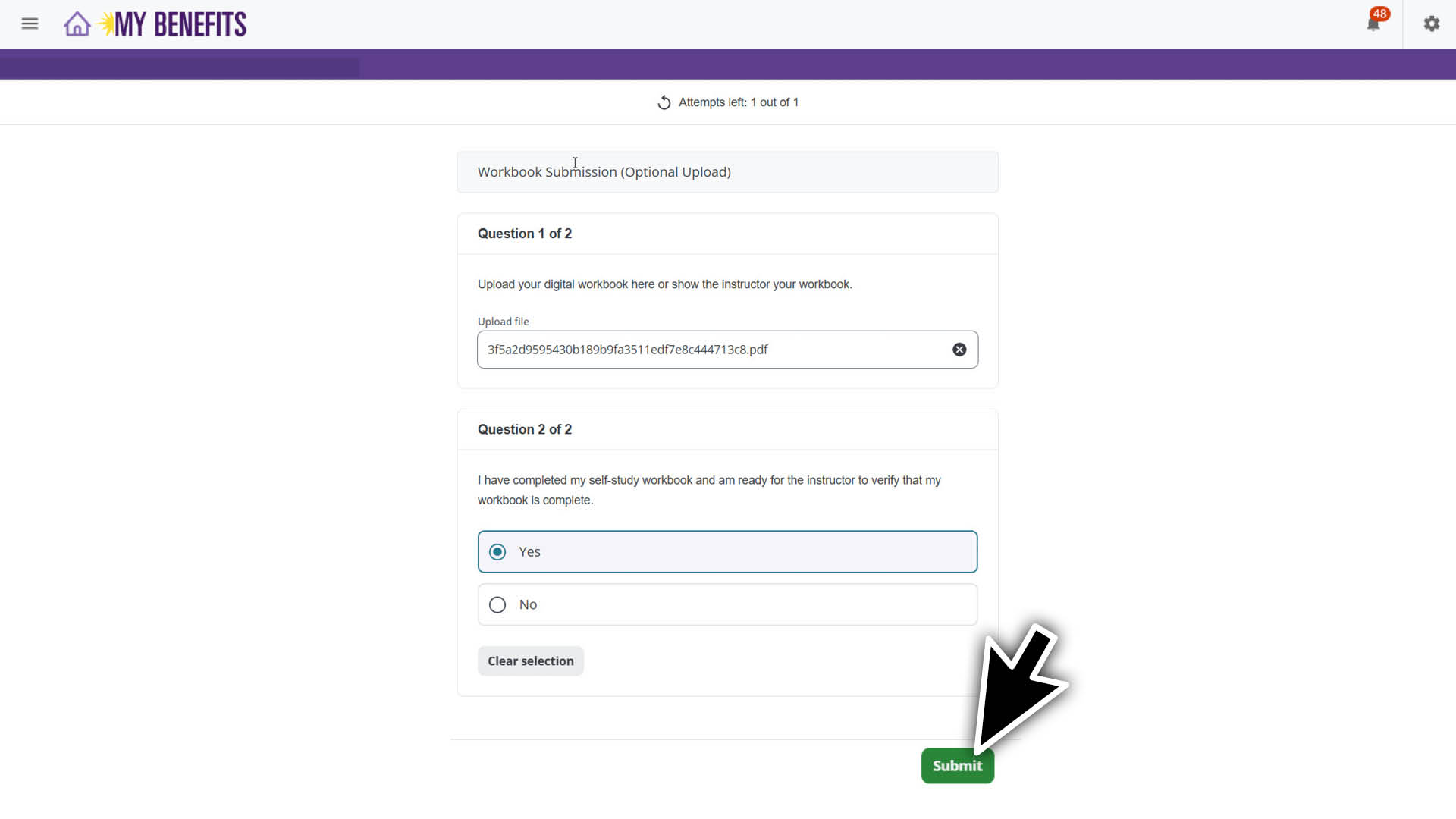
Select Yes and Submit.
Your submitted workbook will be reviewed by an instructor.
After logging into the Caregiver Learning Center, scroll down to your Nurse Delegation learning plan and select the Open/Resume button. The plan will be in either the Not Started or the In Progress status.
Select the course ending in Self-Study & Test. Do not select the course ending in “Virtual Self-Study.”
Select the Join button to access the webinar. You will be prompted to join the Zoom classroom.
When you are ready to take the exam, navigate back to the Caregiver Learning Center or select the Dashboard in the sub-menu and follow the instructions in the “Complete Your Exam” section below.
Complete Your Exam
From the Dashboard, scroll down to your learning plans and select the exam you are taking: Nurse Delegation Core: Virtual Self-Study or Nurse Delegation Diabetes: Virtual Self-Study.
On the learning plan page, select Open/Resume button to access the course page.
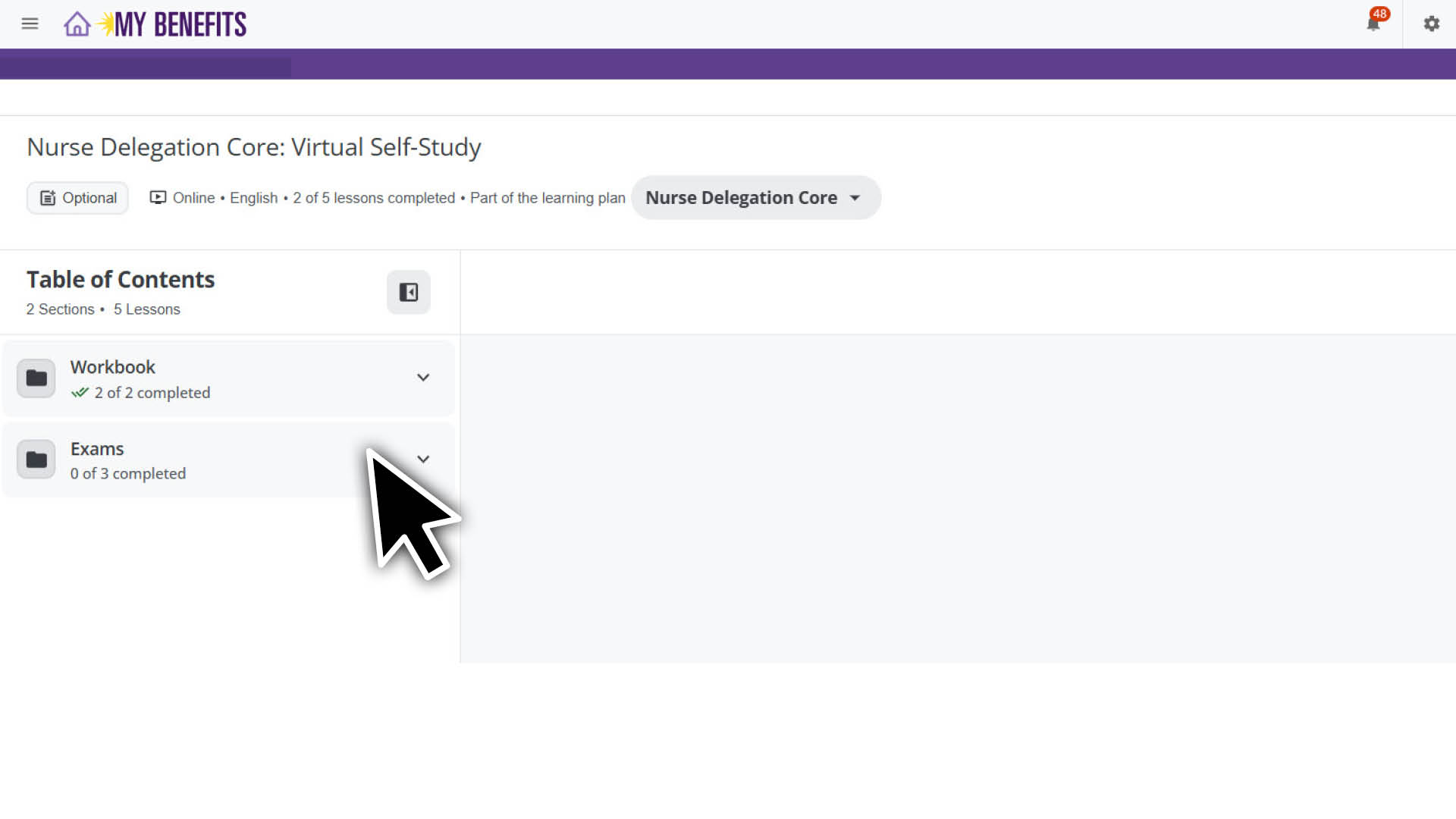
Select the Table of Contents in the left side of the course page to open the menu.
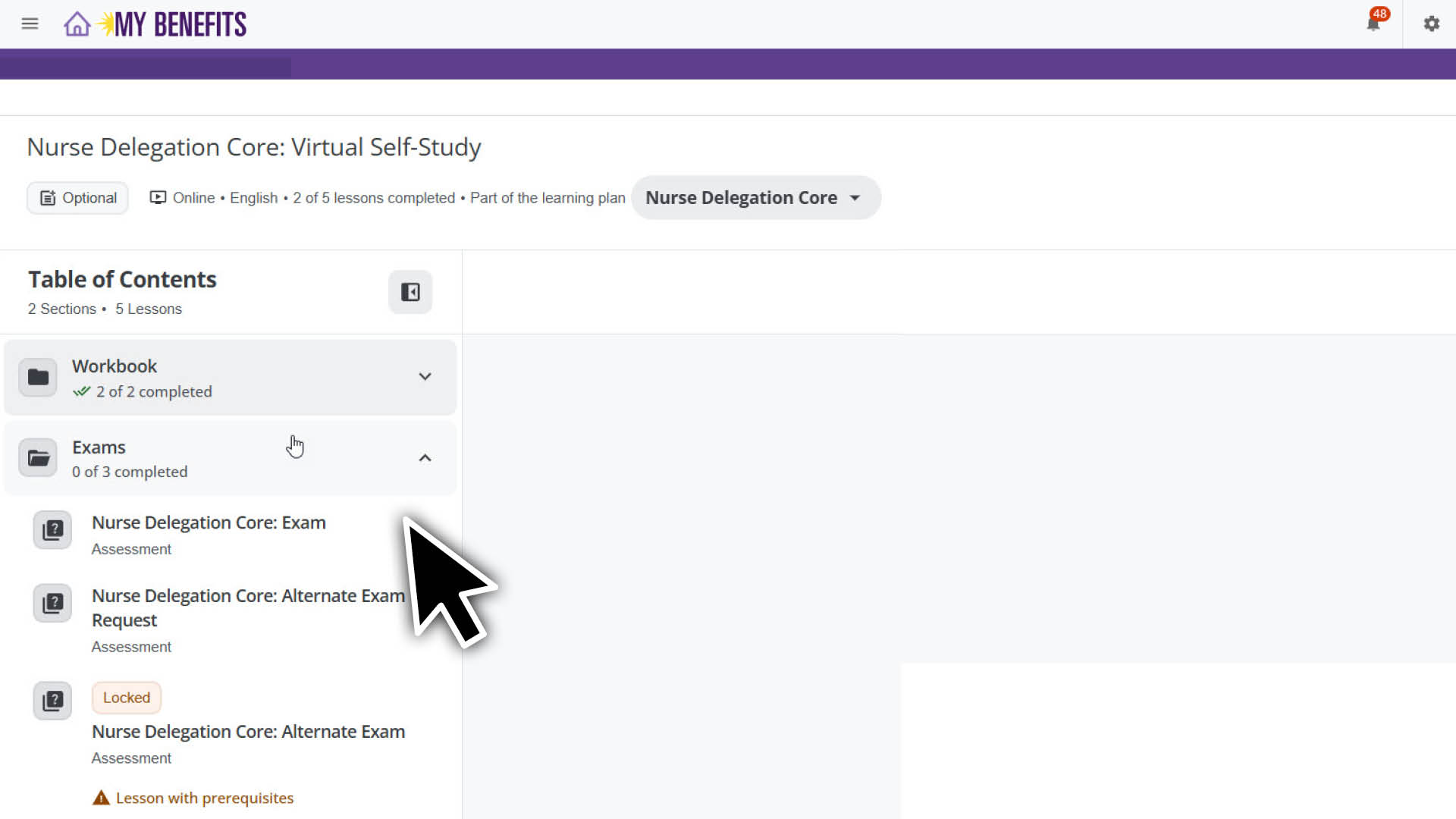
Select the down arrow in the Exams section in the Table of Contents to access the available exam.
Select the exam you are taking: Nurse Delegation Core: Exam or Nurse Delegation Diabetes: Exam.
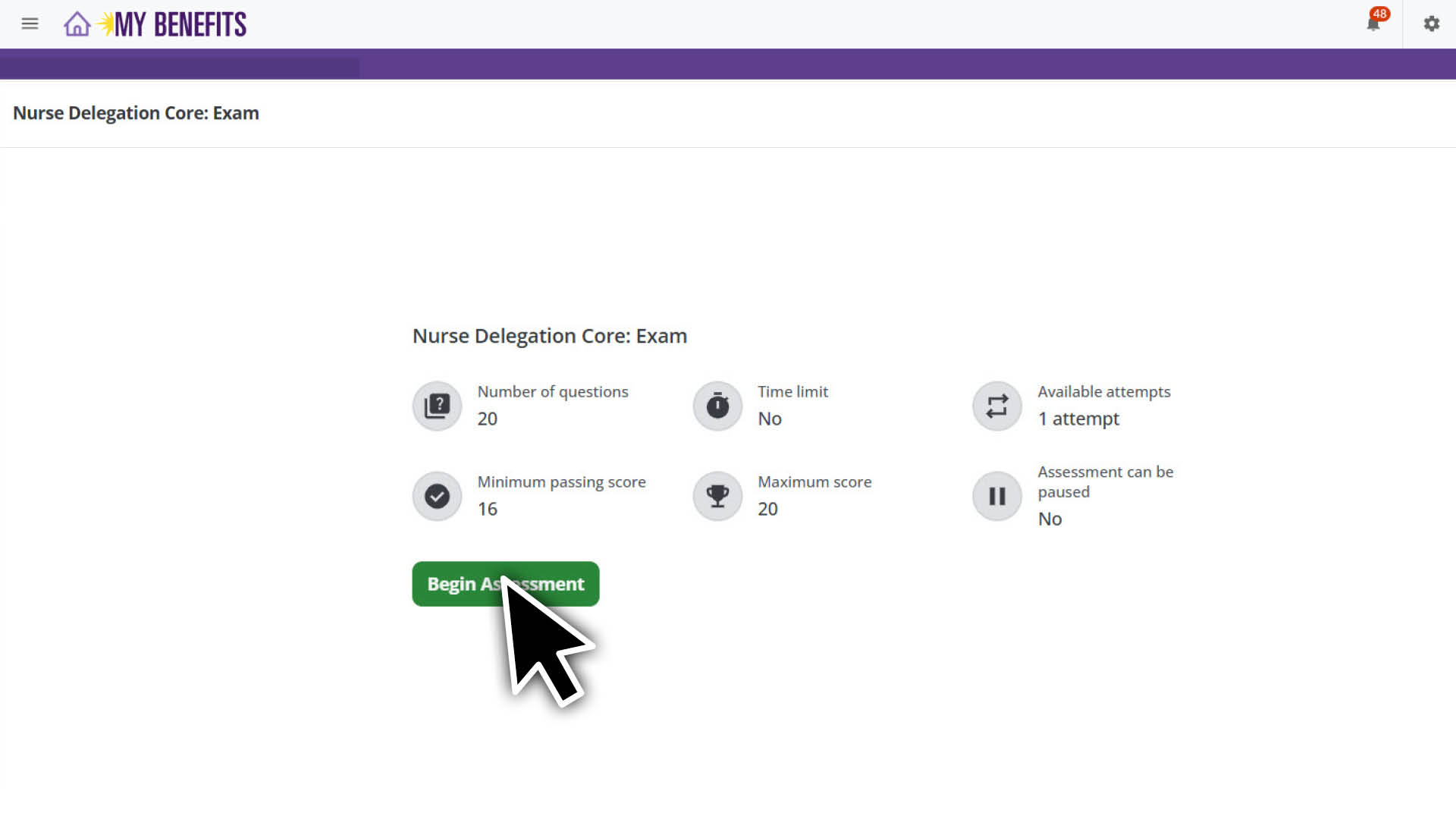
Select Begin Assessment. The instructor will then provide you with your next steps.
Complete the exam and select the submit button in the bottom right corner when you’re done.
Disregard the Failed status above the exam, after submitting the exam. The final score will be updated after the exam has been reviewed by the instructor.
Request & Take Alternate Exam
If you did not pass the first exam, contact the Member Resource Center or your employer to enroll in a new session. When you attend your scheduled exam session, your instructor will prompt you to request the alternate exam within the Learning Plan.
On the learning plan page, select Resume.
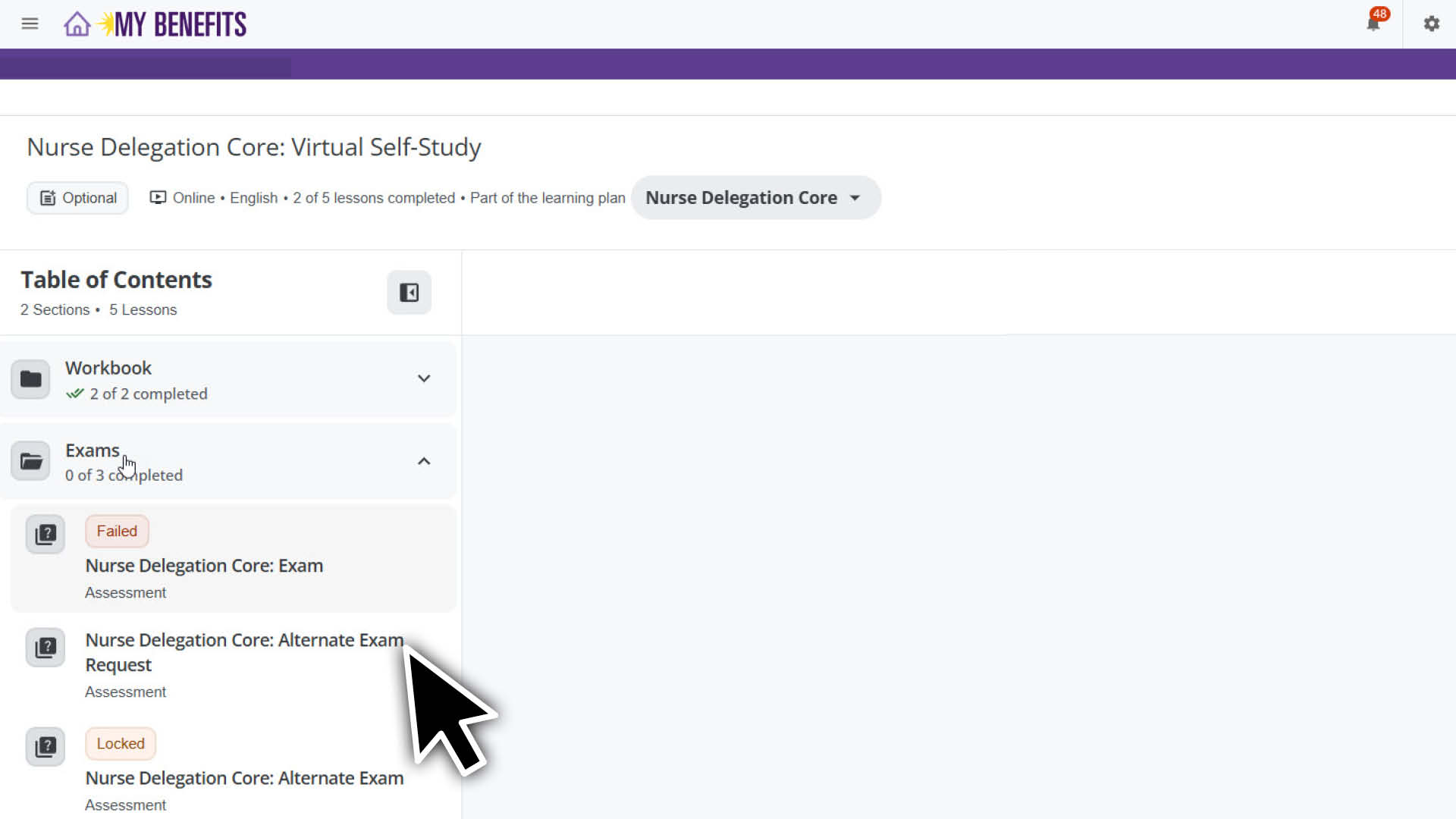
Select the Exams section in the Table of Contents to expand it.
Depending on the version you took, select Nurse Delegation Core: Alternate Exam Request or Nurse Delegation Diabetes: Alternate Exam Request.
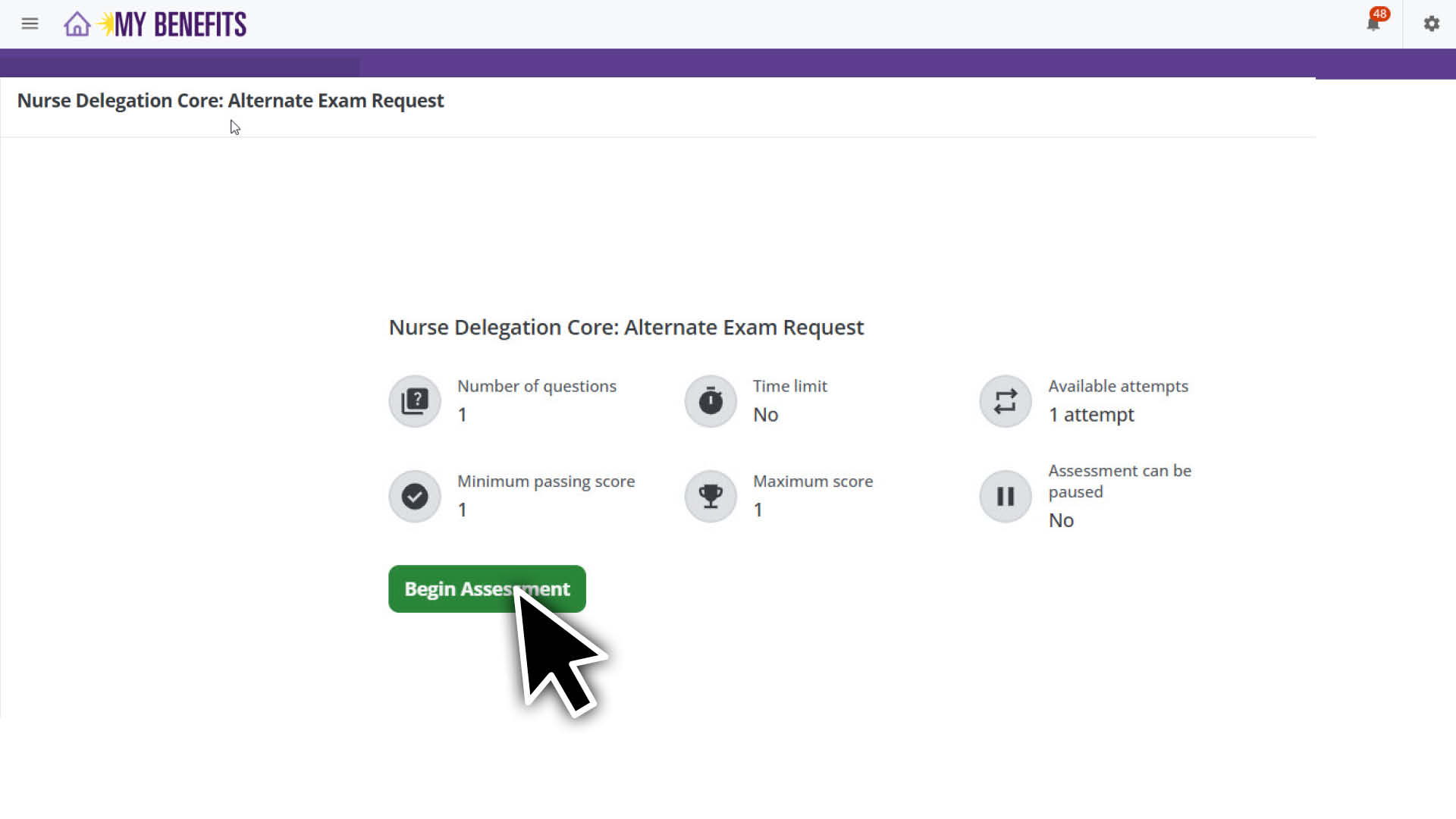
Select Begin Assessment.
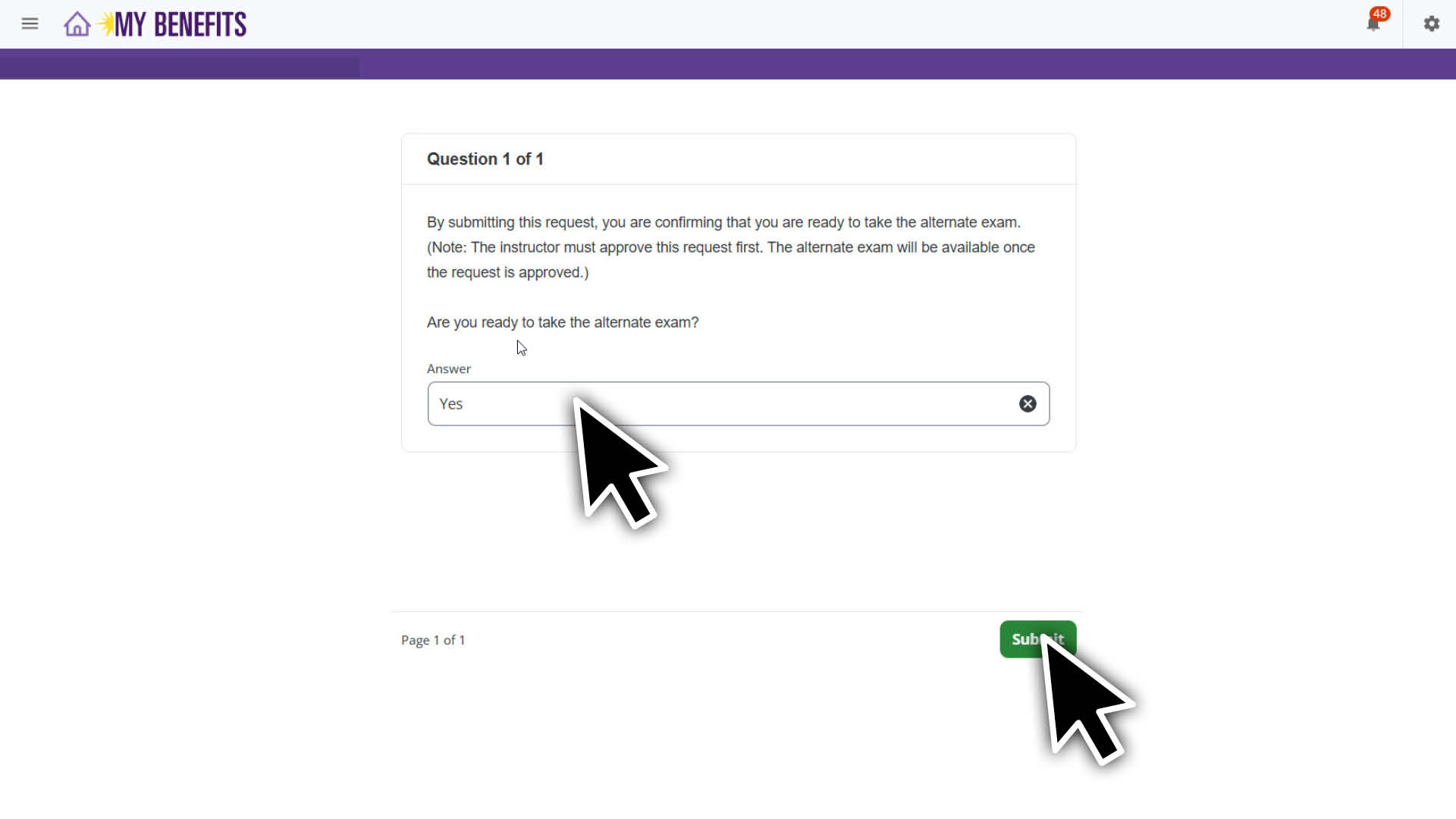
Enter Yes, and select submit.
Wait for the instructor to release the alternate exam.
When the alternate exam has been released, it will be available to select from the Nurse Delegation: Virtual Self-Study course page.
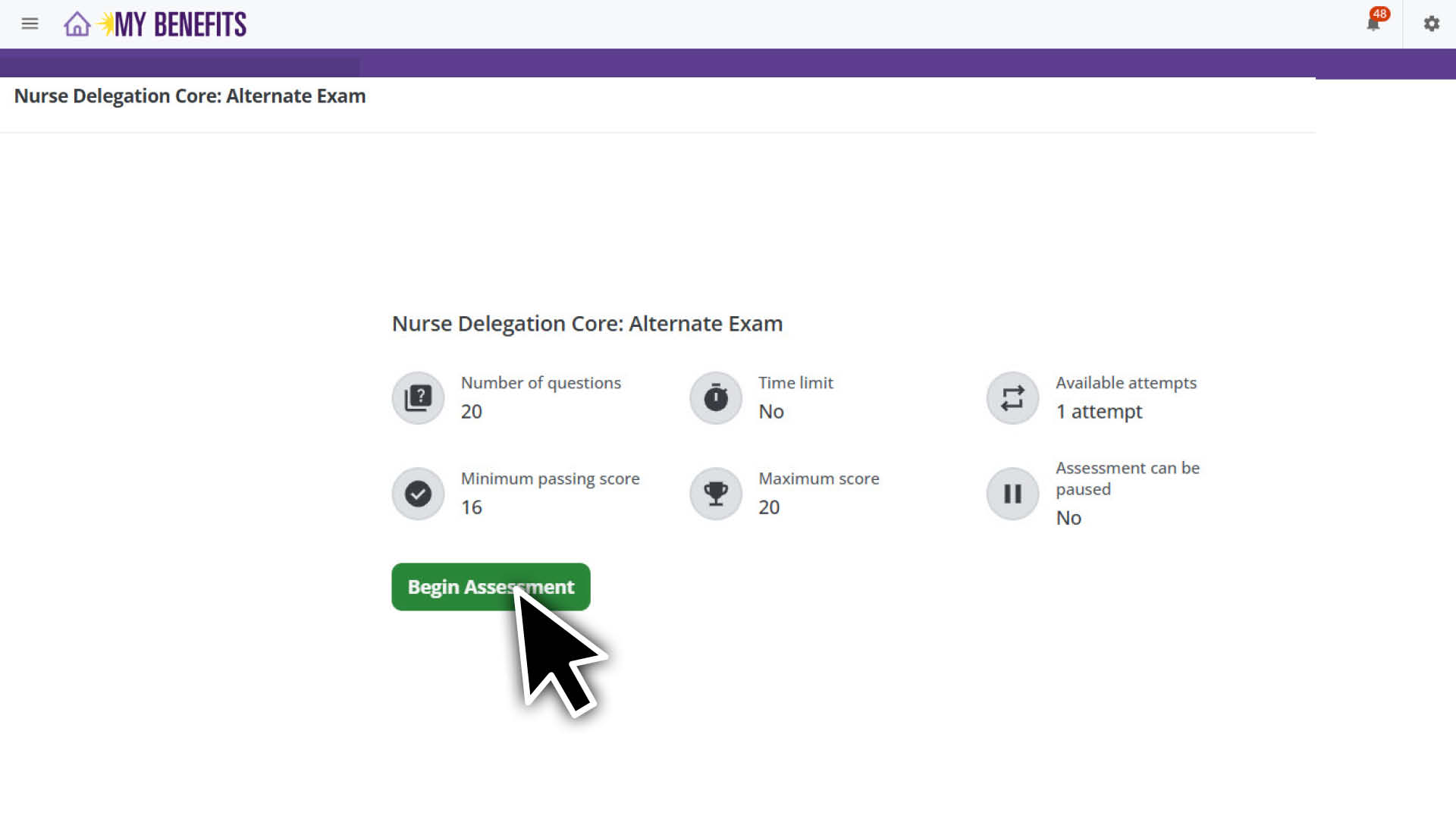
Select the Nurse Delegation: Alternate Exam.
Select the Begin Assessment button to access the Alternate Exam.
Complete the exam and select the Submit button.
After you submit the exam, it will be reviewed by the instructor. If you pass, your course status will update to Completed. If you do not pass the alternate exam, contact MRC or your employer for next steps.
Confirm Completion
If you pass either the initial or alternate exam, your Nurse Delegation Core Self-Study & Test session will be marked as attended. The instructor will mark your attendance as Present, and the course will update to Completed.
Go to the learning plan to review your courses.
Confirm Nurse Delegation Self-Study & Test shows Completed.
Lorem ipsum dolor sit amet, consectetur adipiscing elit, sed do eiusmod tempor incididunt ut labore et dolore magna aliqua. Ut enim ad minim veniam, quis nostrud exercitation ullamco laboris nisi ut aliquip ex ea commodo consequat. Duis aute irure dolor in reprehenderit in voluptate velit esse cillum dolore eu fugiat nulla pariatur. Excepteur sint occaecat cupidatat non proident, sunt in culpa qui officia deserunt mollit anim id est laborum.