1. Once you are logged in, click the Enroll button.
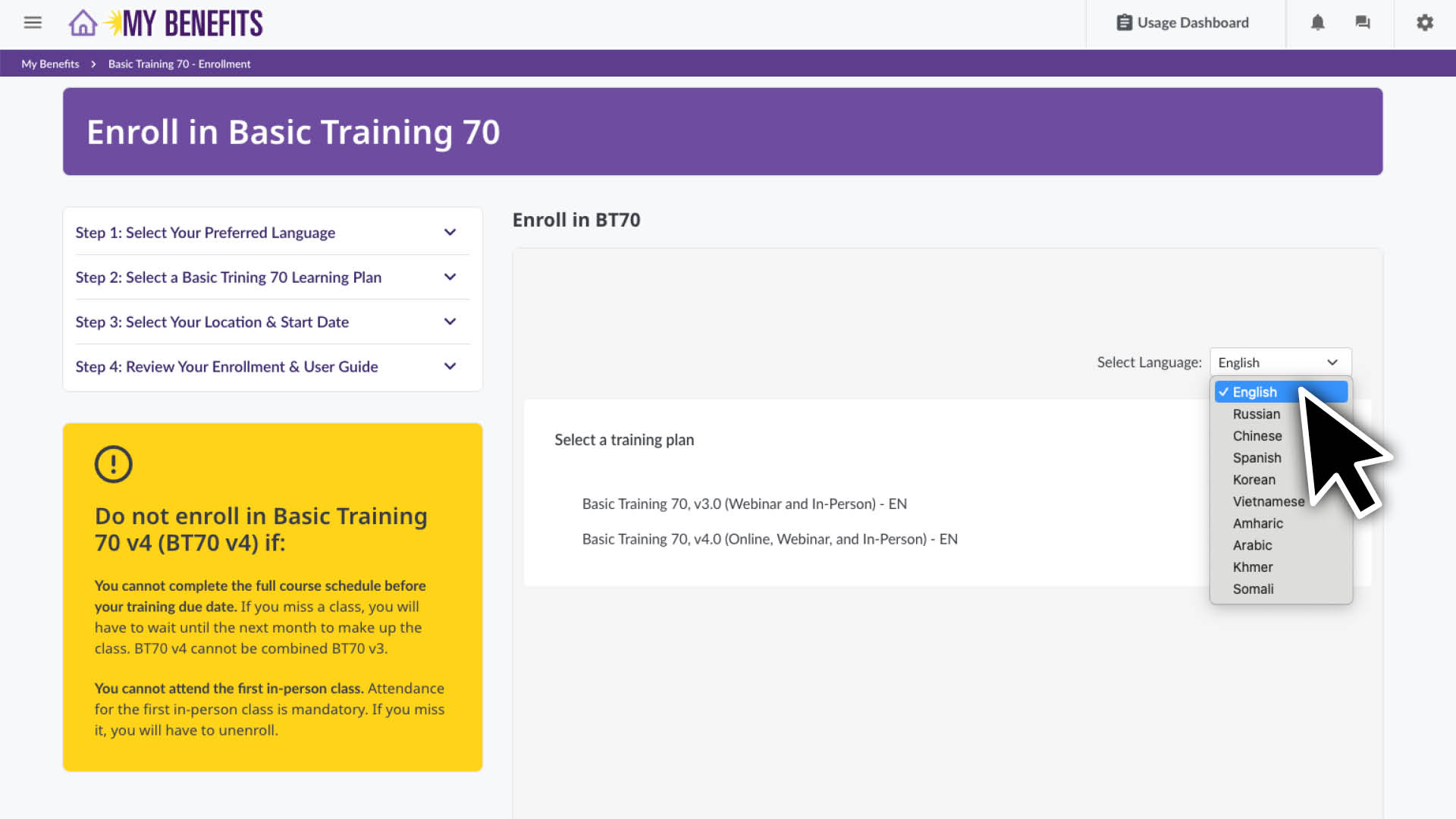
  2. Scroll down to the enroll section and select your preferred language for training.
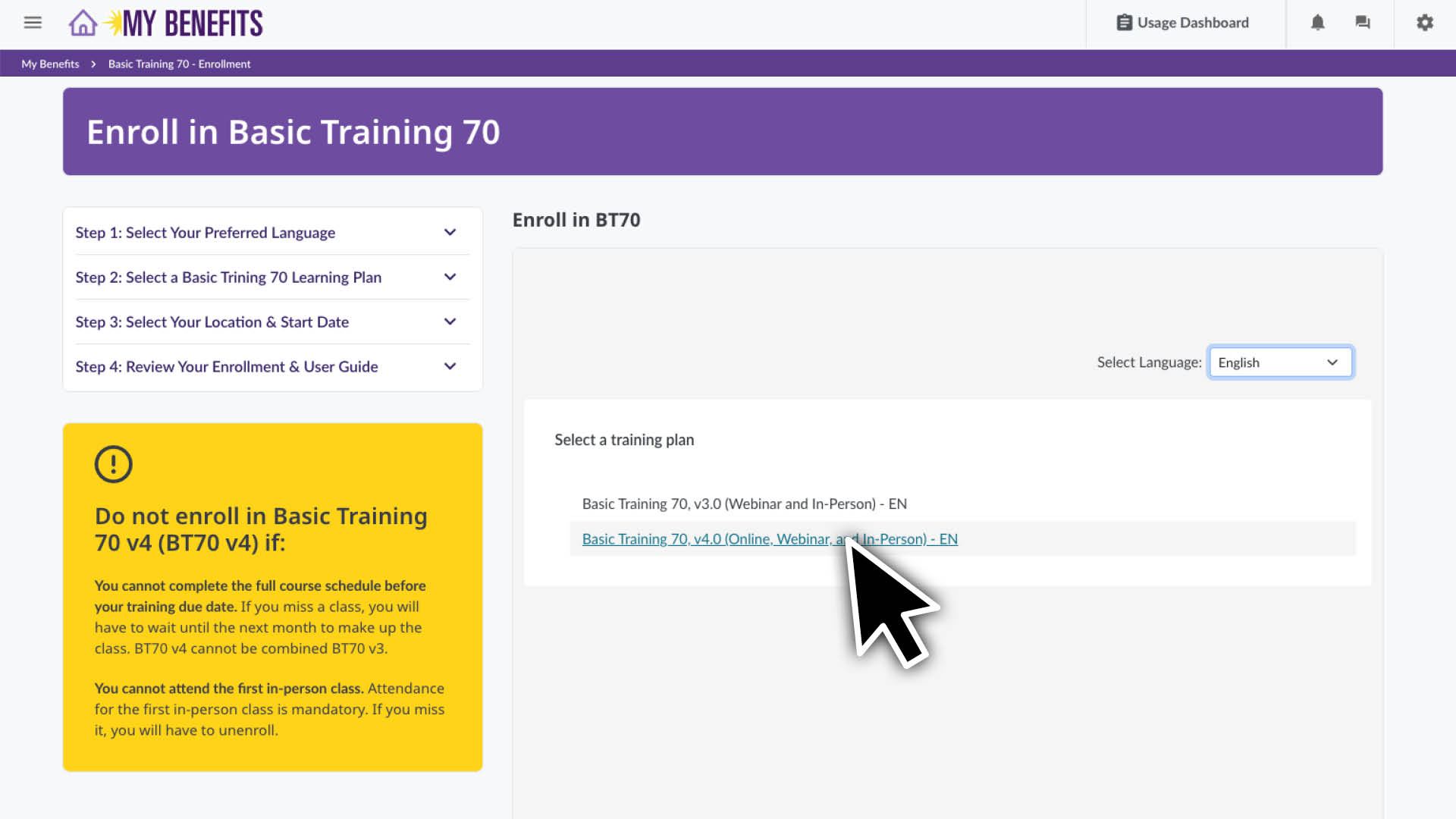
  3. Click on your preferred version of Basic Training 70.
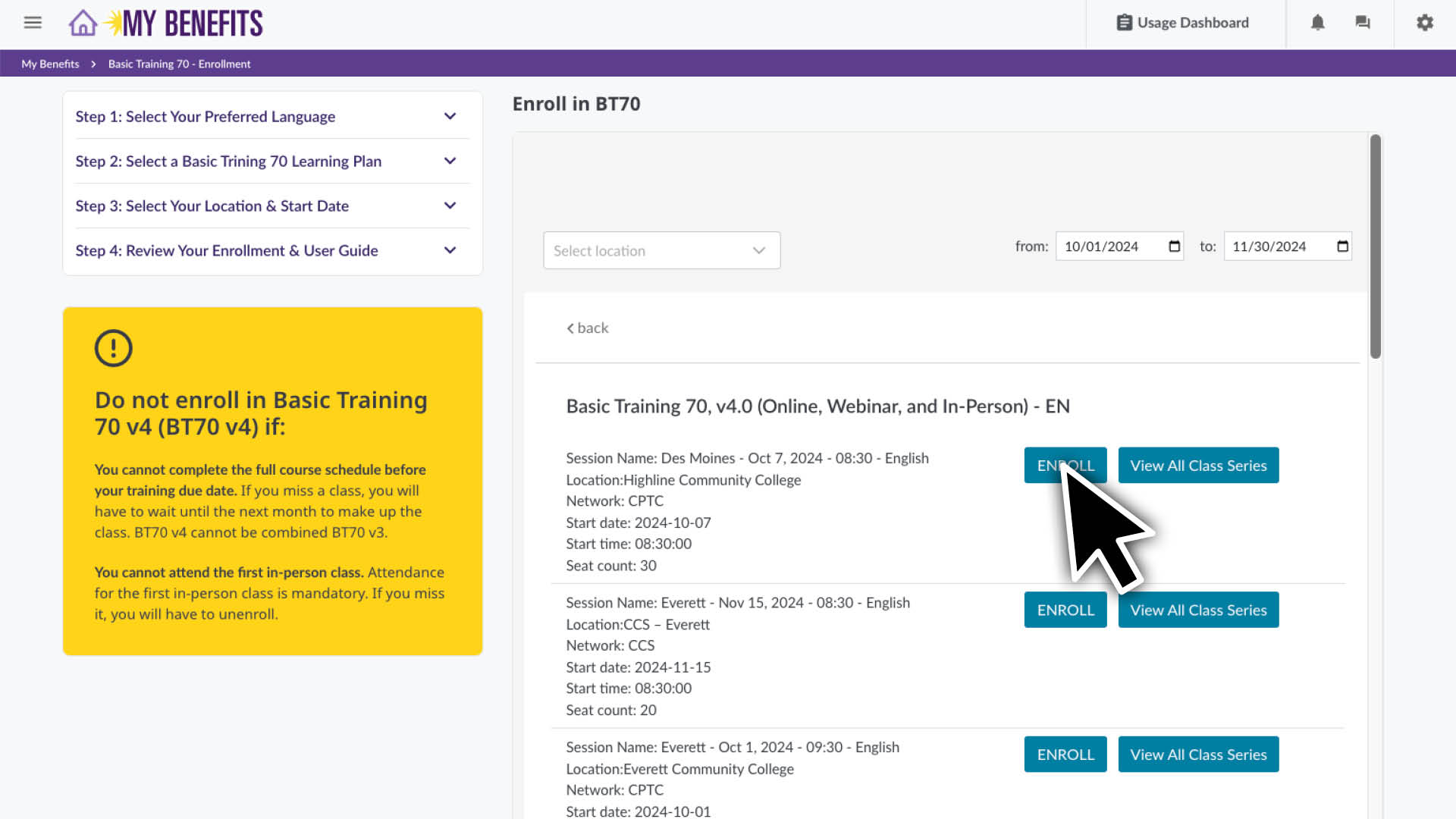
  4. You will see a class list, sorted by location and start date. Scroll to find your preferred location.
    Note: You can see the full schedule for that class series by clicking the View All Class Series button.
  5. Click the Enroll button on the class series you want to enroll in.
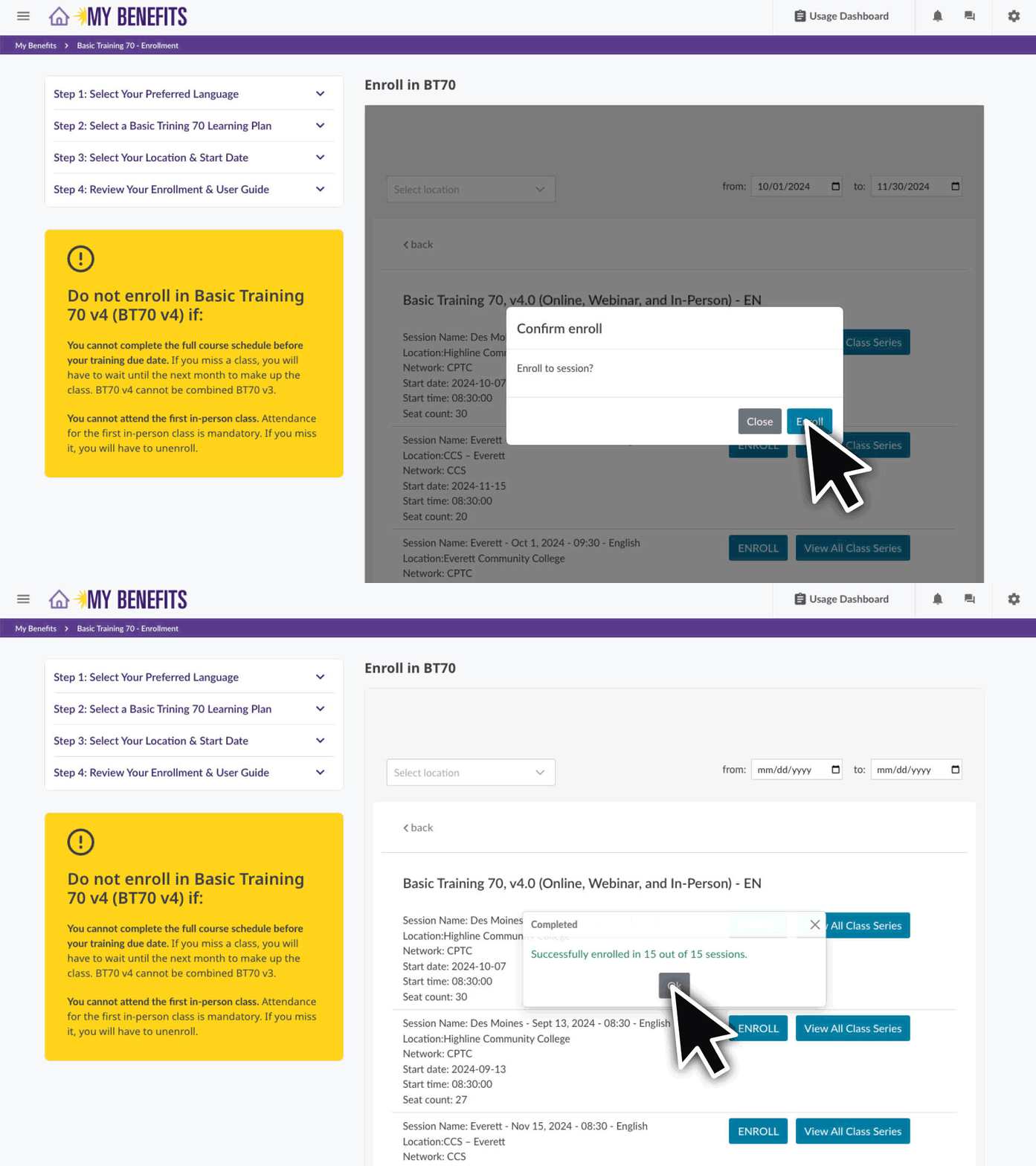
  6. Confirm your enrollment by clicking the Enroll button and then the OK button.
    If you get a message that says “Unable to enroll in these sessions:”, you are still enrolled in BT70 but you will need to schedule those sessions. Learn how here.

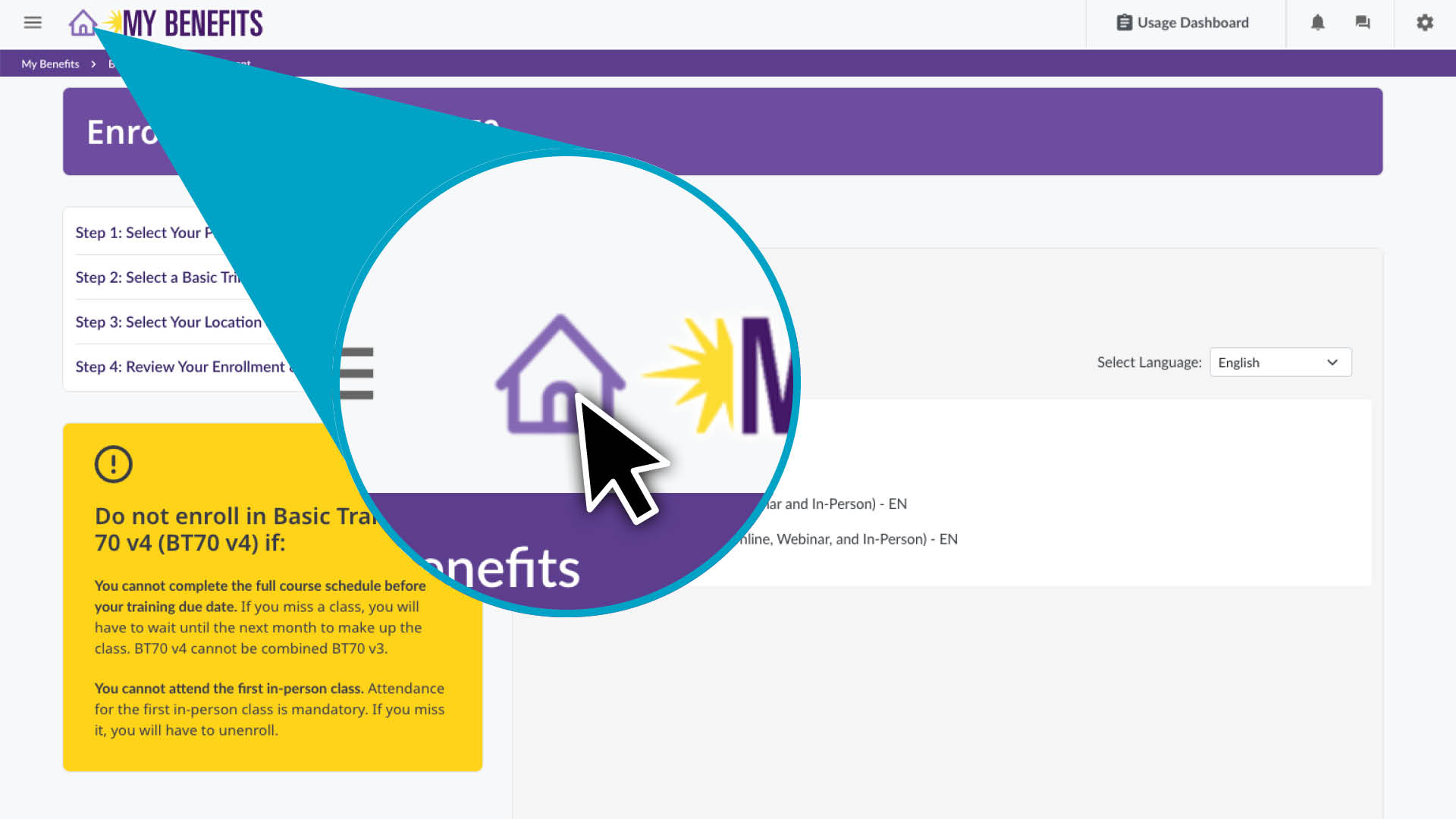
You are now enrolled! Click the Home icon to return to your home page. 

If you get a message that says "Unable to enroll in these sessions"

contact the Member Resources Center at 1-866-371-3200 to help you schedule your remaining classes.

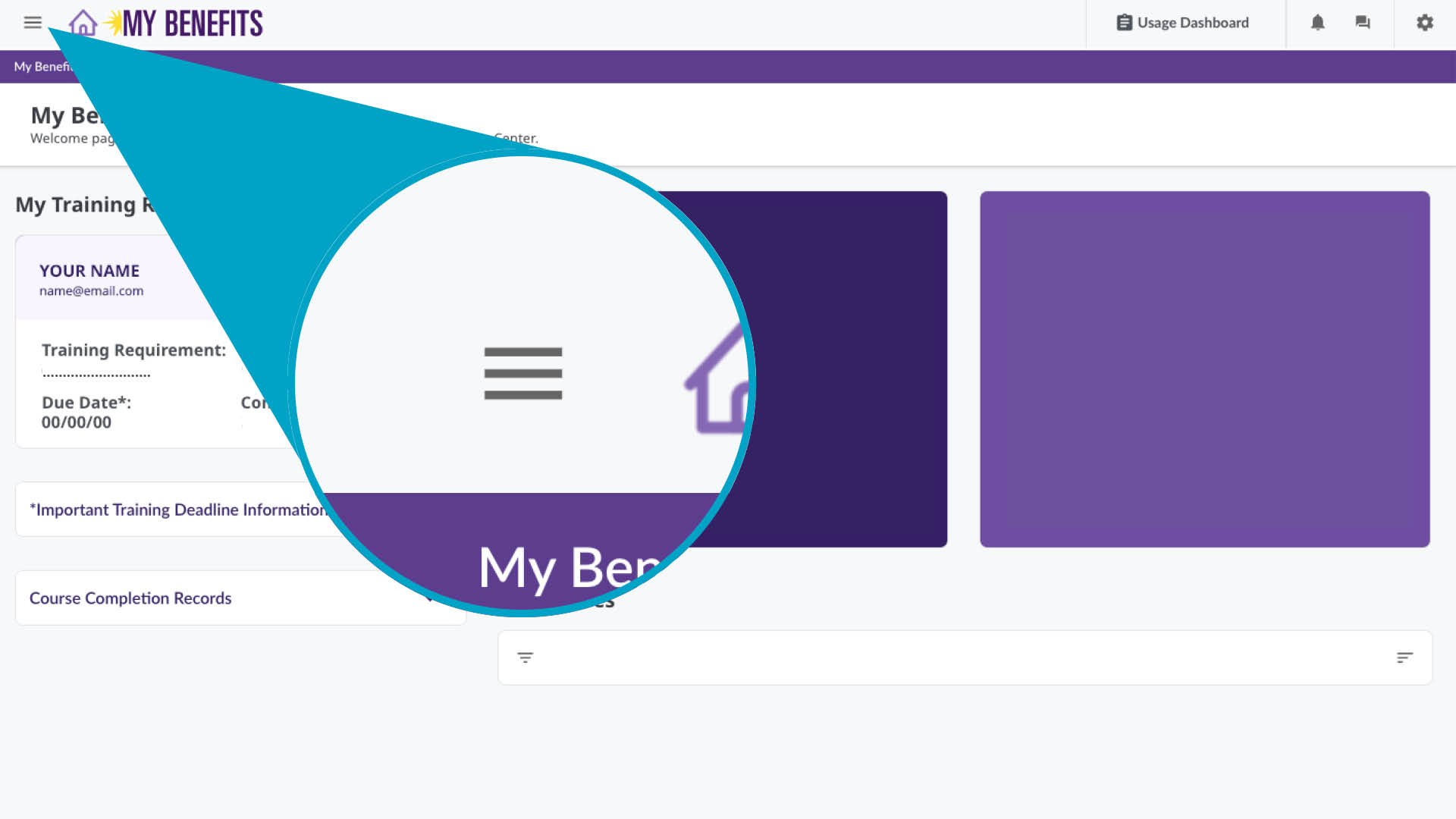
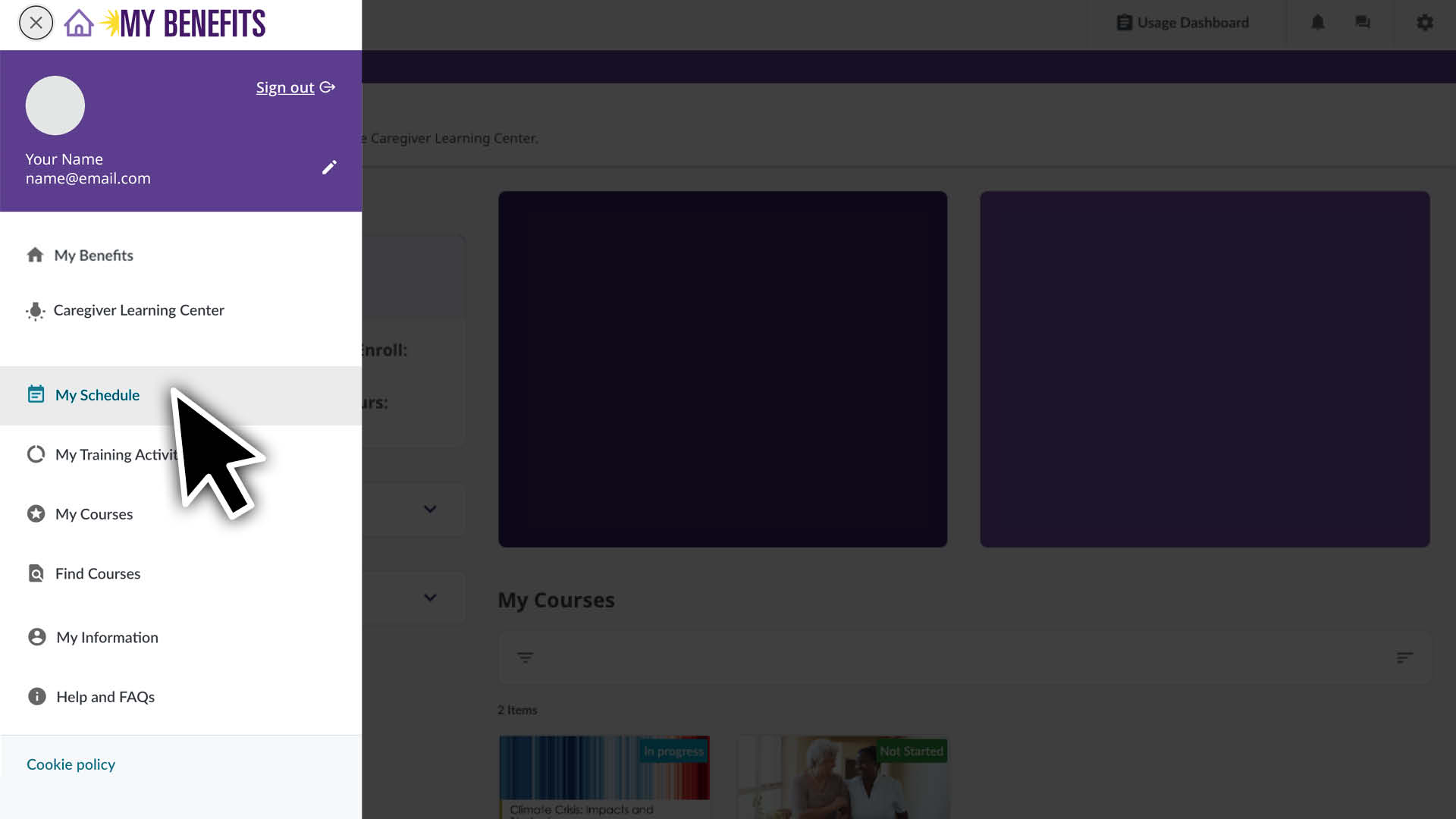
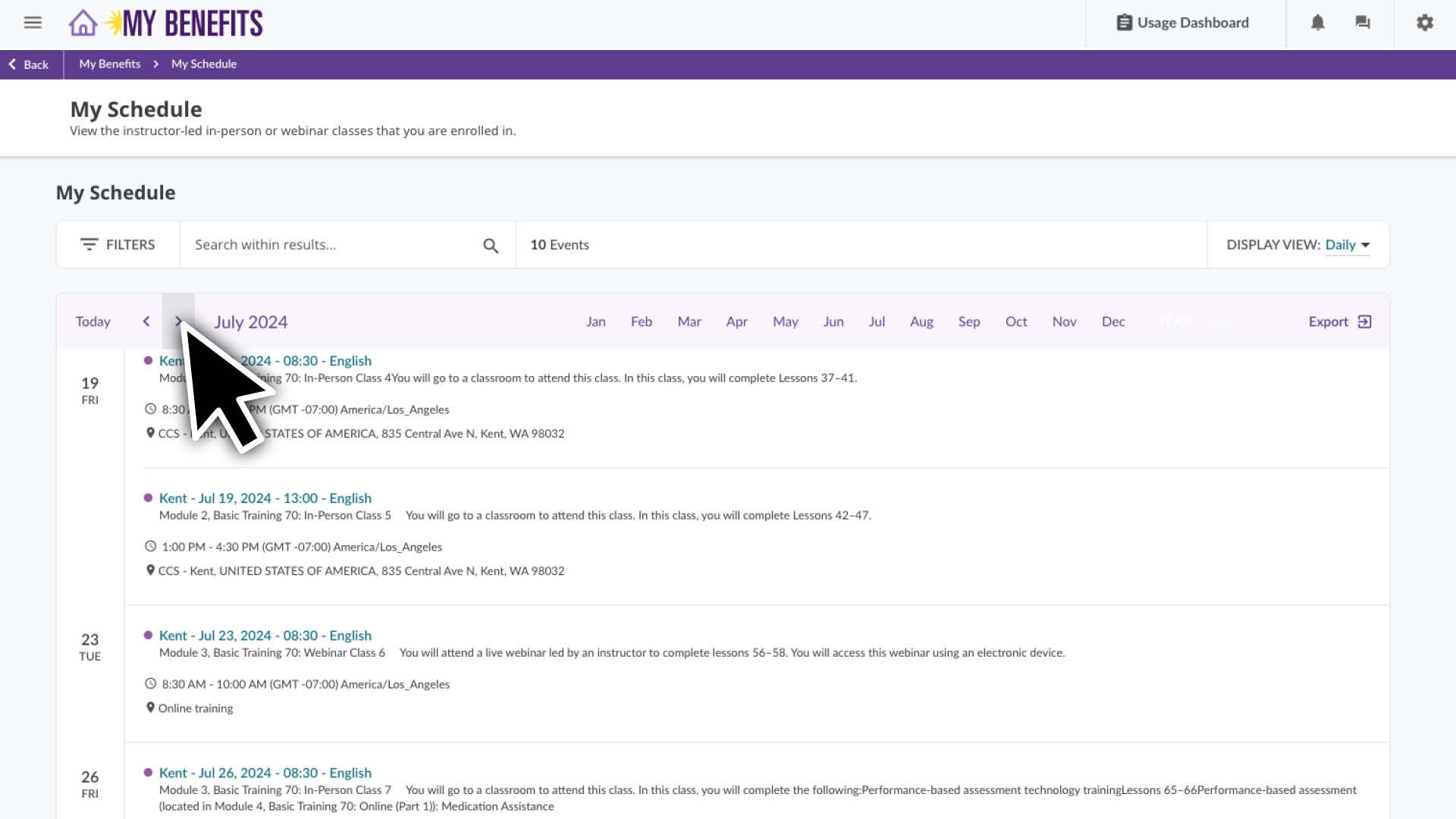
Click the menu icon and select the My Schedule page.

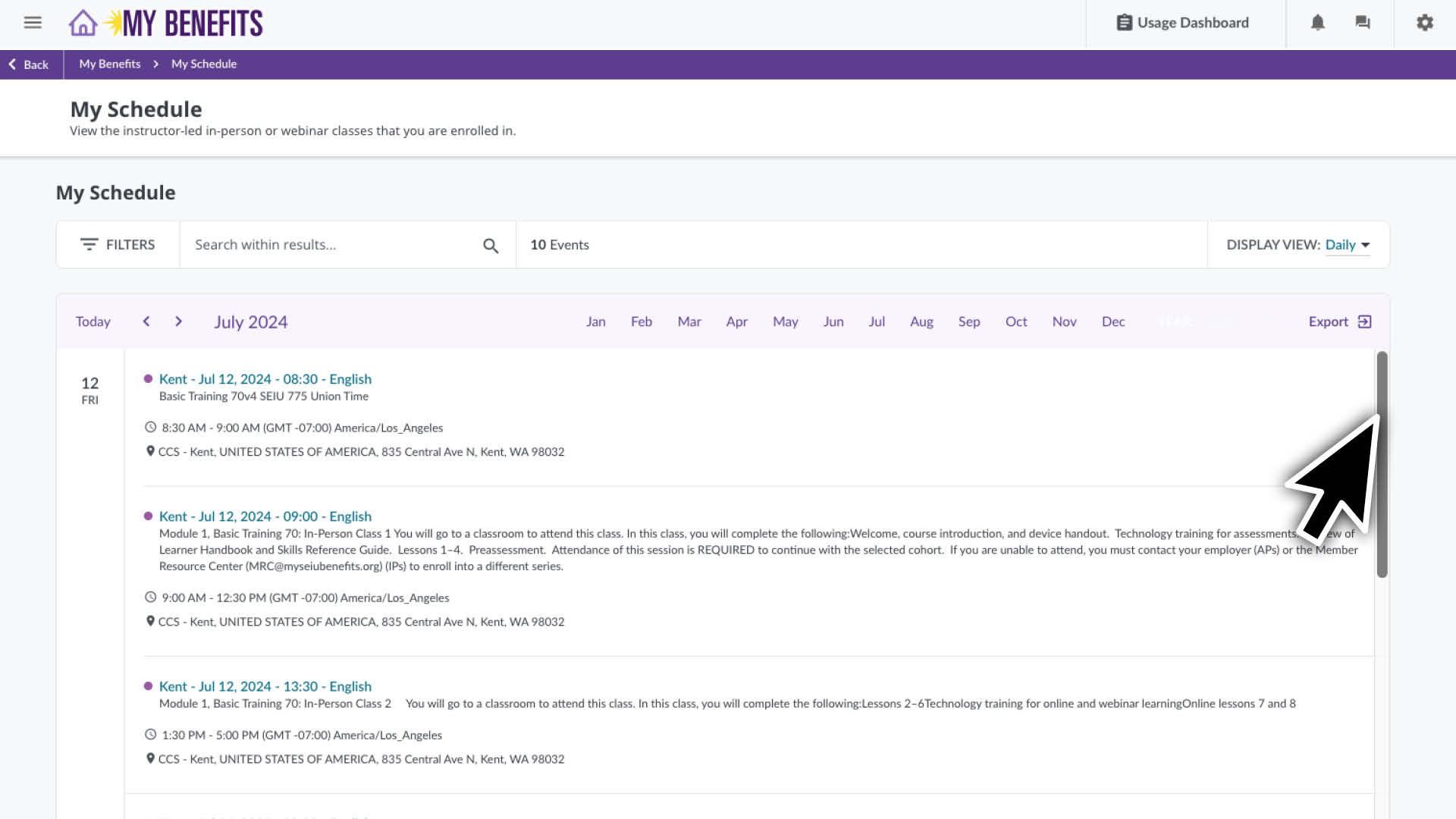
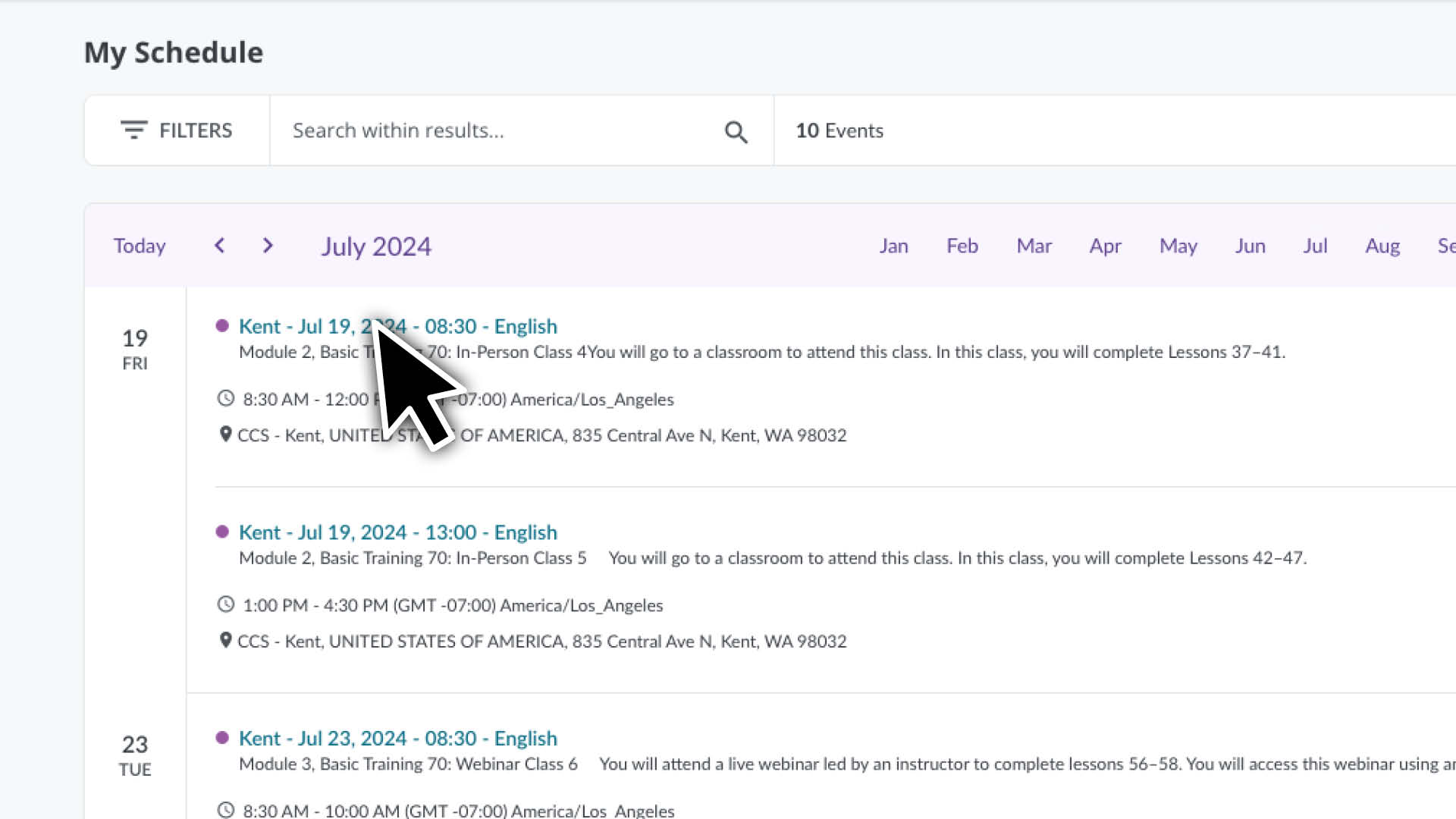
  • You’ll see a list of courses you are enrolled in for the current month.
  • Scroll down to see more classes for that month or use the arrows to select a different month.

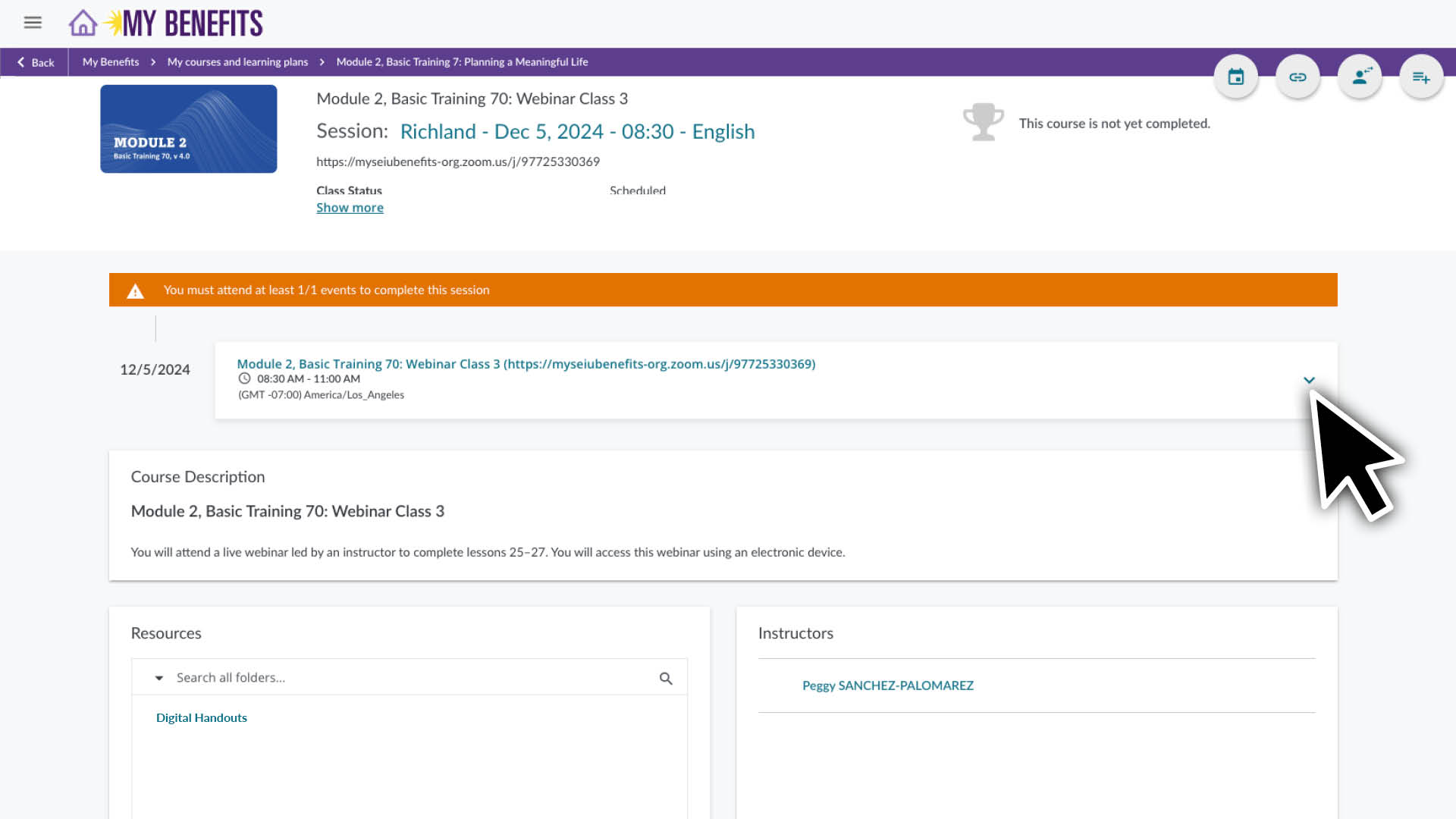
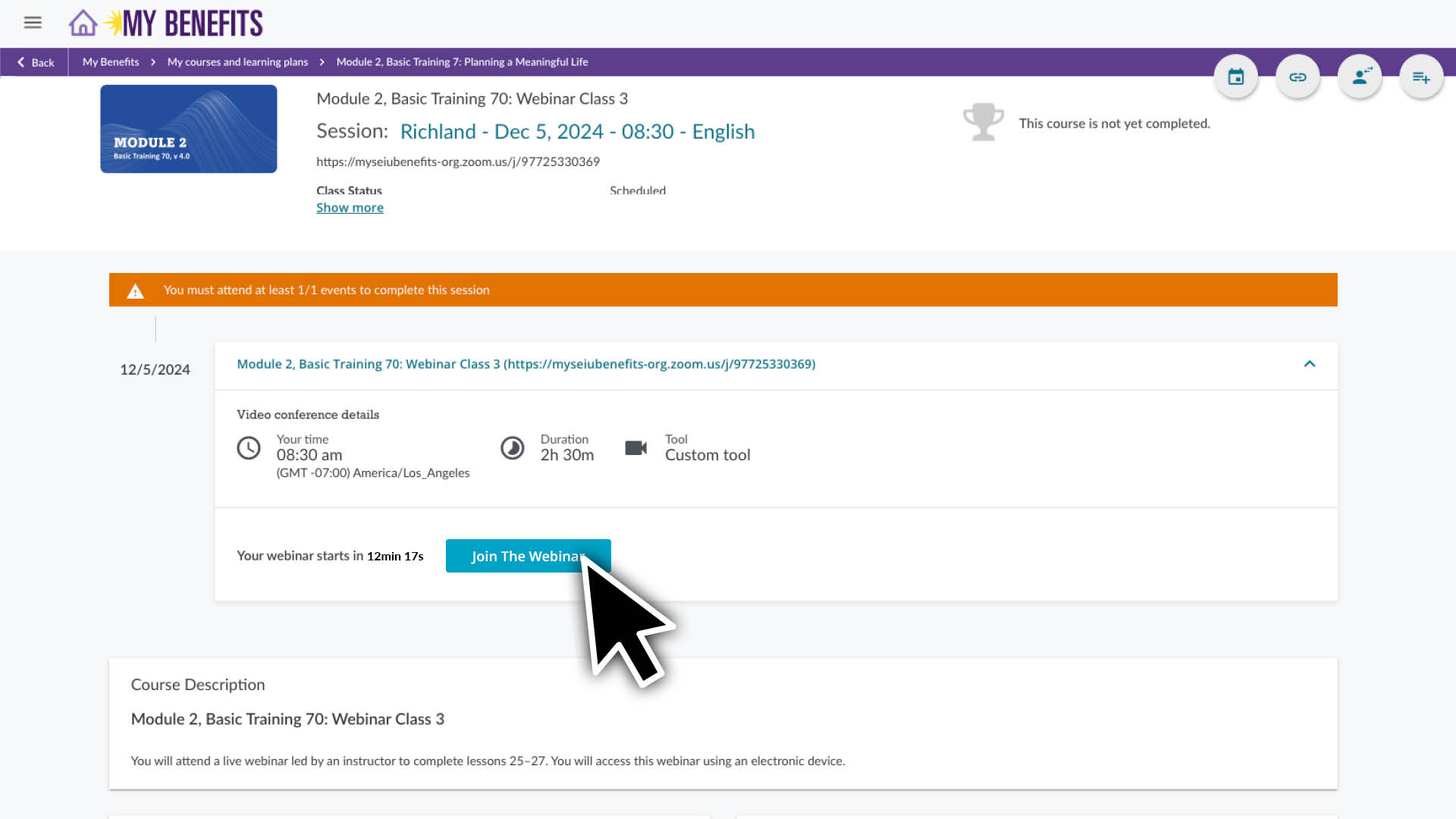
Click on a course to see it’s page and course details. See additional instructions below for accessing your Webinar Zoom link.

To use Zoom you will need access to:

  • A computer, tablet or smartphone that has audio and video functionality.
  • A reliable WiFi or internet connection. Check your connection prior to your class, it should be good enough to stream an online video smoothly. 

To download Zoom:
Go to zoom.us/download and download the version suited for your device. You can get further instructions on how to download and install Zoom here.


If you’re new to Zoom:
These links will show you how to trouble shoot your audio and video, use the chat feature and change your profile preferences.

Getting started with Zoom

Zoom video, audio and chat controls


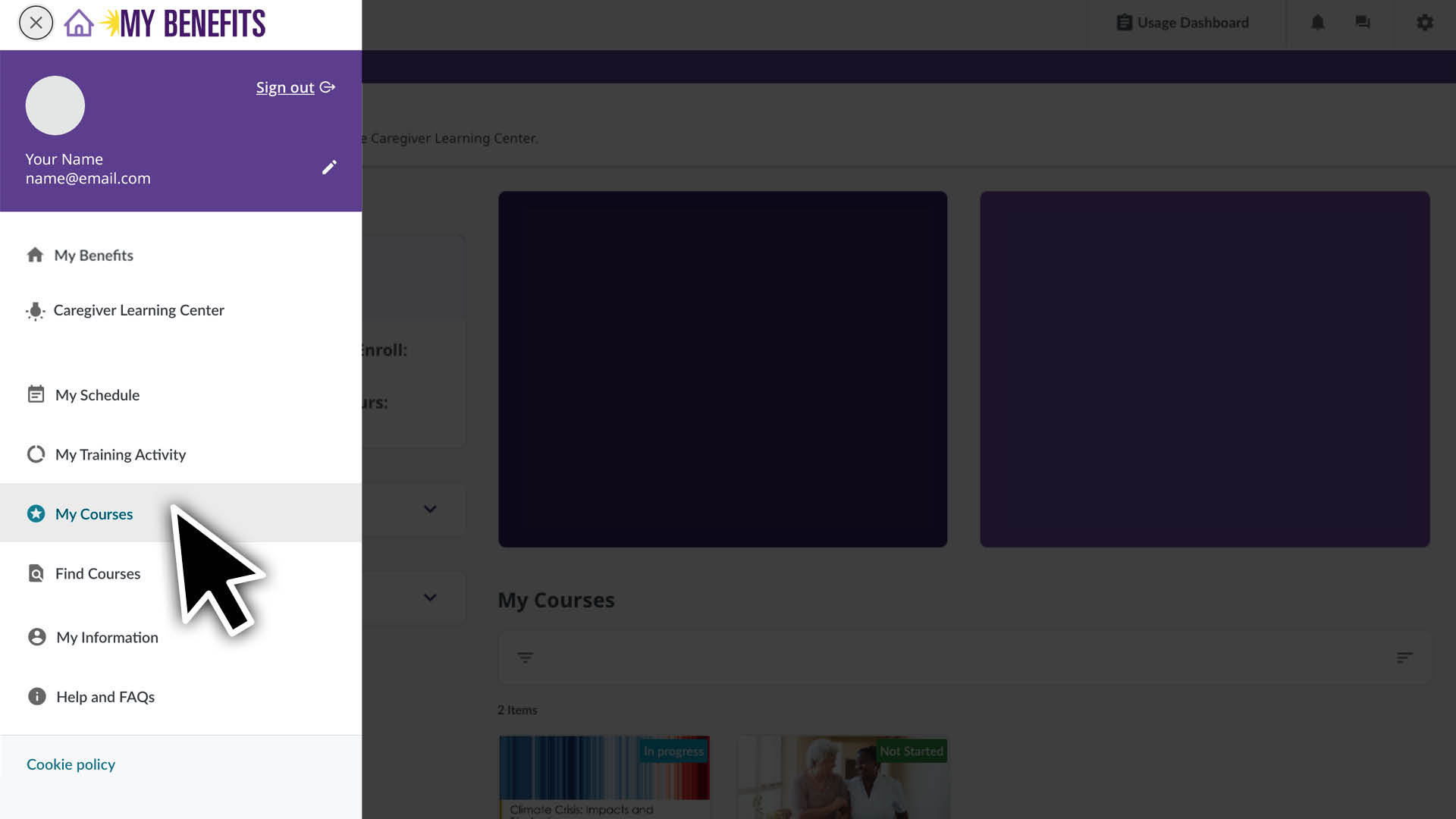
  1. Click the menu icon.
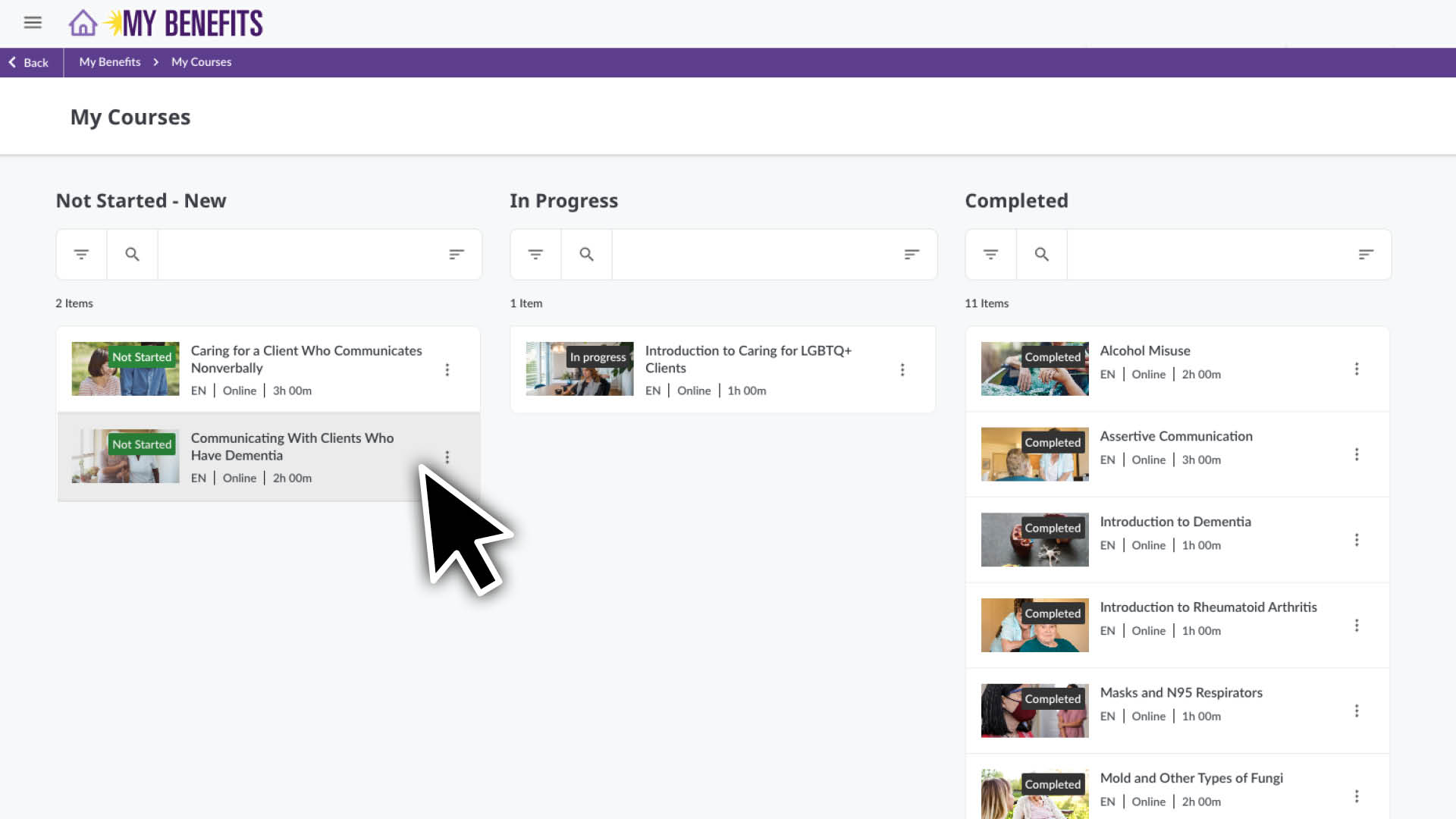
  2. Select the My Courses Page.
  3. You will see a list of your courses. Click the Course that you would like to begin or resume.
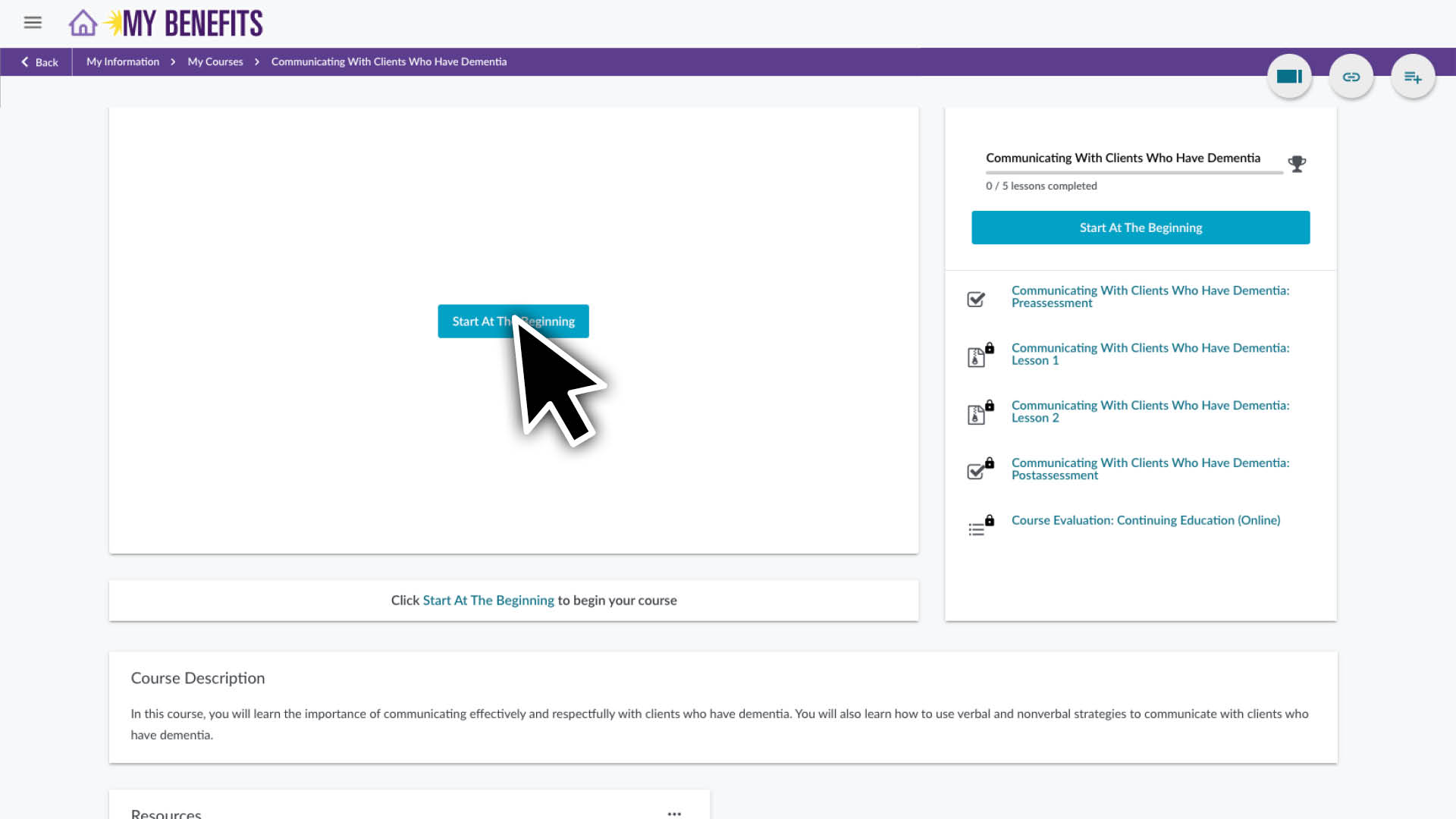
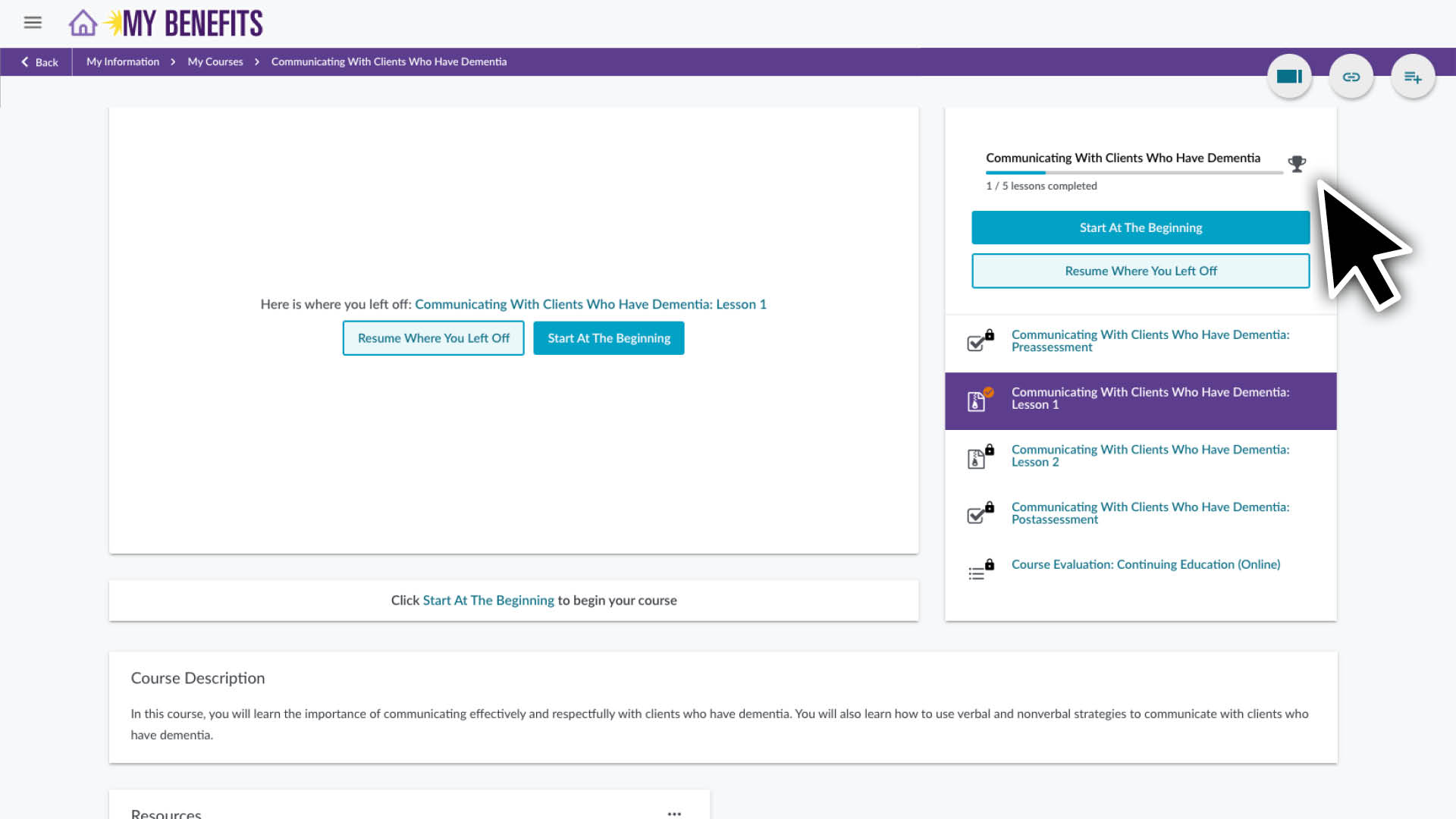
  4. Click the Start or Resume button (if you have already begun the course) and follow the instructions.

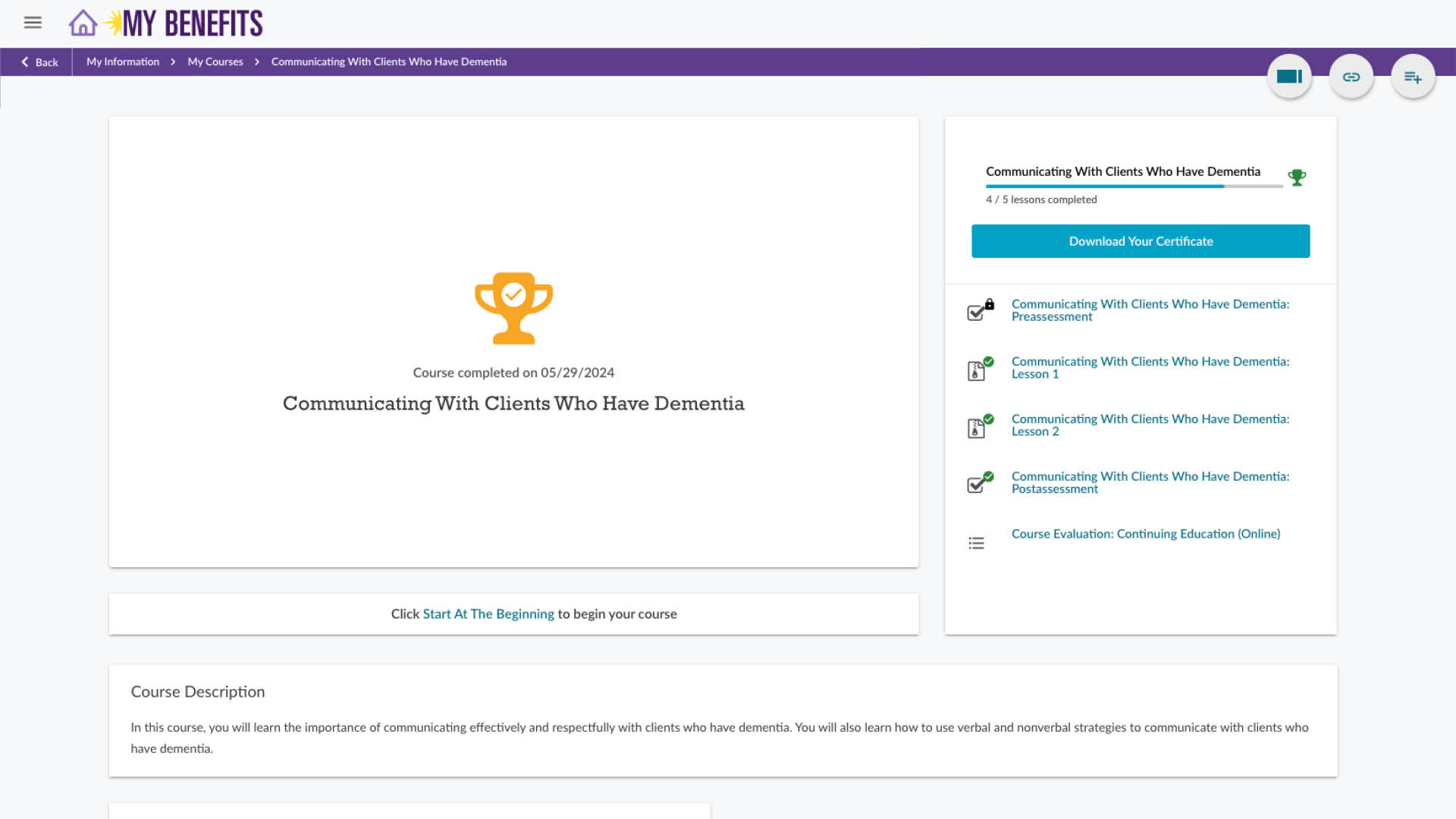
In addition to being able to start or resume an online course you can see:

  • Your progress or where you currently are in the course. 
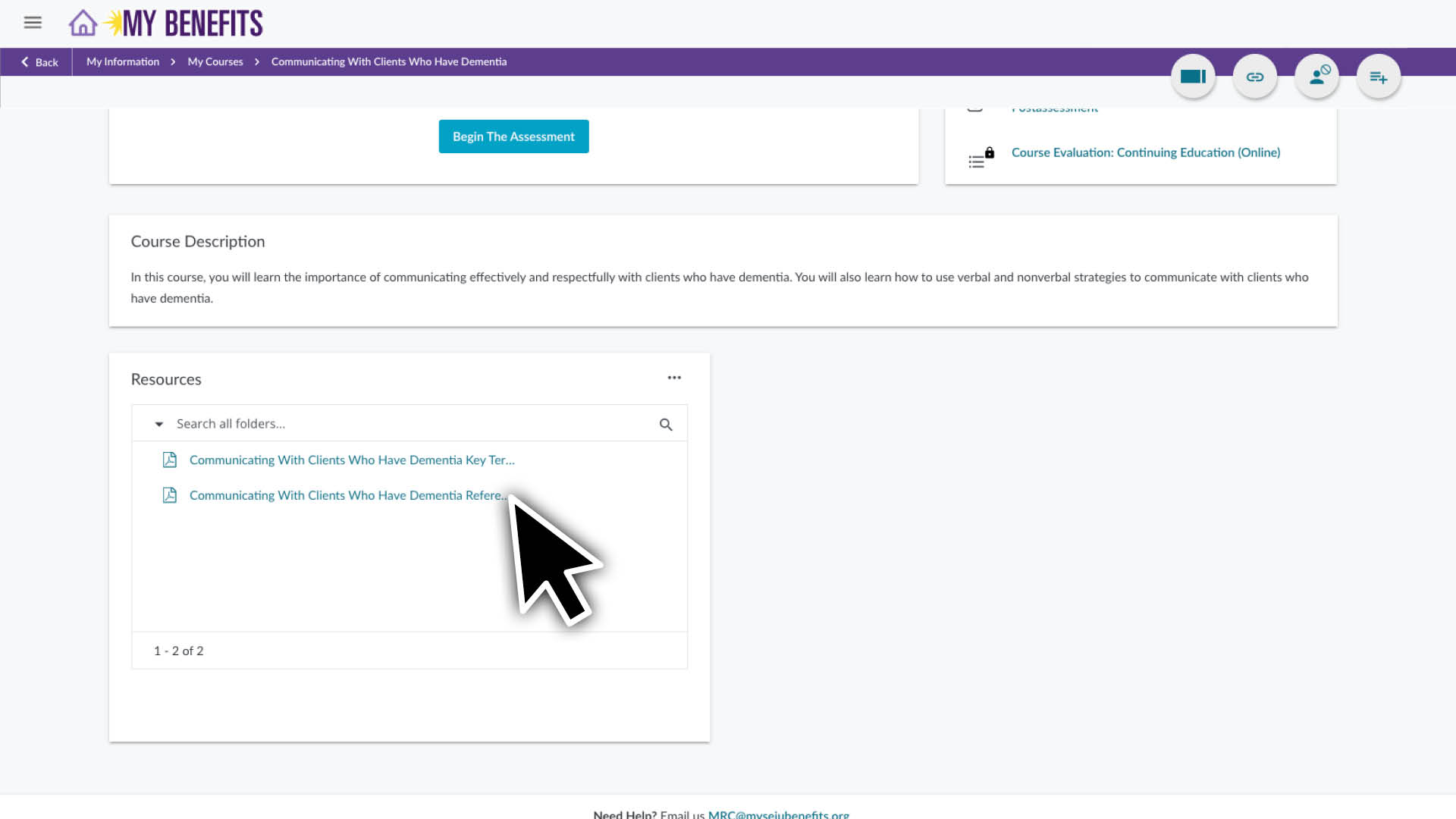
  • The course description, materials and resources at the bottom of the page. Materials are needed to complete your course and resources are optional but may be helpful.

Most online courses begin and end with an assessment. You will automatically be prompted to take them as you progress through the course.

You take at the Pre-assessment at beginning of a course to see what you may already know about the topic. You are not expected to know all the answers. You will take the Post-assessment at the end of the course to test your knowledge on the topic.  

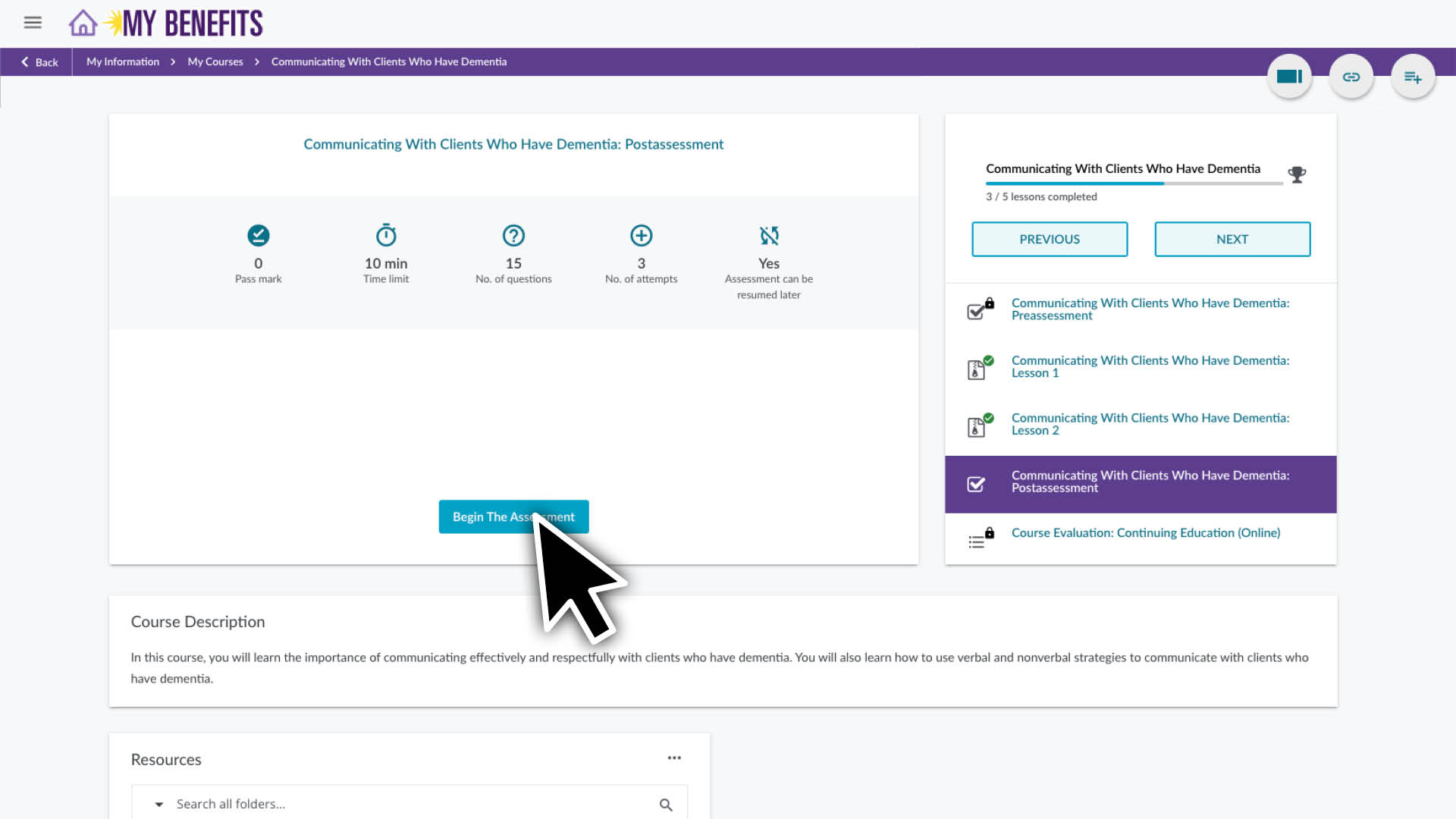
  1. Click the Begin Assessment button to start.
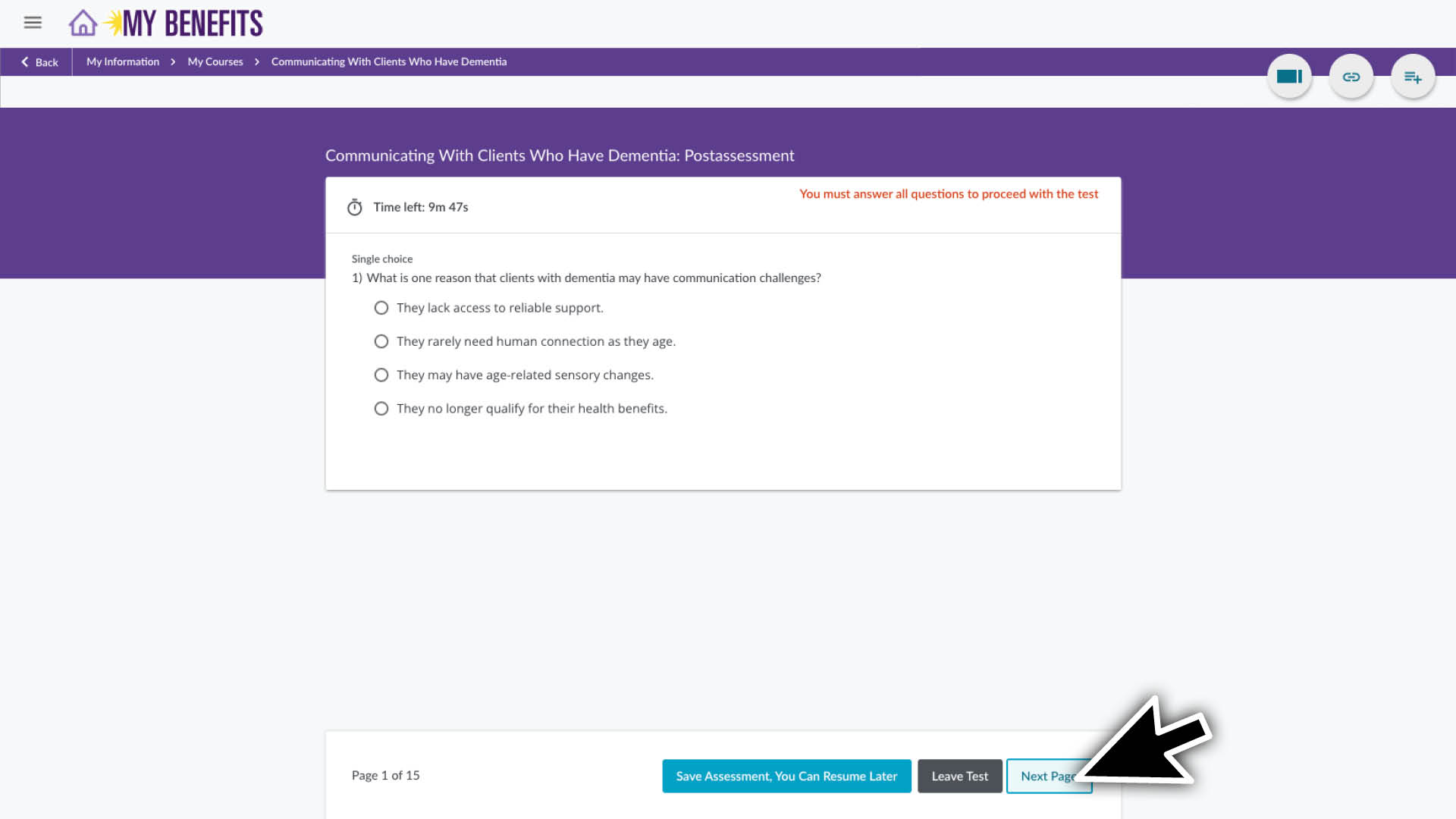
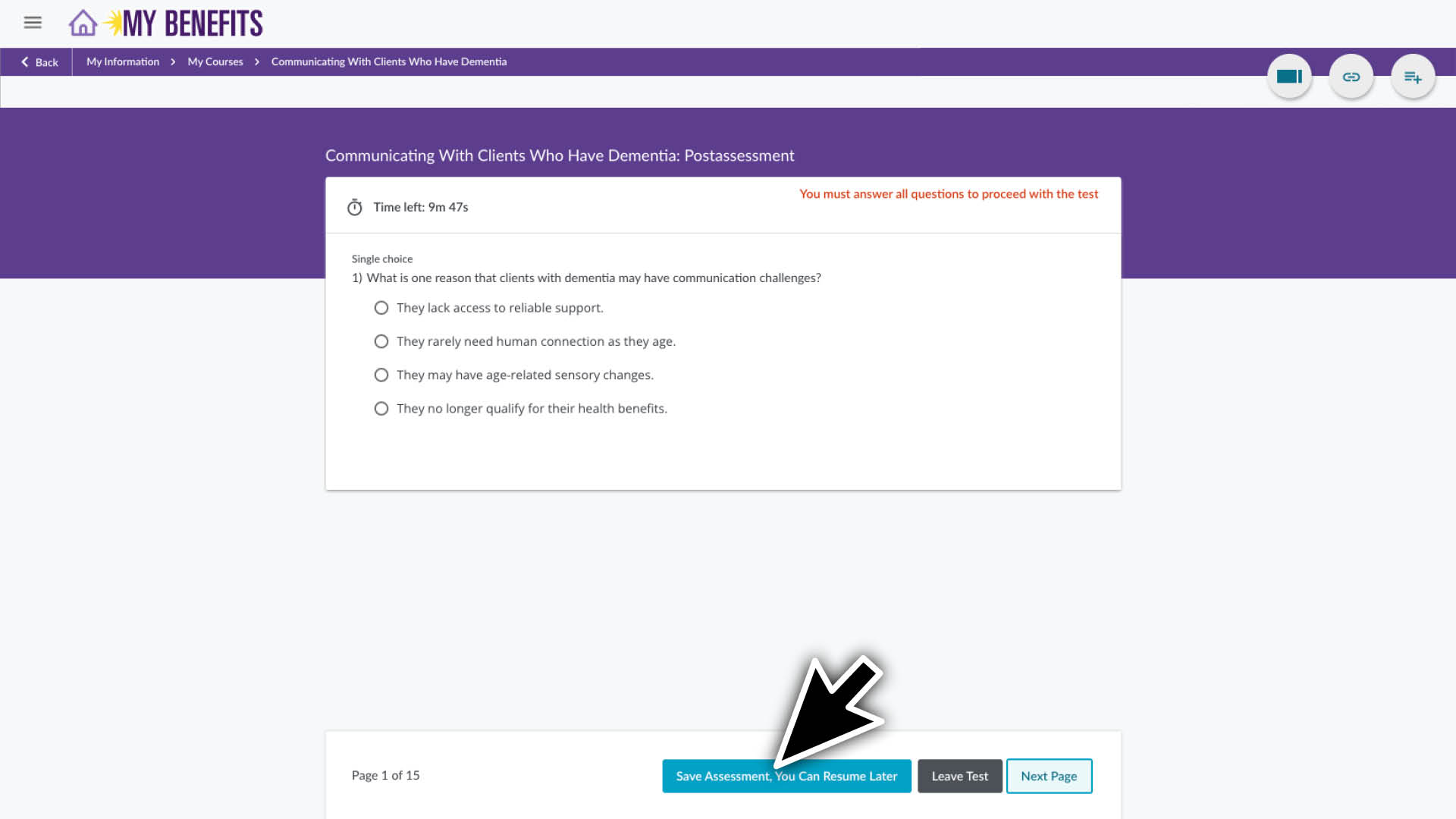
  2. Select the answer for each question and click the Next Page button. (You need to answer all questions within the time noted, but you can save your assessment and resume it later if you need.)
  3. At the end of the assessment, click the Submit button.
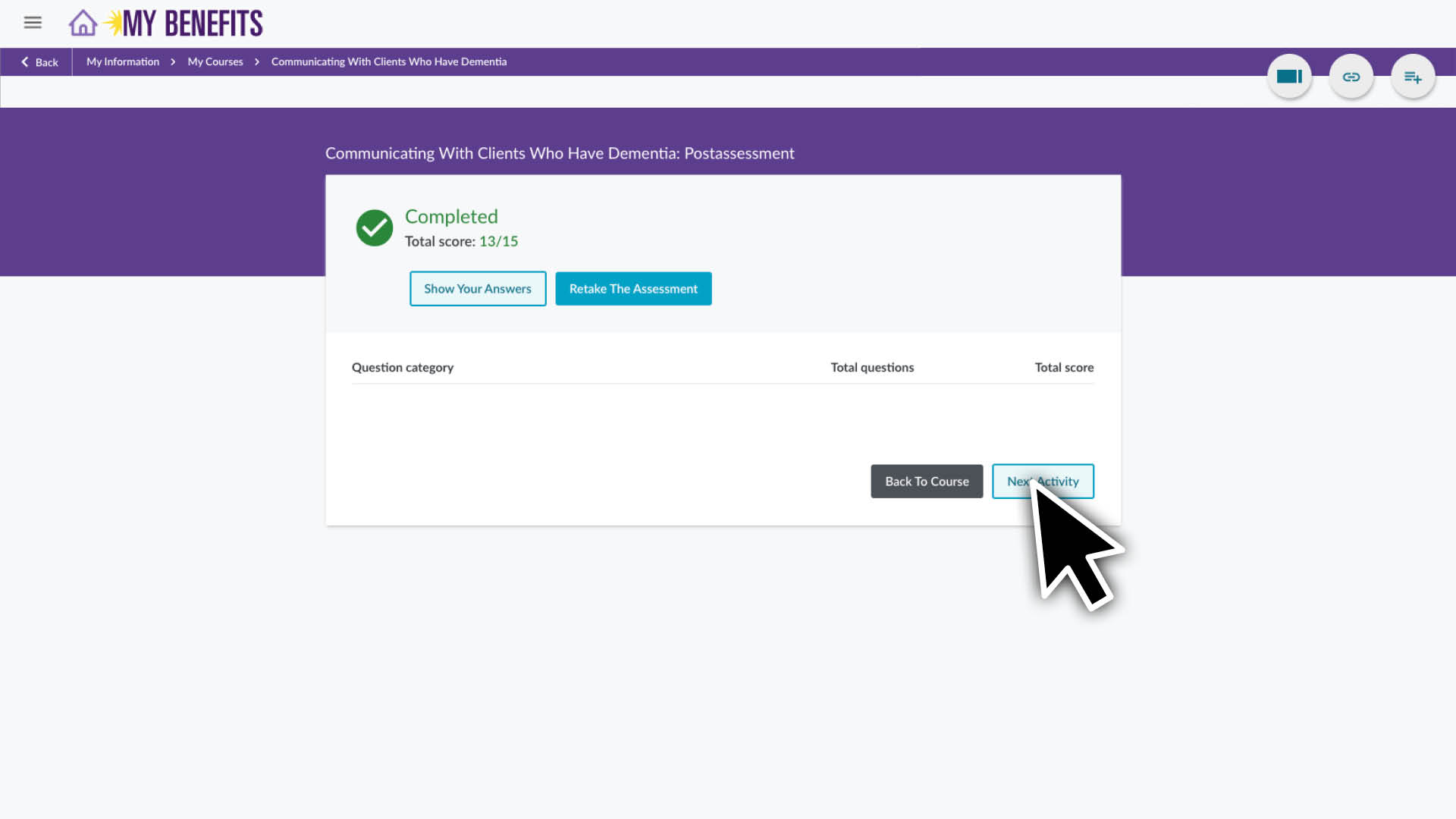
  4. Review your score. You then have the option to see your answers, retake the assessment or click the Next Activity button
Your course is complete when you finish your post-assessment and course evaluation. The course evaluation is your opportunity to provide feedback on your experience.

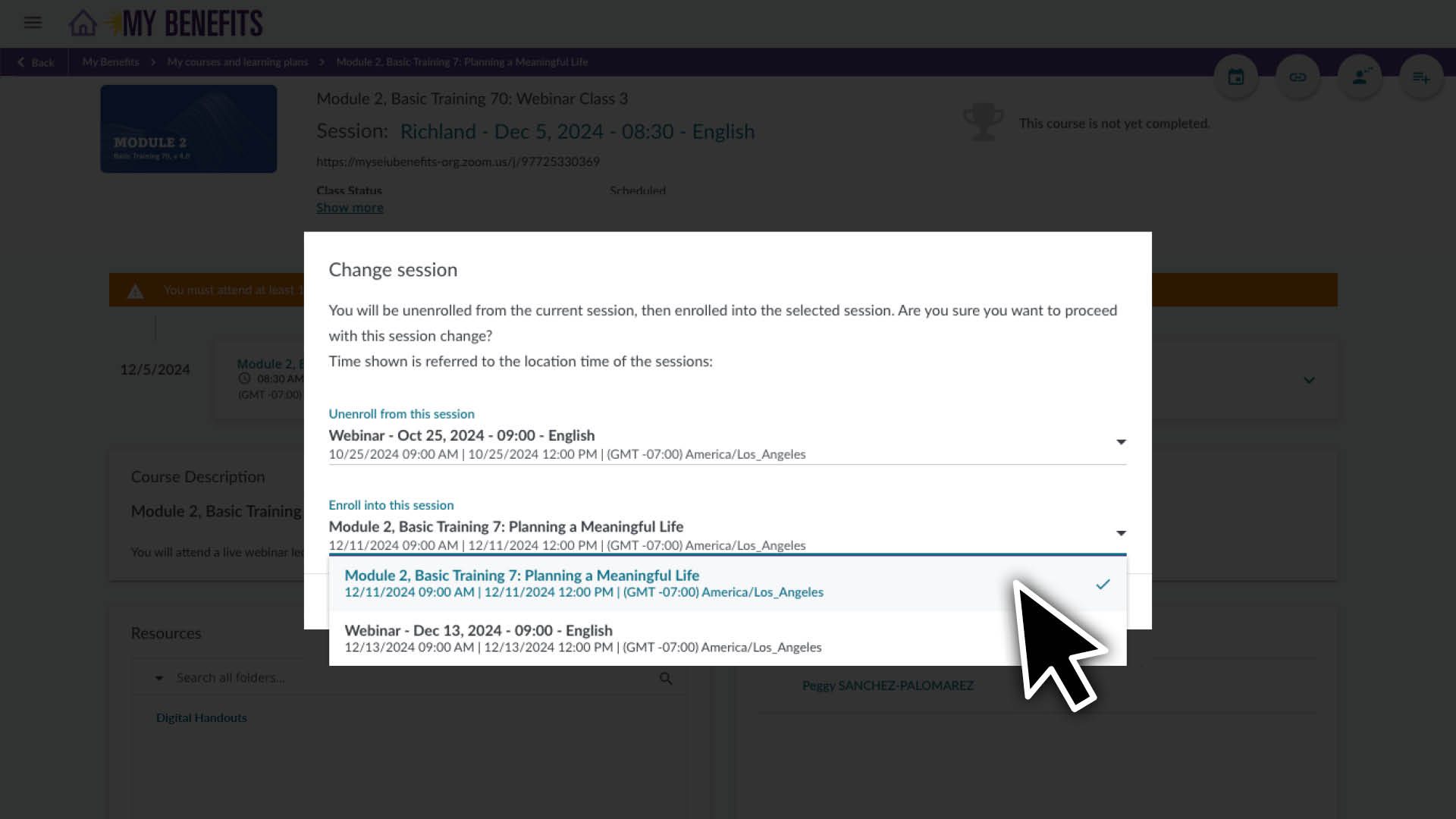
Follow the instructions above to go to the page for the course you would like to reschedule.

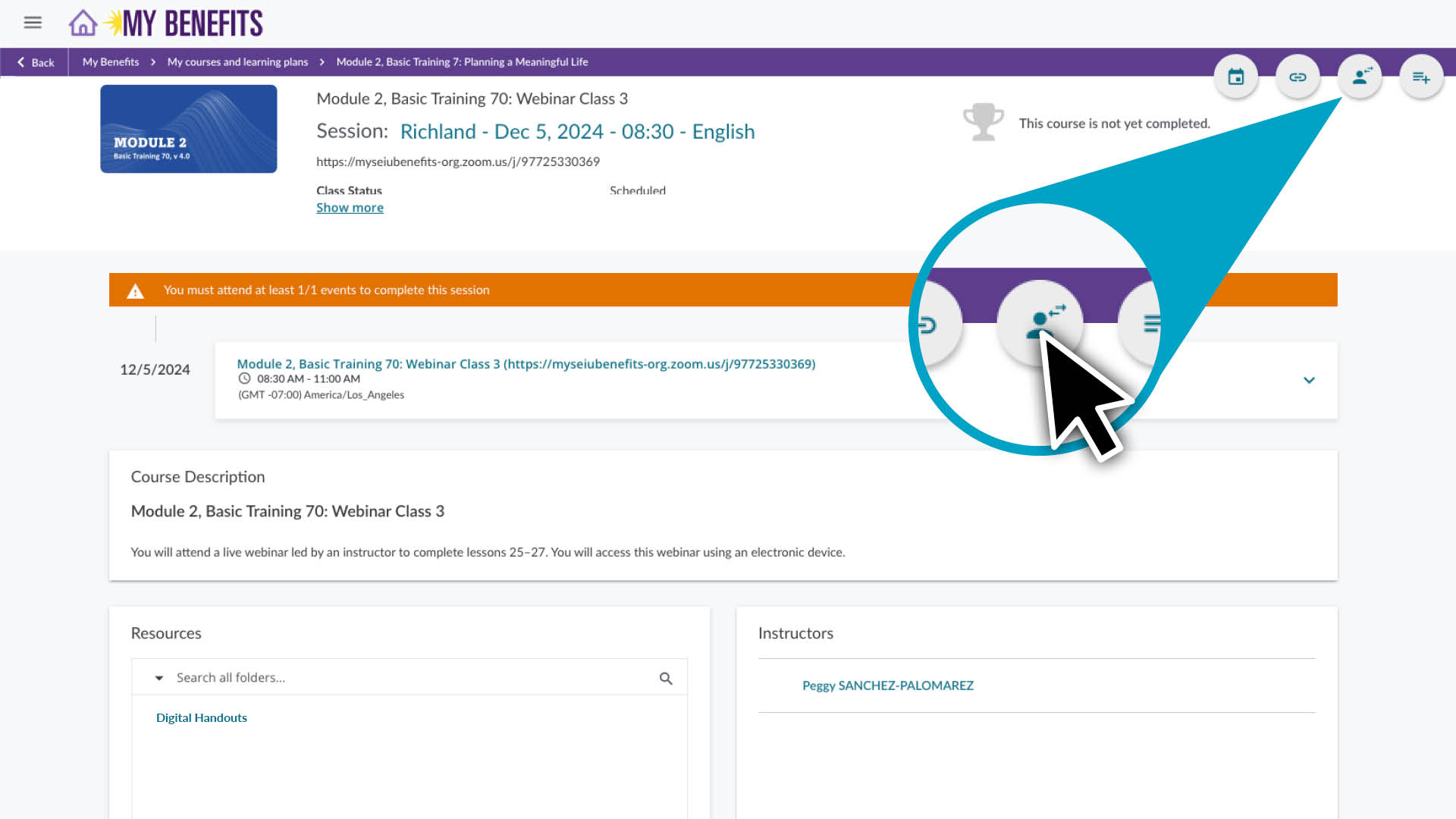
  1. Click the user icon located in the top right corner of the course page.
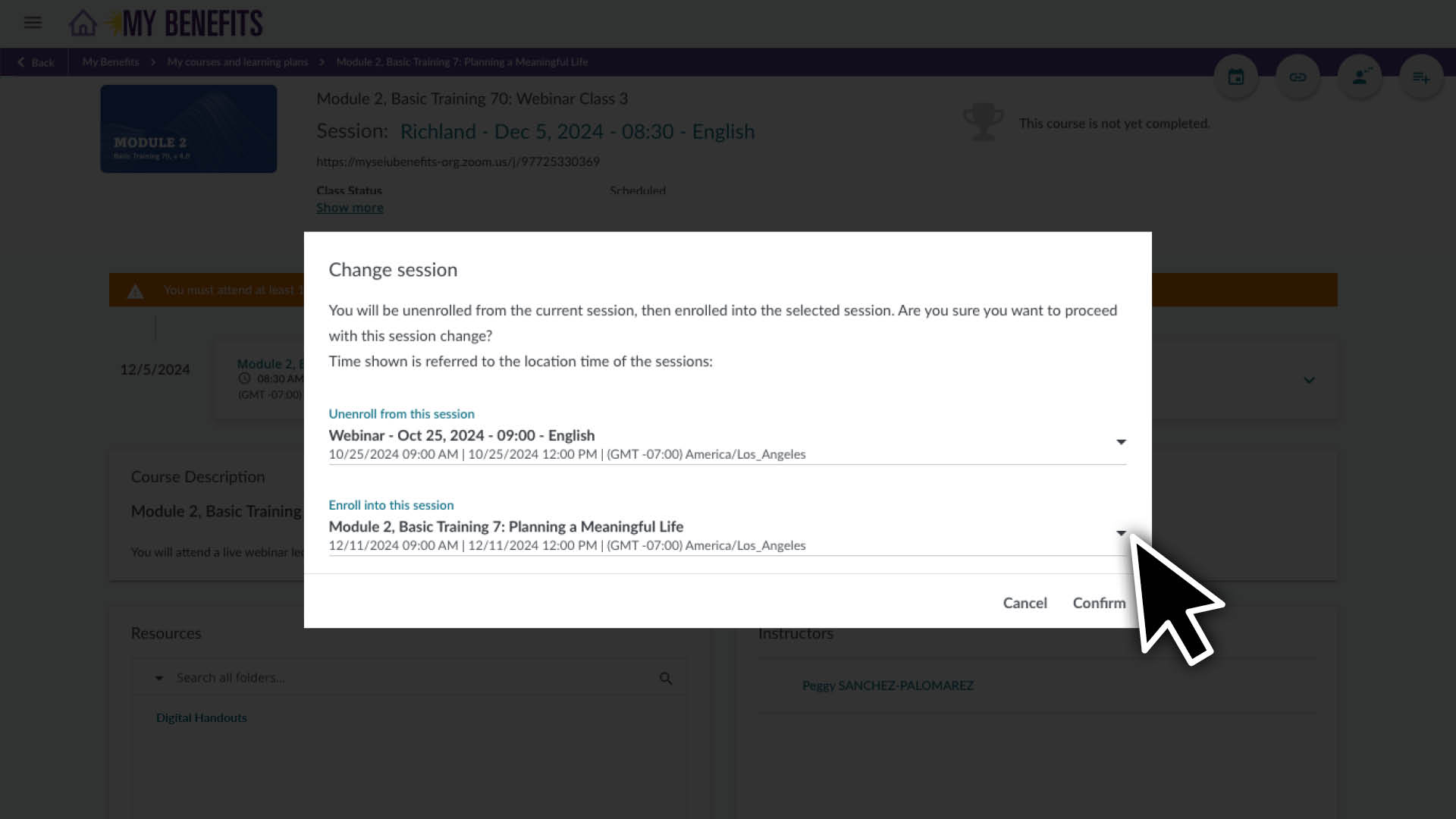
  2. On the Enroll in this session section, click the down arrow to view your options.
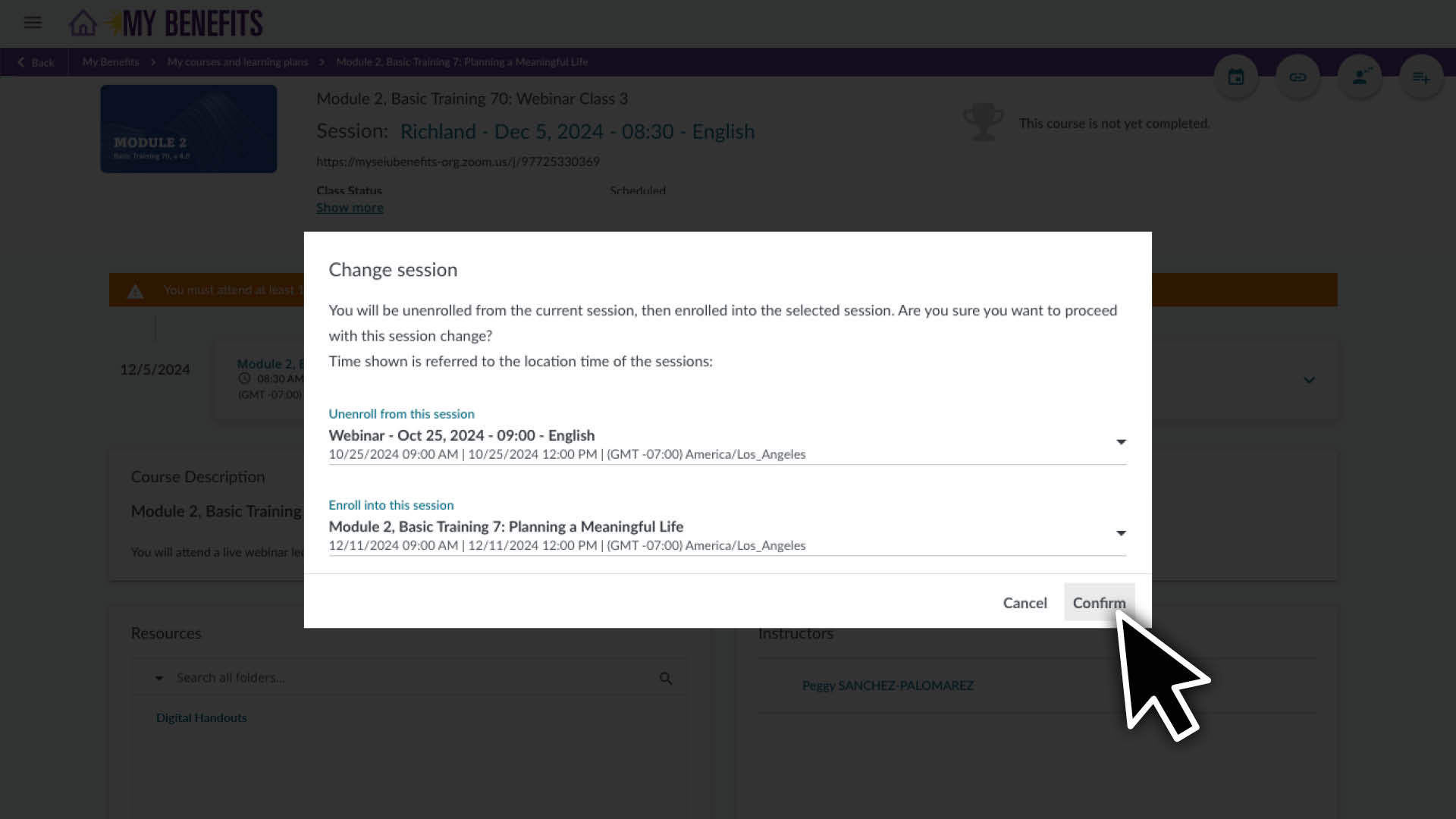
  3. Click on the course session you would like to switch to.  
  4. Click the Confirm button.

After confirming the change, the page will refresh with the new schedule information.

Open Enrollment
is July 1-20

OPEN ENROLLMENT ENDS IN:

Days
Hours
Minutes

Open Enrollment is your chance:

  • Apply for healthcare coverage, if you are eligible and not already enrolled.
  • Change your dental plan, if you are already enrolled.
  • Add medical and/or dental coverage for your children,
    if you work 120 hours or more per month.

Coverage includes

the following benefits plus access to wellness coaching, personalized programs and more.

  • Preventive Care
  • Medical
  • Dental
  • Orthodontia
  • Prescription Drug
  • Emotional Health
  • Vision
  • Hearing
  • Fertility and Family Building
  • Gender-Affirming Care
  • Chiropractic and Massage
  • Physical Therapy

Individual Coverage

Medical and Dental

$25 /mo. 

Get high-quality healthcare coverage for just $25 per month.

Lorem ipsum dolor sit amet, consectetur adipiscing elit. Ut elit tellus, luctus nec ullamcorper mattis, pulvinar dapibus leo.

Medical and Dental

+ $100 /mo. 

Add medical and dental coverage for eligible children for an additional $100 a month.

Dental-Only

+ $10 /mo.

Add dental-only coverage for eligible children for an additional $10 a month.

To learn more about your specific plan or to access your Health Benefits Guide, enter your ZIP code below.

The medical plan available to you is based on your home ZIP code. To confirm what plan you are on or which one is available to you, you can log into your Health Benefits Account.

Aetna is the plan available for your zip code. See plan highlights.

Kaiser Permanente of the Northwest (KPNW) is the plan available for your zip code. See plan highlights.

Kaiser Permanente of Washington (KPWA) is the plan available for your zip code. See plan highlights.

Zip code not found.

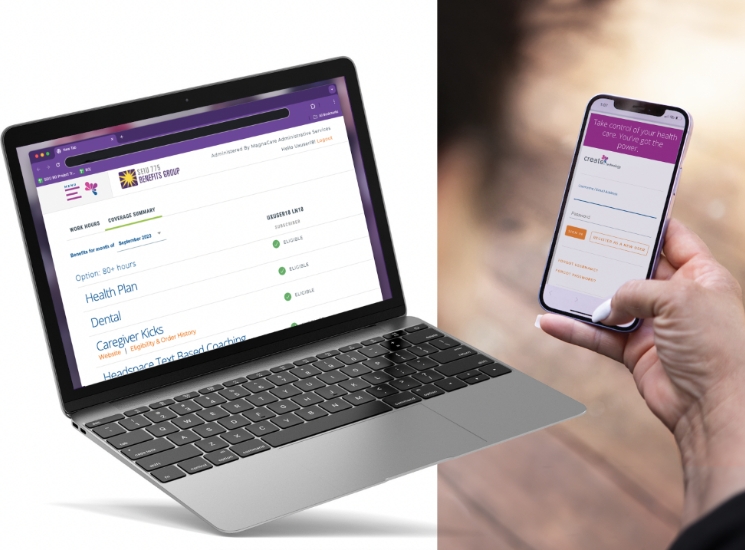
Manage Your Health Benefits with an Online Account

  • View hours and eligibility for health benefits.
  • Apply for or make changes to healthcare coverage.
  • Access plan documents and forms.
  • Sign up for email communications about coverage.
Lorem ipsum dolor sit amet, consectetur adipiscing elit. Ut elit tellus, luctus nec ullamcorper mattis, pulvinar dapibus leo. Report an Issue

Assisting a Caregiver? Caregiver User Guides

If you are new to healthcare coverage for caregivers, here’s what you need to know.

Individual Coverage: You must work 80 hours or more a month for 2 months in a row to become eligible for individual coverage.
Coverage for Kids: You must work 120 hours or more a month to become eligible for Coverage for Kids.

Check your eligibility in your health benefits account.

You can apply when you become eligible for the first time, during Open Enrollment or if you have a Qualifying Life Event.

Learn more

The easiest way to apply or make changes to coverage is online in your Health Benefits Account.

To apply or make changes by mail or fax: If you received a printed Health Benefits Guide, you can use the Health Benefits Application included in your mailing. Mail or fax your completed application to the address or fax number listed on the Health Benefits Application. U.S. postage is required.

Your coverage start date will vary depending on when you submit your completed Health Benefits Application and when you meet eligibility criteria.

Newly Eligible: If you meet eligibility criteria and your completed application is received on or before the 15th of the month, your coverage will begin on the 1st of the following month. If your application is received between the 16th and 31st of the month, your coverage will begin on the 1st of the month after the following month.

  • Example: If an application is received between January 16 and January 31, coverage will begin on March 1.

Open Enrollment (July 1-20 every year): Your application and changes must be received on or before July 20 to be processed for coverage beginning August 1.

Qualifying Life Event: To enroll or make changes because of a Qualifying Life Event, contact SEIU 775 Benefits Group within 30 days.

  • Example: If you have a child on January 1, you have until January 31 to contact SEIU 775 Benefits Group about enrolling yourself and/or your children.

Your employer will automatically deduct your monthly co-premium deduction (the amount you pay each month) from your wages. If your employer is not able to make the deduction, you will receive a self-pay letter in the mail and by email directing you to pay your co-premium. You can pay by check, or using your online account.

If you are an IP with CDWA: Your first monthly payment will be a self-pay.

To keep individual coverage, you need to:

  • Work 80 hours or more per month.
  • Report your hours within 60 days of the month worked
  • Pay your $25 monthly co-premium deduction.

Once you have coverage, you must continue to work the required hours per month and pay your monthly co-premium deduction on time to maintain continuous coverage. Because individual coverage and Coverage for Kids have different hours requirements, you can lose Coverage for Kids but keep individual coverage. Learn more about how work hours affect your coverage.

If you lose healthcare coverage, you will get information about continuing coverage through COBRA.

COBRA: (Consolidated Omnibus Budget Reconciliation Act) helps caregivers and their children who have lost healthcare coverage. Through COBRA, when you lose your coverage or Coverage for Kids you can get continued healthcare coverage for a monthly payment. Your COBRA benefit is administered by Ameriflex. For questions about COBRA call customer service: 1-877-606-6705.

Other Healthcare Coverage Options: If you have stopped caregiving and need to find long-term healthcare coverage, visit wahealthplanfinder.org. You can find out if you are eligible for free Washington Apple Health or compare other healthcare options.

Grow Your Money with Compounding Interest

Understanding compounding interest is important for planning for retirement. Compounding interest helps your money grow over time, which means that a dollar put in savings today is worth more than a dollar saved later because it has time to build interest and grow. Learn more.

Compounding interest is when your money grows not just on what you put in initially, called principal, but also on the interest it earns over time, leading to bigger savings in the long run. It’s like a snowball rolling downhill—over time, the snowball gets bigger the longer it rolls. 
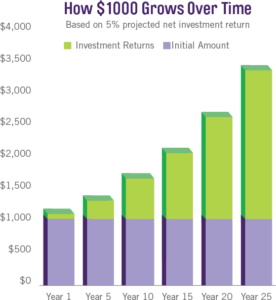
Here’s what you should know about compounding interest: 

  • Start Saving Early: Even a small amount of savings can grow a lot over time due to compounding interest, so it’s important to start saving early. 
  • Keep Your Money Invested Long-term: The longer your money stays in an interest-bearing investment account, the more it benefits from compounding interest and the more it grows. 
  • Be Patient: Be patient and let compounding interest add money to your account. If you want your account to grow faster, contribute a little each month or whenever you can. 

 See how your money can grow with compounding interest using the Compounding Interest Calculator. 

*Calculations are based on the average market return of 7% and are not a guarantee of return on investment. All investments carry risk. This figure is for informational purposes, only. Talk to a financial professional for more information.

For every qualified hour you work as a caregiver, your contributing SRP employer adds up to $1.20 to your SRP retirement account. As you work more, your employer contributes to your account more.  

With your money invested in the SRP, you get the benefit of compounding interest adding to your retirement account balance until you are ready to take your money out.  

To estimate how much money you may have in your SRP account when you retire, login to Retirement: My Plan to use the retirement calculator made specifically for caregivers like you.  

Tax Preparation and Planning

See these great resources for tax preparation and retirement planning.

The Child Tax Credit helps families with qualifying children get a tax break. You may be able to claim the credit even if you don’t normally file a tax return. 

The Child and Dependent Care Credit is a tax credit that may help you pay for the care of eligible children and other dependents. 

The American Opportunity Tax Credit (AOTC) is a credit for qualified education expenses paid for an eligible student for the first 4 years of higher education. 

The Lifetime Learning Credit (LLC) is for qualified tuition and related expenses paid for eligible students enrolled in an eligible educational institution. This credit can help pay for undergraduate, graduate and professional degree courses. 

The Washington State Working Families Tax Credit is for individuals and families in Washington state who may be able to receive up to $1,200 back if eligible. 

The Credit for the Elderly or the Disabled helps retired taxpayers on permanent disability to get a tax credit based on qualifying income.

The Medical Expense Deduction applies only to expenses not paid by insurance. Expenses may be covered if you made payments for the medical expense directly or if payment is made on your behalf to the doctor, hospital, or other medical provider.

Washington State ABLE Savings Plan is a flexible and convenient way for people living with disabilities to invest in their quality of life.

The Earned Income Tax Credit (EITC) helps low- to moderate-income workers and families get a tax break. If you qualify, you can use the credit to reduce the taxes you owe – and maybe increase your refund.

The Saver’s Credit helps you take a tax credit for making eligible contributions to your IRA or employer-sponsored retirement plan.

AARP Foundation Tax-Aide provides free tax assistance to anyone, with a focus on taxpayers over age 50 and have low to moderate income.

IRS Free File lets qualified taxpayers prepare and file federal income tax returns online using guided tax preparation software. It’s safe, easy and no cost to you.

The IRS’s Volunteer Income Tax Assistance (VITA) and Tax Counseling for the Elderly (TCE) programs offer free basic tax return preparation to qualified individuals.

Please contact a tax preparation professional if you need more assistance.

How much will I have for retirement?

Online retirement calculators are an easy way to see how much money you might have when you retire. All you need to do is enter your financial information into the calculator to see an estimate. The information you enter is anonymous and all estimates are for educational purposes only.

  • AARP’s Retirement Income Calculator can give you a personalized look at what your finances might be like when you retire. This calculator includes many aspects of your retirement planning, such as your personal savings, employer accounts (like your Secure Retirement Plan) and your lifestyle.
  • Retirement: My Plan also has a retirement calculator that you can use to estimate your future Secure Retirement Plan balance. With Retirement: My Plan, you can also name a beneficiary or request a distribution.

More resources to help you plan and save

When you log in to Retirement: My Plan, you will be taken to Milliman’s website to see your SRP information. Your information is always confidential.

Washington’s Retirement Marketplace is a secure website where businesses and individuals can comparison shop state-verified, low-cost retirement savings plans, such as Individual Retirement Accounts (IRA).

Resources through Washington’s Retirement Marketplace are available in 5 languages.

Wherever you are in your retirement planning, you can use CFPB’s Consumer Tools to help you get prepared. Resources are available in 8 languages. 

The Consumer Financial Protection Bureau (CFPB) protects consumers from unfair, deceptive, or abusive practices.

  • It can be hard to make a budget yourself. You can also use this budget worksheet you can fill in to have a budget calculated for you. 

Add Your Heading Text Here

Lorem ipsum dolor sit amet, consectetur adipiscing elit, sed do eiusmod tempor incididunt ut labore et dolore magna aliqua. Ut enim ad minim veniam, quis nostrud exercitation ullamco laboris nisi ut aliquip ex ea commodo consequat. Duis aute irure dolor in reprehenderit in voluptate velit esse cillum dolore eu fugiat nulla pariatur. Excepteur sint occaecat cupidatat non proident, sunt in culpa qui officia deserunt mollit anim id est laborum.

Member Resource Center (MRC) will be closed from December 24 – January 1.

If you have questions about enrolling or completing your training, contact the MRC before they are closed. The MRC will reopen on January 2. 

Note: Contact your employer for questions about your training requirement, pay or deadline.

Get help online:

Caregiver Learning Center System Access 

The Caregiver Learning Center cannot be accessed at caregiverlearning.org. Please use seiu775bg.docebosaas.com to access your training.

Thank you for your time and valuable insight!

Make the most of your learning benefits. Read about this year’s Continuing Education new online courses or explore your learning support options.

Caregiver Learning Center System Maintenance

June 6 (Thursday) – June 10 (Monday)

You can log in, enroll and take your training in the Caregiver Learning Center during this time. 

If you complete training during the System Maintenance, it will be sent to your employer after June 10. 

Please contact your employer if you have questions about your training requirement, deadline or payment.