Learning Library 

Caregiver Learning Center(看护人学习中心)用户指南

  • 点击任务选项卡查看说明。
  • 点击圆点可浏览各图片。
  • 点击任务选项卡查看说明。
  • 滑动浏览各图片。

Learning Library 中的 Continuing Education(继续教育,CE)课程是一项可选的福利,为那些没有 CE 要求的看护人提供。

本指南指导您访问帐户、报名和完成 Learning Library 课程。如果您在系统要求或管理个人资料和语言首选项方面需要帮助,请访问入门指南

如需首次访问您的帐户或重置密码,您需要知道您的 12 位学号才能登录。如果您不知道,请致电 1-866-371-3200 或发送电子邮件至 mrc@myseiubenefits.org

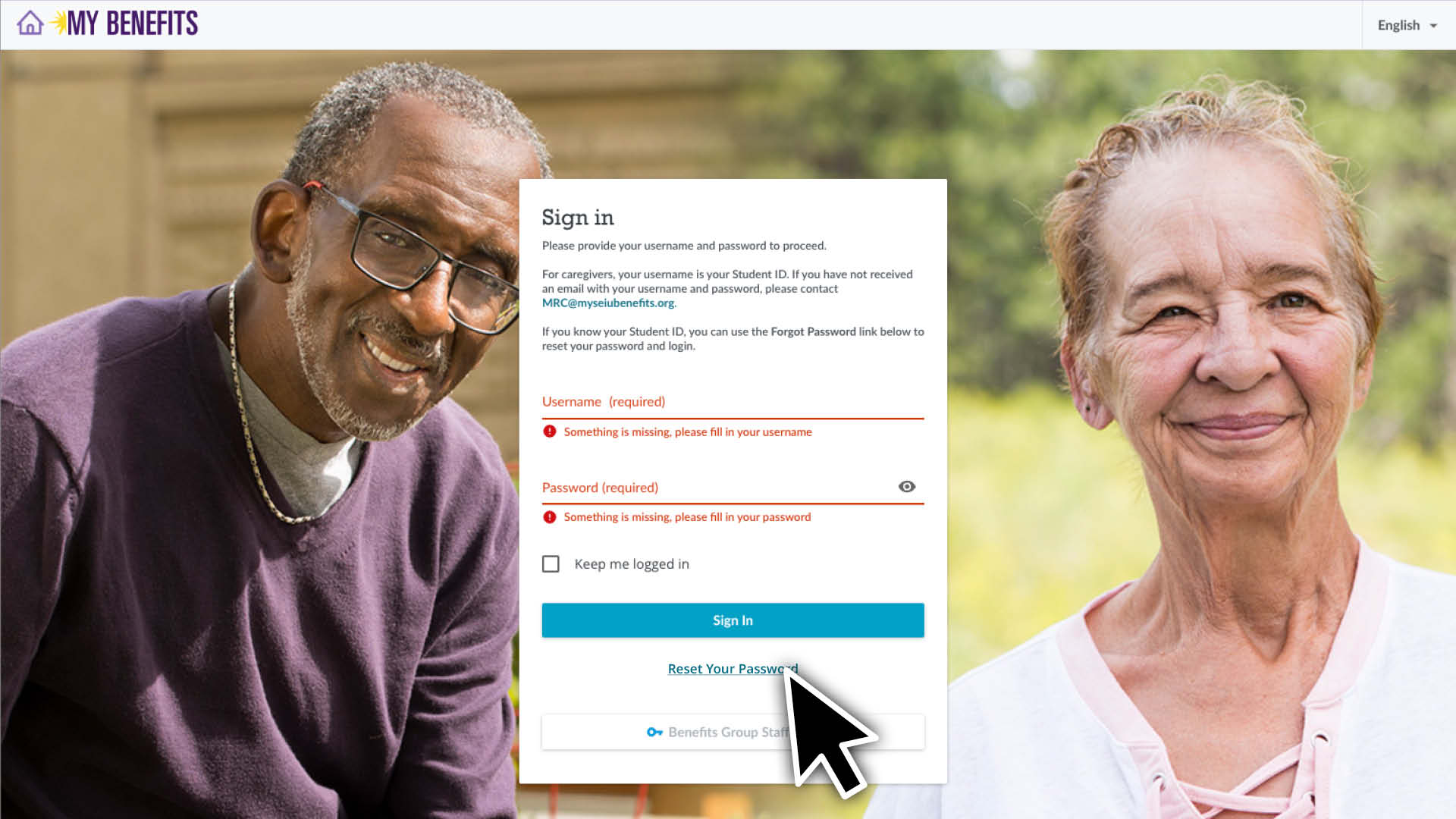
  1. 请访问 caregiverlearning.org 并点击 Reset Your Password(重置密码)链接。
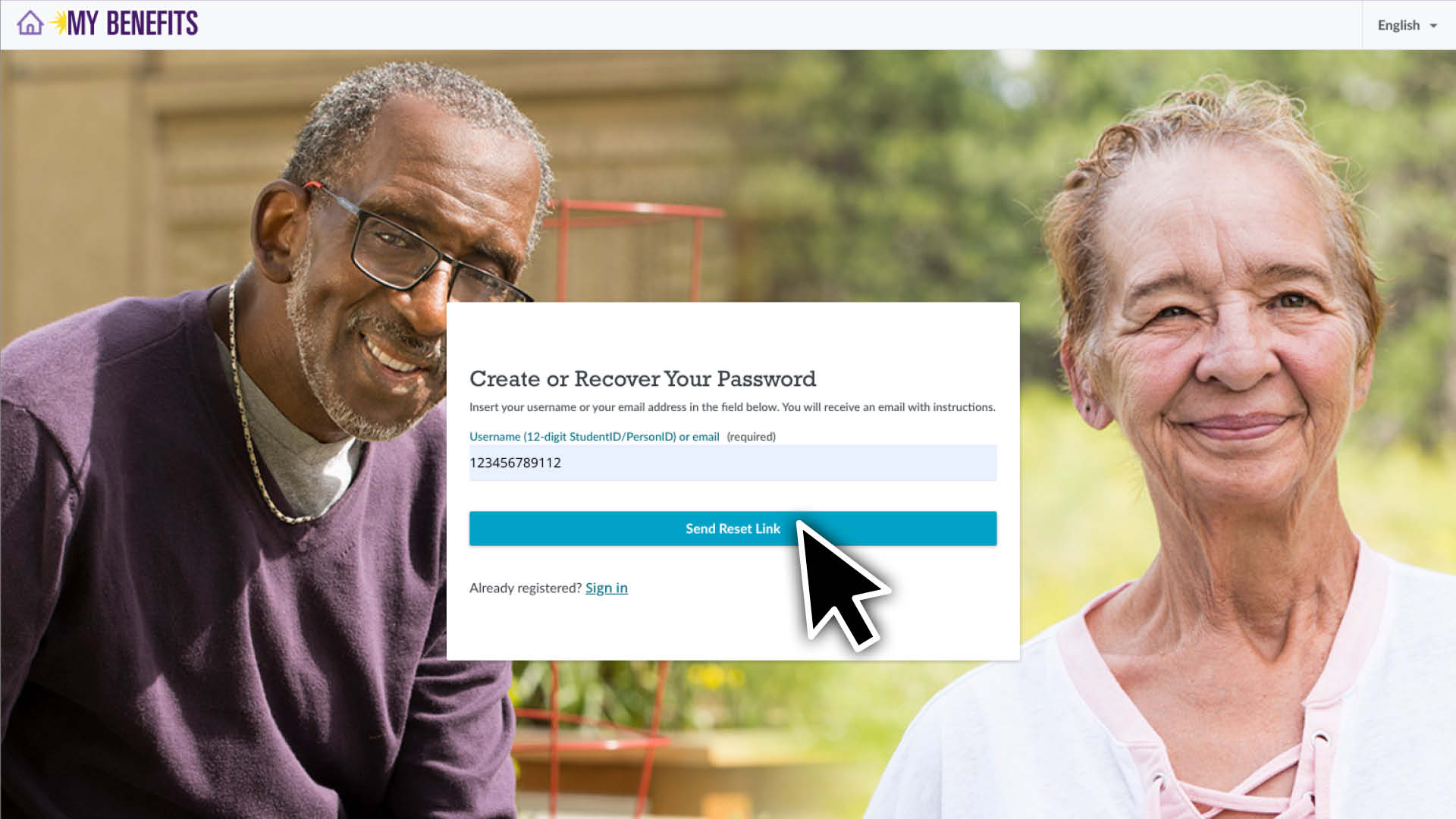
  2. 输入您的学号并点击 Send Reset Link(发送重置链接)按钮。
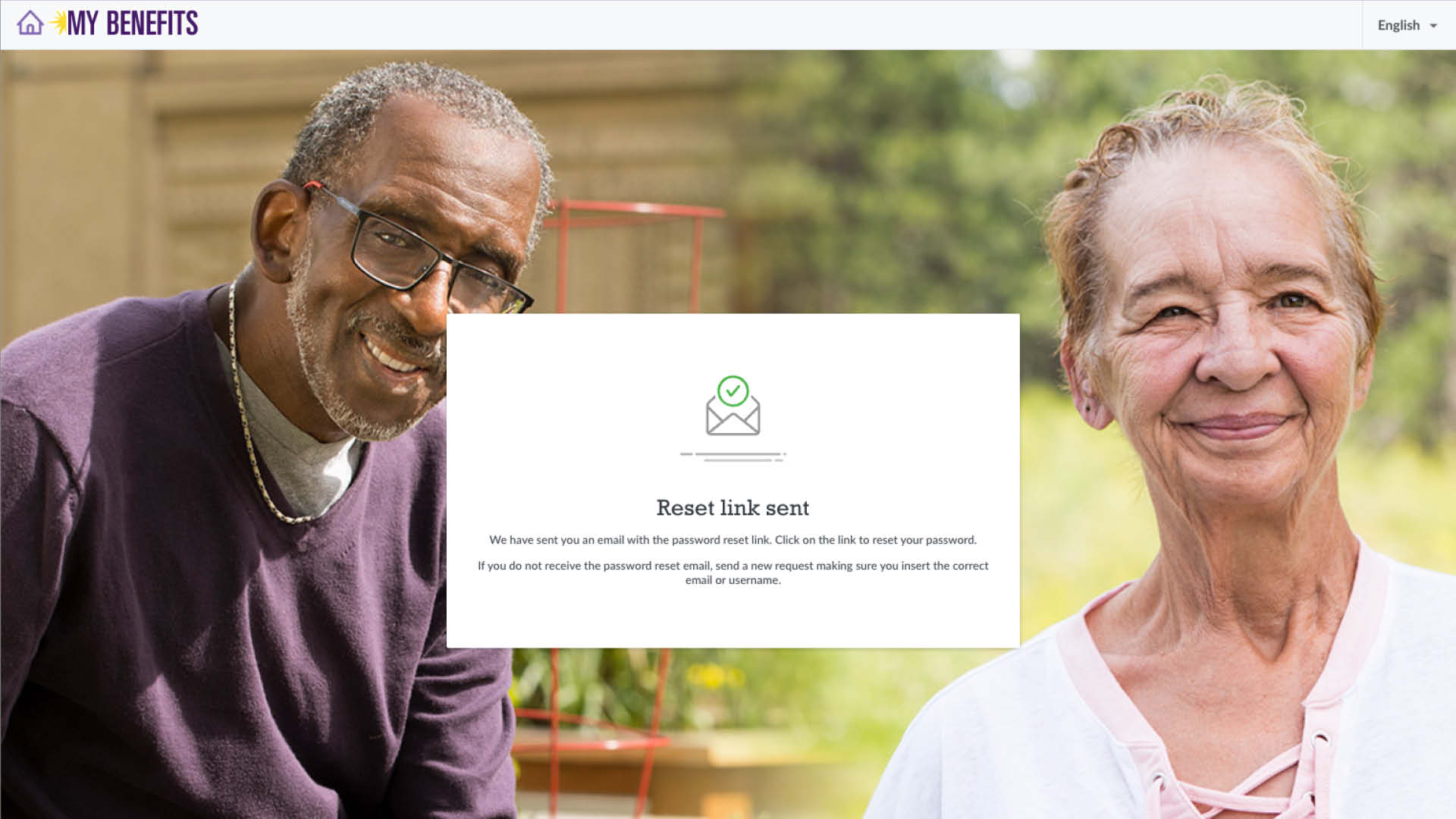
  3. 系统将会向您发送电子邮件,主题行为 "New Password"(新密码)。点击邮件中的链接
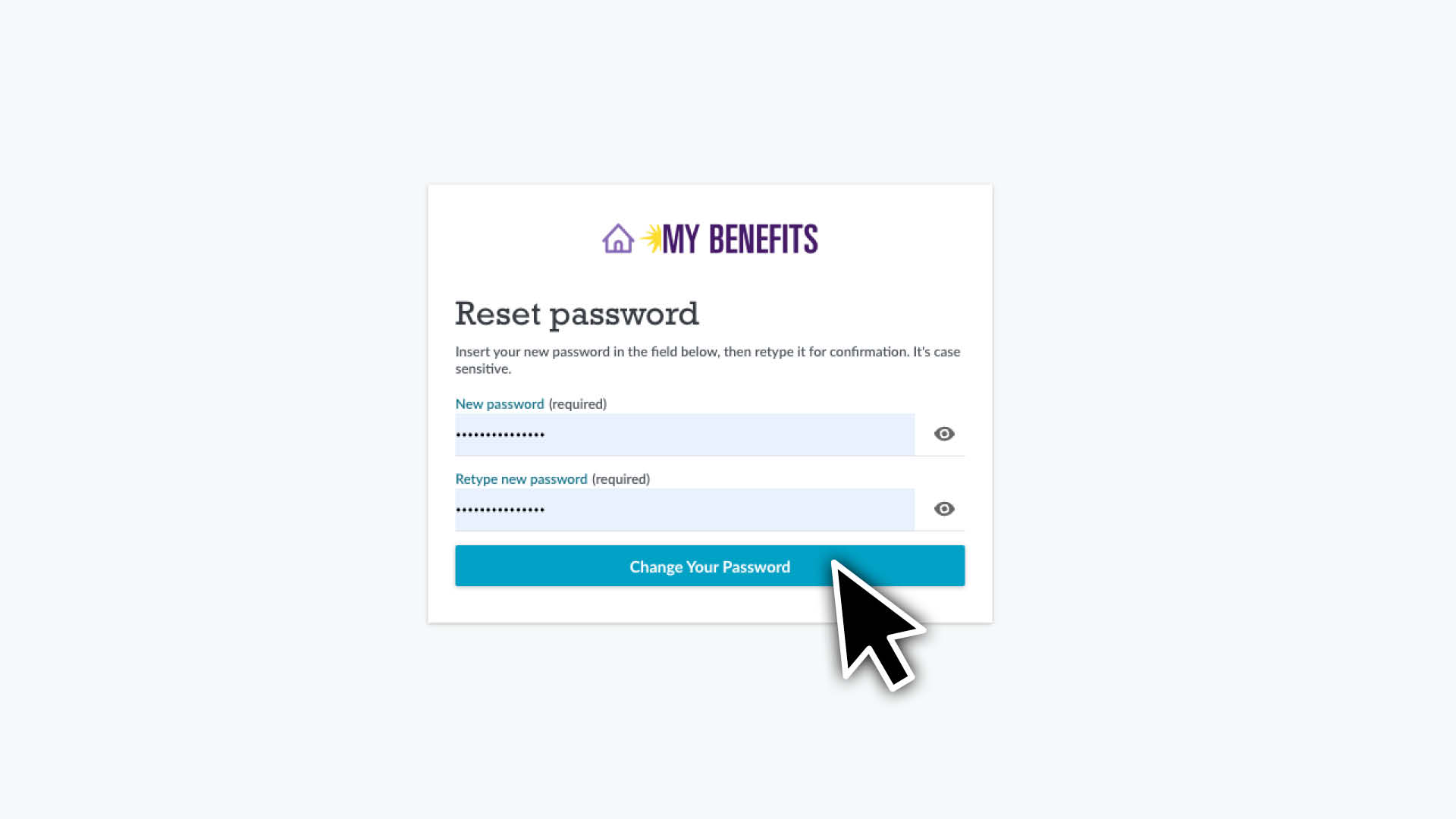
  4. 输入并确认您的新密码,然后点击 Change Your Password(更改密码)
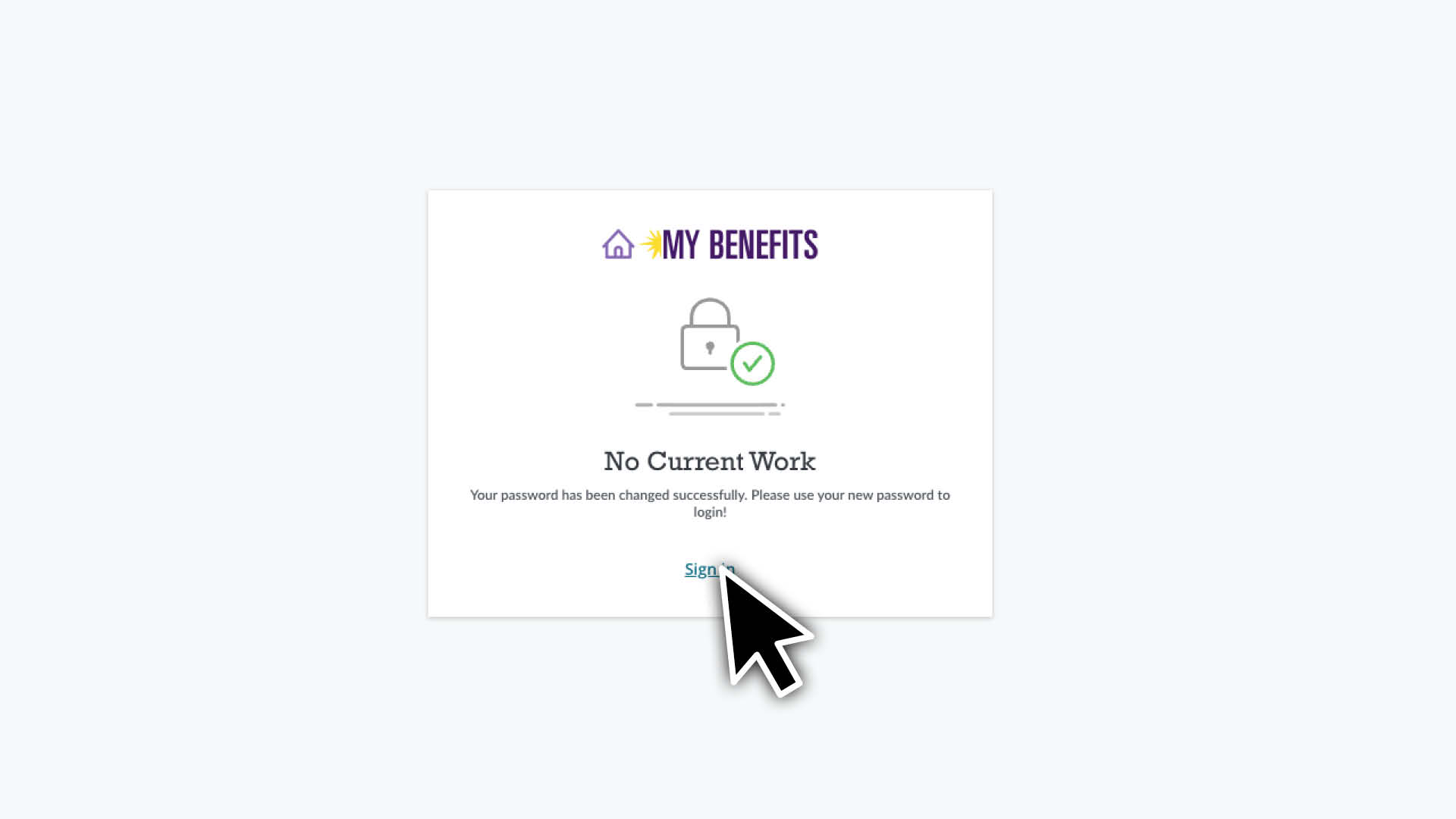
  5. 点击 Sign In(登录)链接,前往登录页面。输入 12 位学号和新密码,并点击 Sign In(登录)按钮。

如果这是您首次登录,则需要阅读并通过勾选方框并点击 I Agree(我同意)按钮接受 Terms of Agreement(协议条款)。

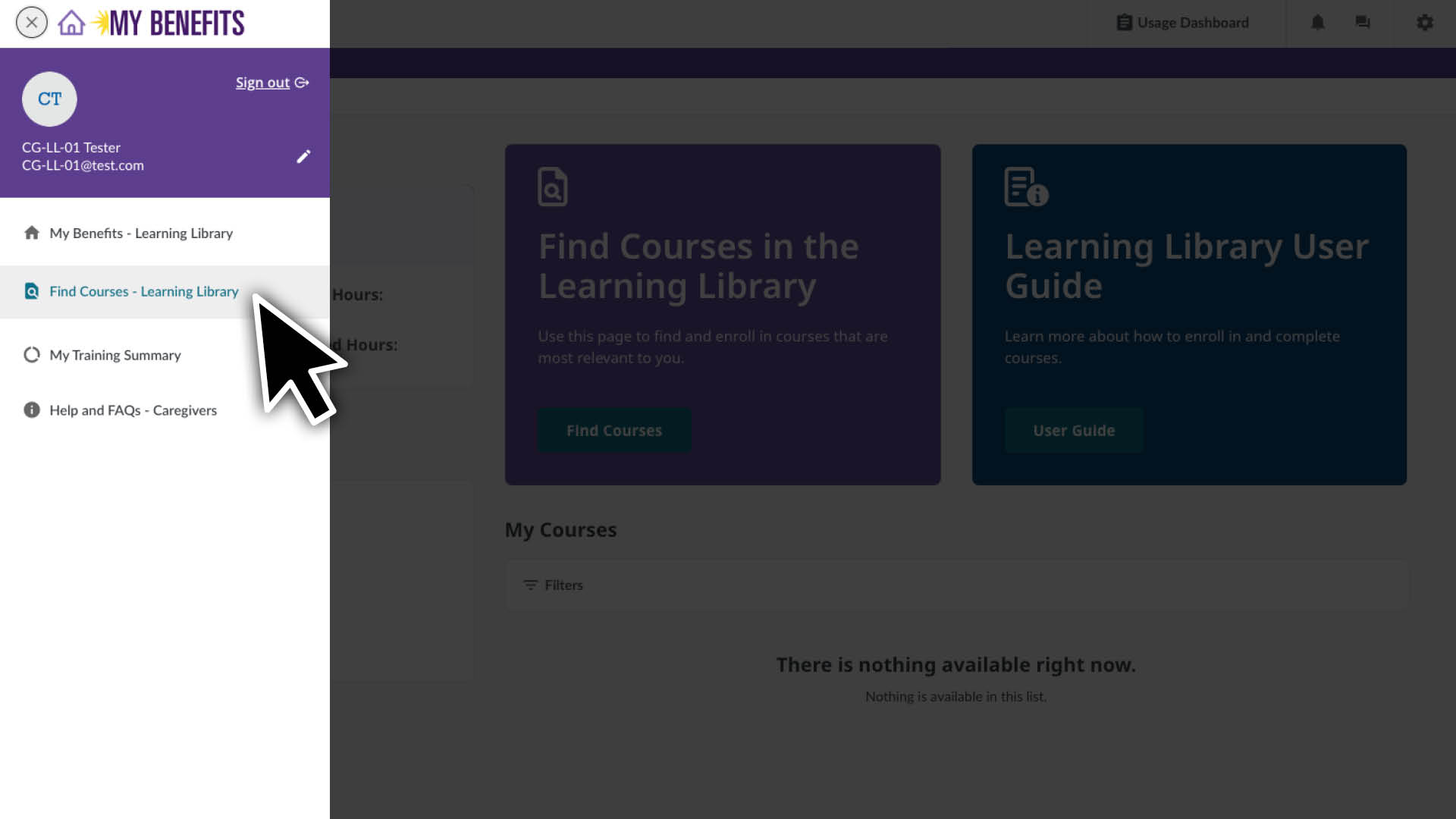
  1. 点击菜单图标。 
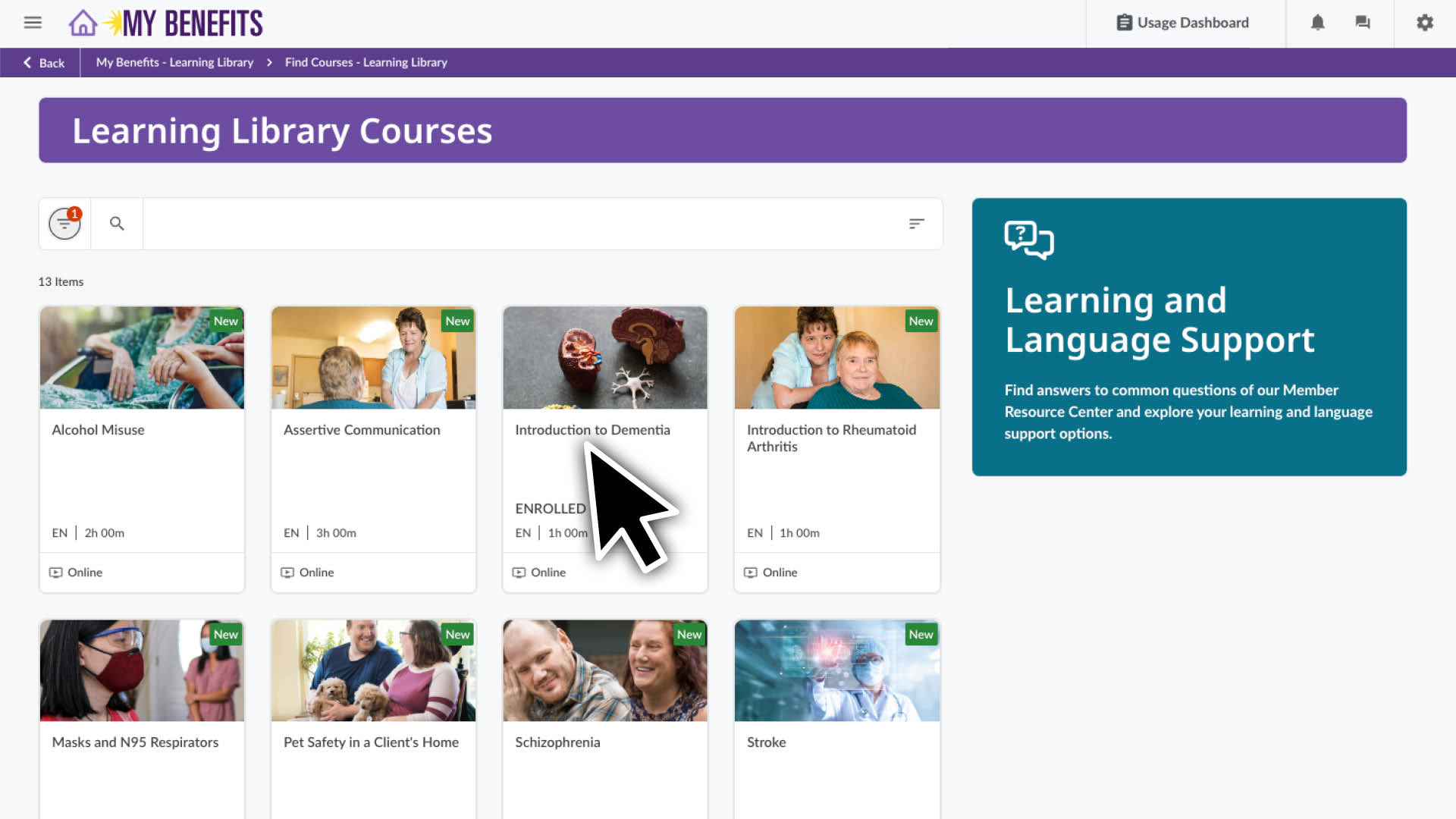
  2. 选择 Find Courses(查找课程)页面。
  3. 使用筛选器选择您的首选语言。
    点击筛选器图标。
    点击语言下拉菜单。
    选择您的语言。
    点击 X 关闭筛选器窗口。
  4. 您也可以点击搜索图标,查找与您相关的主题。
  5. 点击课程,查看课程详情页面。
  6. 点击 Enroll(报名)按钮报名参加课程。

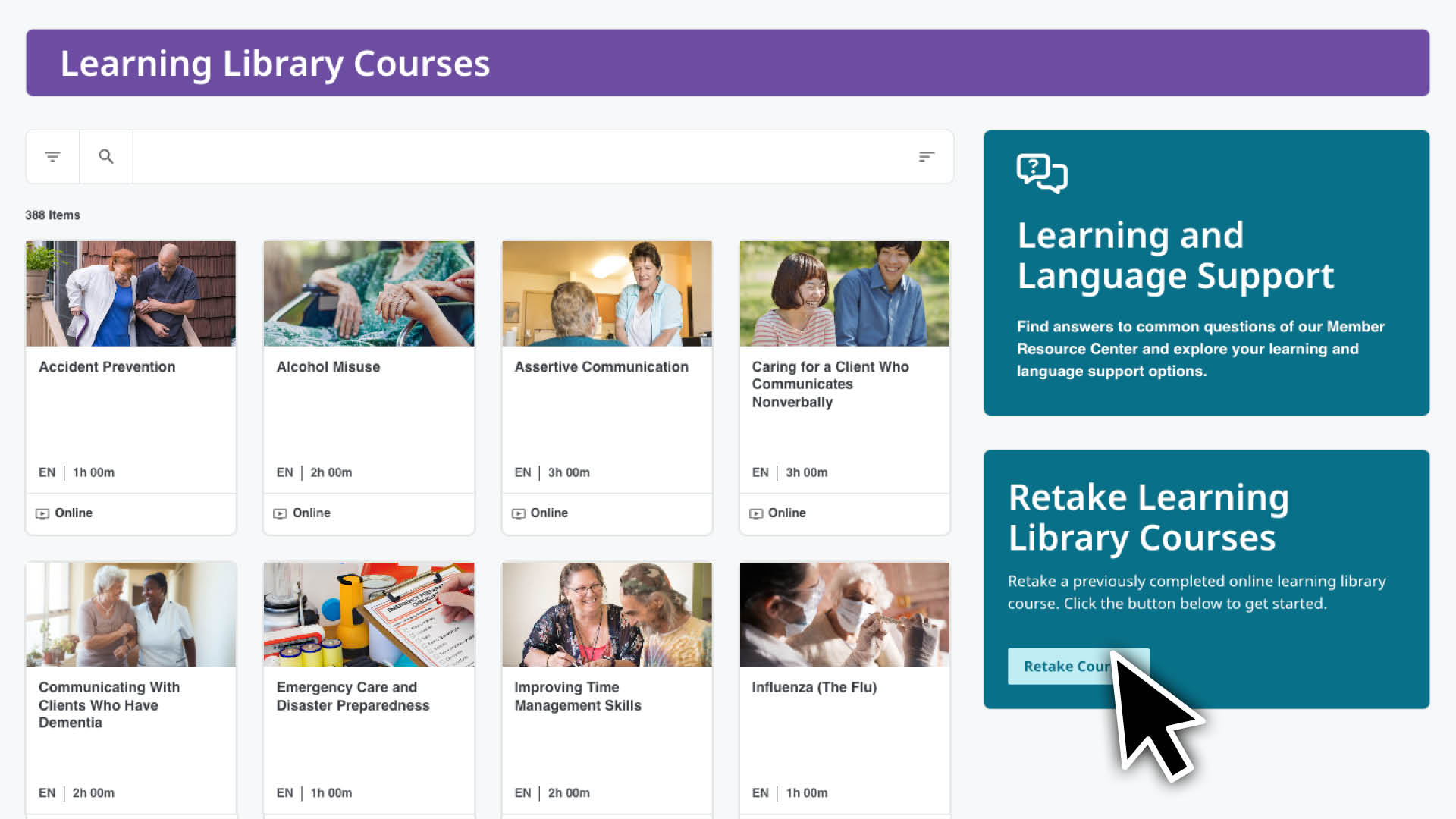
查看可重新参加和报名的课程:
无法重新参加过去 90 天内完成的课程。
如果您想报名参加 4 门以上的课程,请重复上述步骤。 

  1. 前往 Retake Courses(重新参加课程)页面:
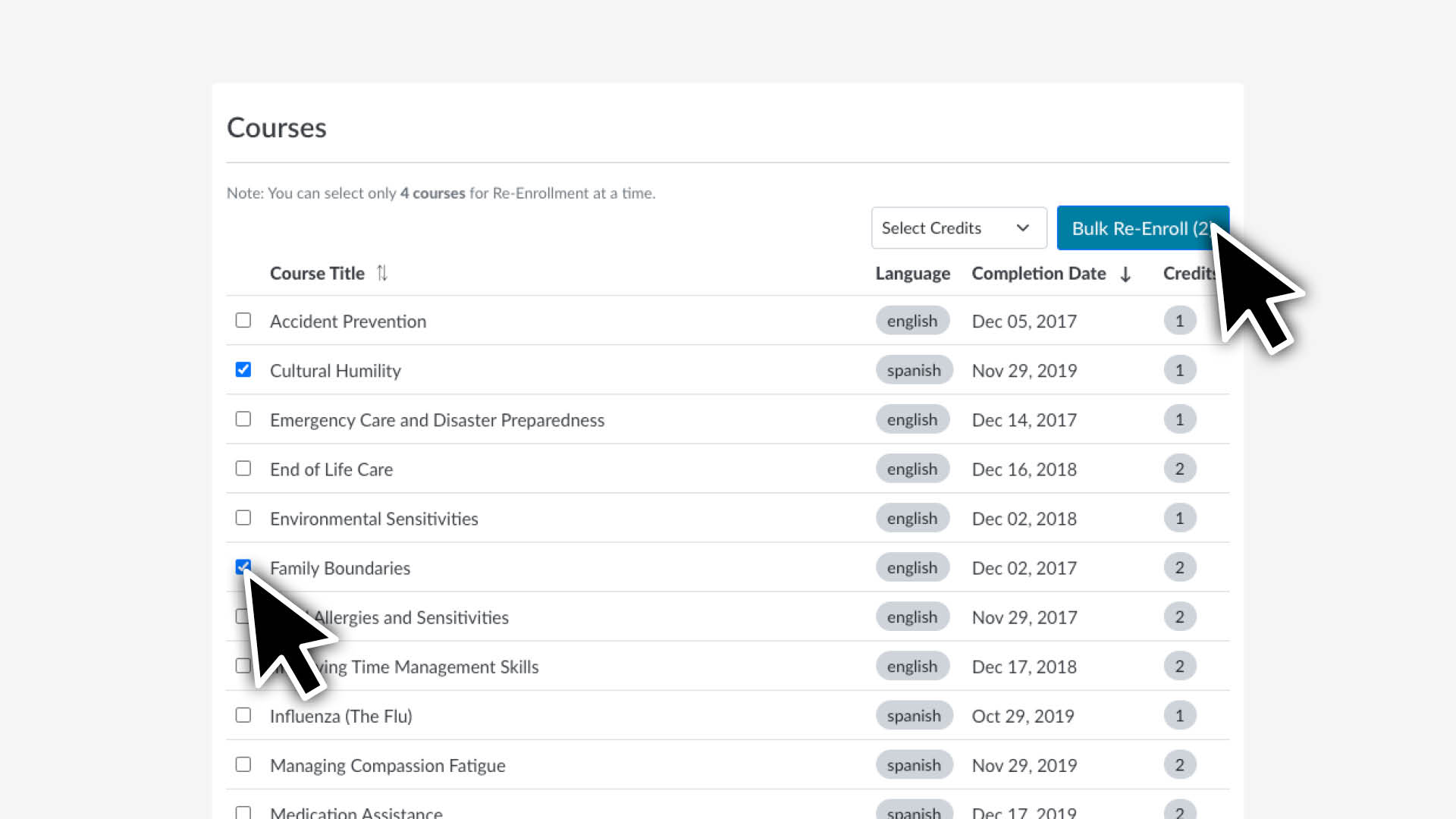
  2. 查看和选择课程:
    • 勾选您想要重新参加的每门课程。
    • 选择 Bulk Re-enroll(批量重新报名)按钮。  
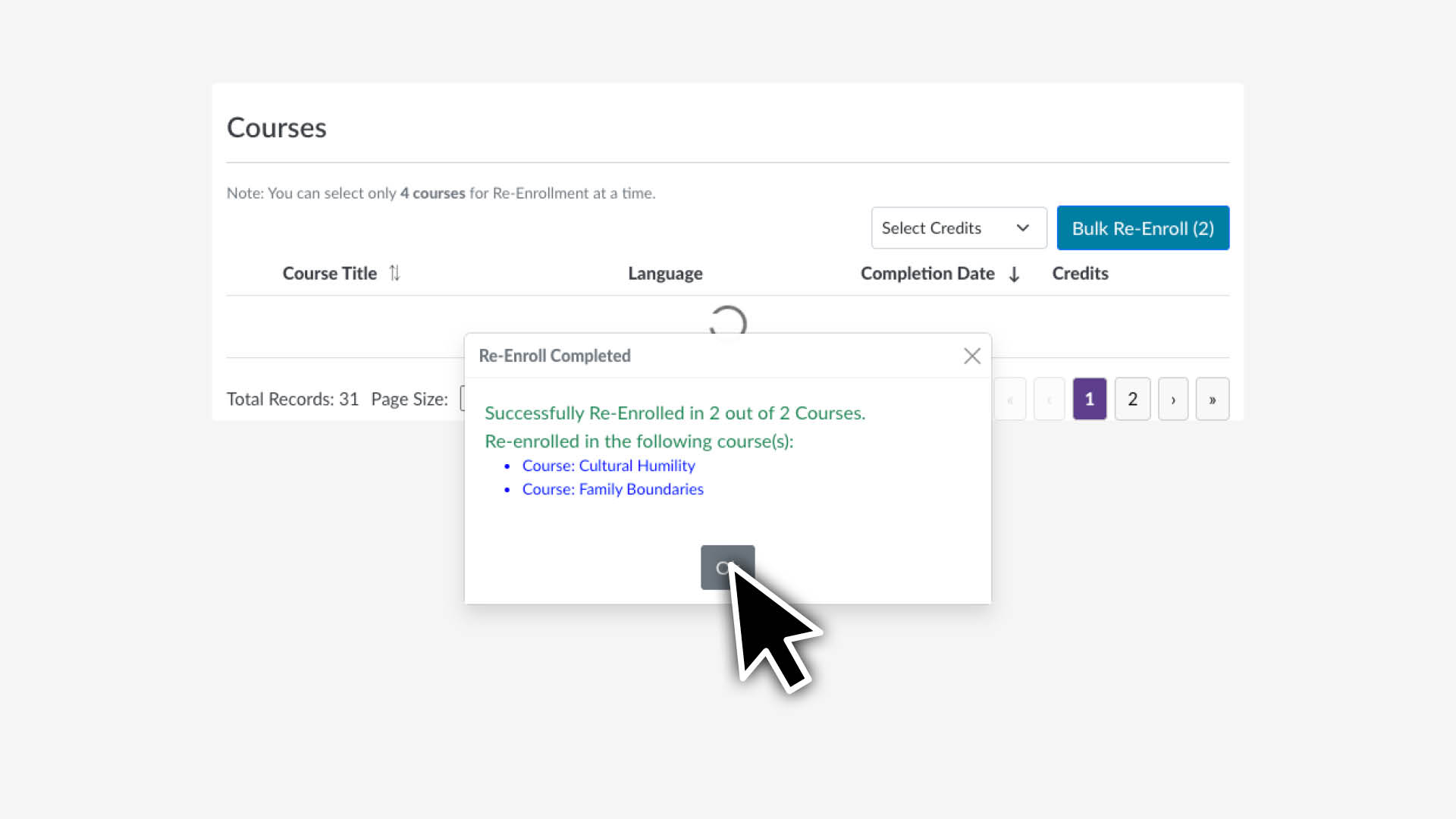
  3. 确认选择:
    • 查看显示所选课程的确认信息。
    • 选择 OK(确定)完成报名。

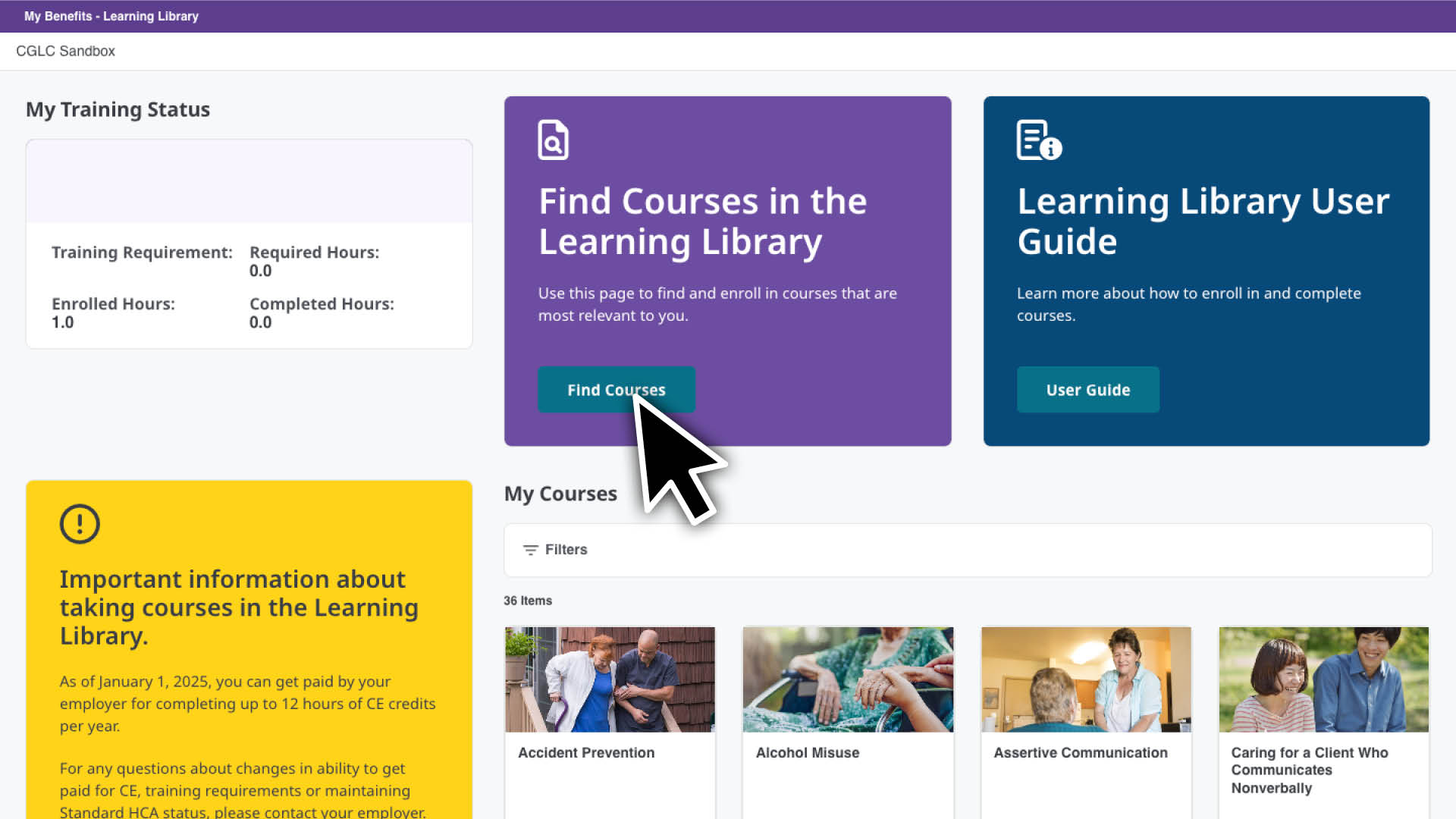
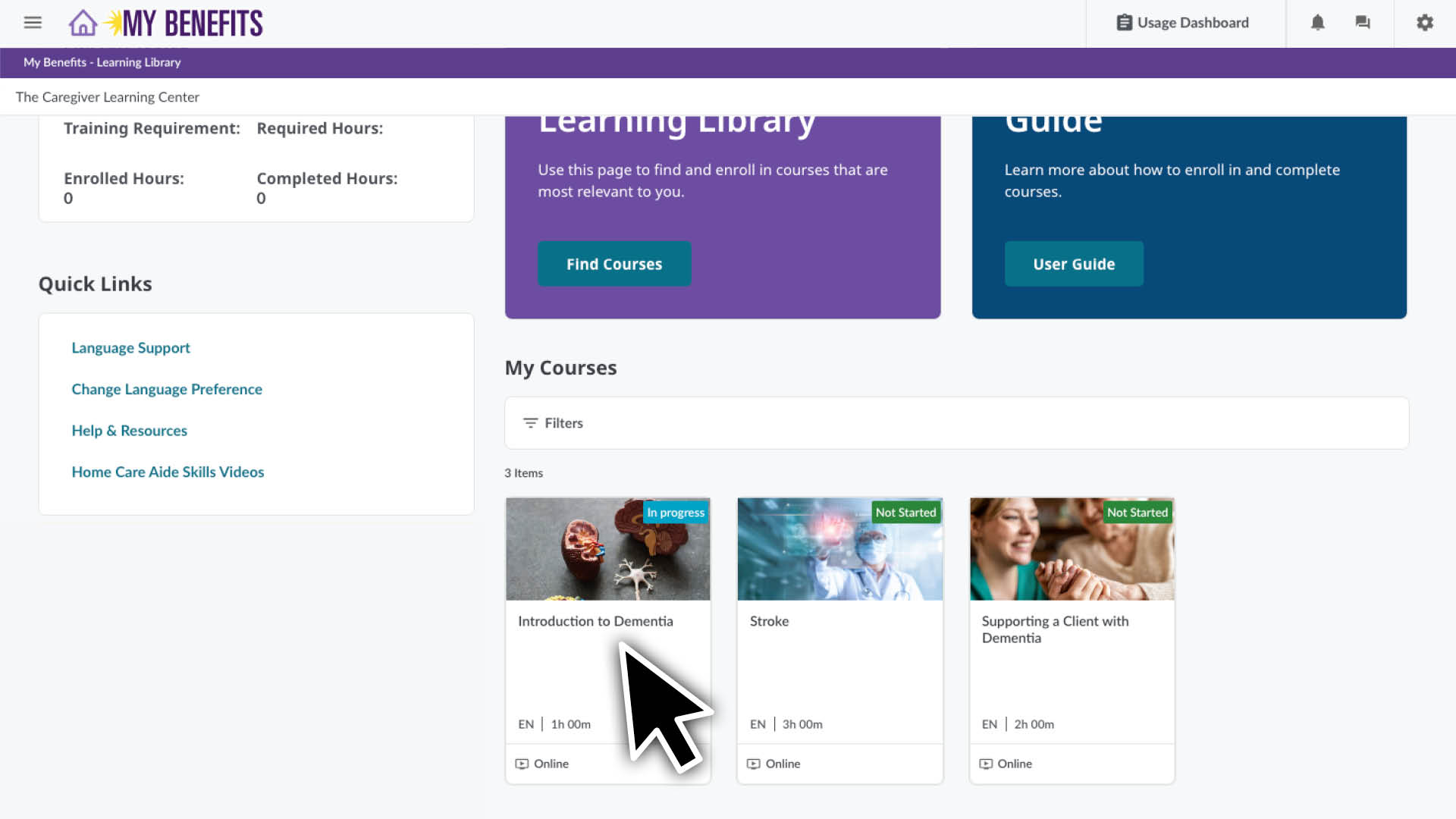
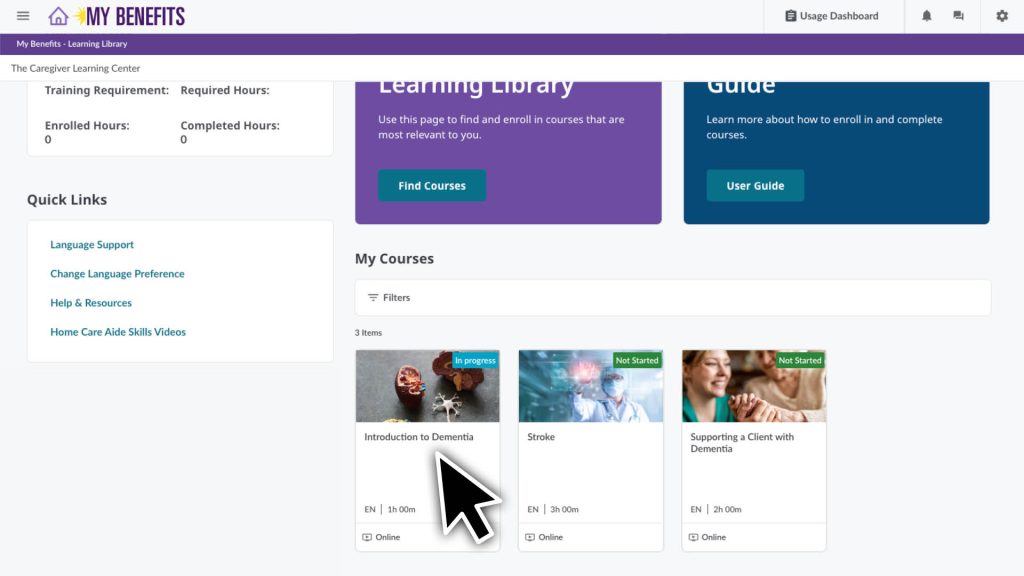
您可以从主页查看自己报名的课程。当您首次登录时可以看到此页面,并且可以通过点击屏幕顶部的主页图标随时返回此页面。

在 My Courses(我的页面)部分,您可以:

  • 查看您正在进行中、未开始和已完成的课程。
  • 点击您想开始或继续学习的课程。

Learning Library 让您可以轻松按照自己的节奏在方便的时间学习。您可以随时停止和返回课程的学习。

  1. 从主页点击课程,查看课程课次页面。
  2. 点击 Begin(开始) Resume(继续)按钮并按照说明操作。

课程通常以预评估开始,用于了解您的知识水平,并且以课后评估结束。系统将在评估和每节课之间为您引导。

除了可以开始或继续在线课程外,您还可以看到:

  • 您的学习进度或您目前在课程中的位置。 
  • 页面底部的课程描述、资料和资源。完成课程需要资料,而资源是可选的,但可能会有所帮助。
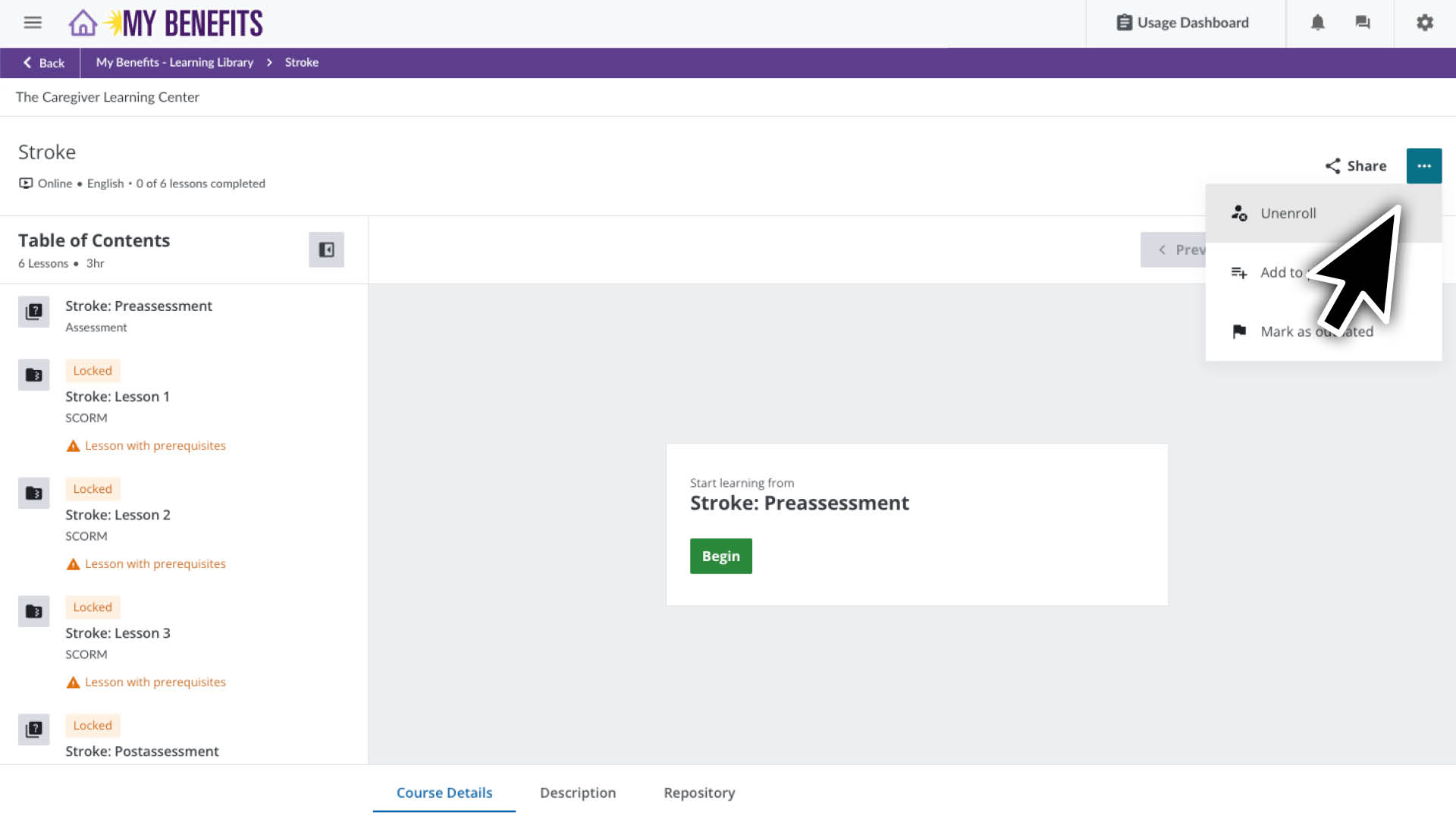
  1. 在主页点击您希望取消报名的课程
  2. 在课程页面上,请点击右上角的三点图标。  
  3. 在下拉菜单中点击 Unenroll(取消报名)
  4. 在弹出窗口中点击 Uneneroll(取消报名)

您现在已经取消了对该课程的报名。点击右上角的主页图标返回主页。 

Add Your Heading Text Here

Lorem ipsum dolor sit amet, consectetur adipiscing elit, sed do eiusmod tempor incididunt ut labore et dolore magna aliqua. Ut enim ad minim veniam, quis nostrud exercitation ullamco laboris nisi ut aliquip ex ea commodo consequat. Duis aute irure dolor in reprehenderit in voluptate velit esse cillum dolore eu fugiat nulla pariatur. Excepteur sint occaecat cupidatat non proident, sunt in culpa qui officia deserunt mollit anim id est laborum.

Member Resource Center (MRC) will be closed from December 24 – January 1.

If you have questions about enrolling or completing your training, contact the MRC before they are closed. The MRC will reopen on January 2. 

Note: Contact your employer for questions about your training requirement, pay or deadline.

Get help online:

Caregiver Learning Center System Access 

The Caregiver Learning Center cannot be accessed at caregiverlearning.org. Please use seiu775bg.docebosaas.com to access your training.

感谢您抽出时间提供宝贵见解!

充分利用您的学习福利吧。阅读有关今年 Continuing Education(继续教育)新在线课程的信息或探索您的学习支持选项。

Caregiver Learning Center System Maintenance

June 6 (Thursday) – June 10 (Monday)

You can log in, enroll and take your training in the Caregiver Learning Center during this time. 

If you complete training during the System Maintenance, it will be sent to your employer after June 10. 

Please contact your employer if you have questions about your training requirement, deadline or payment.