Basic Training 70(基本培训 70)

Caregiver Learning Center(看护人学习中心)用户指南

  • 将鼠标悬停在图片上可暂停播放。
  • 点击圆点可浏览各图片。
  • 轻触图片暂停播放。
  • 滑动浏览各图片。

在您开始之前

如果您是 Caregiver Learning Center(看护人学习中心)的新用户,请先阅读 Getting Started Guide(入门指南),了解如何访问您的账户、浏览页面和管理您的个人资料。

要完成 Basic Training(基本培训),您需要: 

  • 报名参加 Basic Training 70(基本培训 70)
  • 参加 8 天全天面授课程
  • 完成 21 小时的线上网络研讨会

Basic Training 70(基本培训 70)时长 70 小时,为您提供了成功通过认证考试以及成为家庭护理员 (HCA) 所需的信息和技能。

  1. 登录后,点击 Enroll(报名)按钮
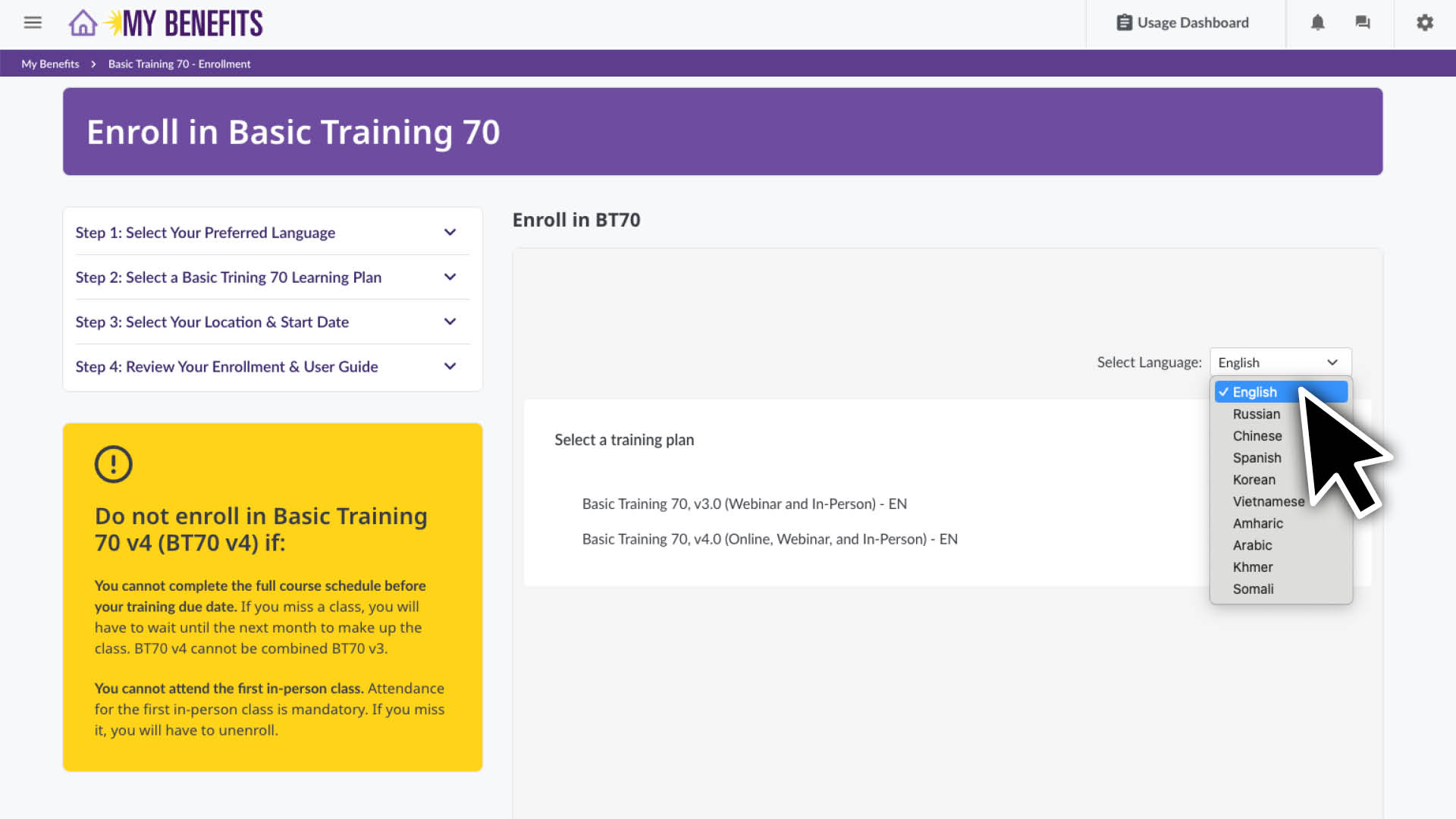
  2. 向下滚动至报名部分,选择您首选的语言进行培训。
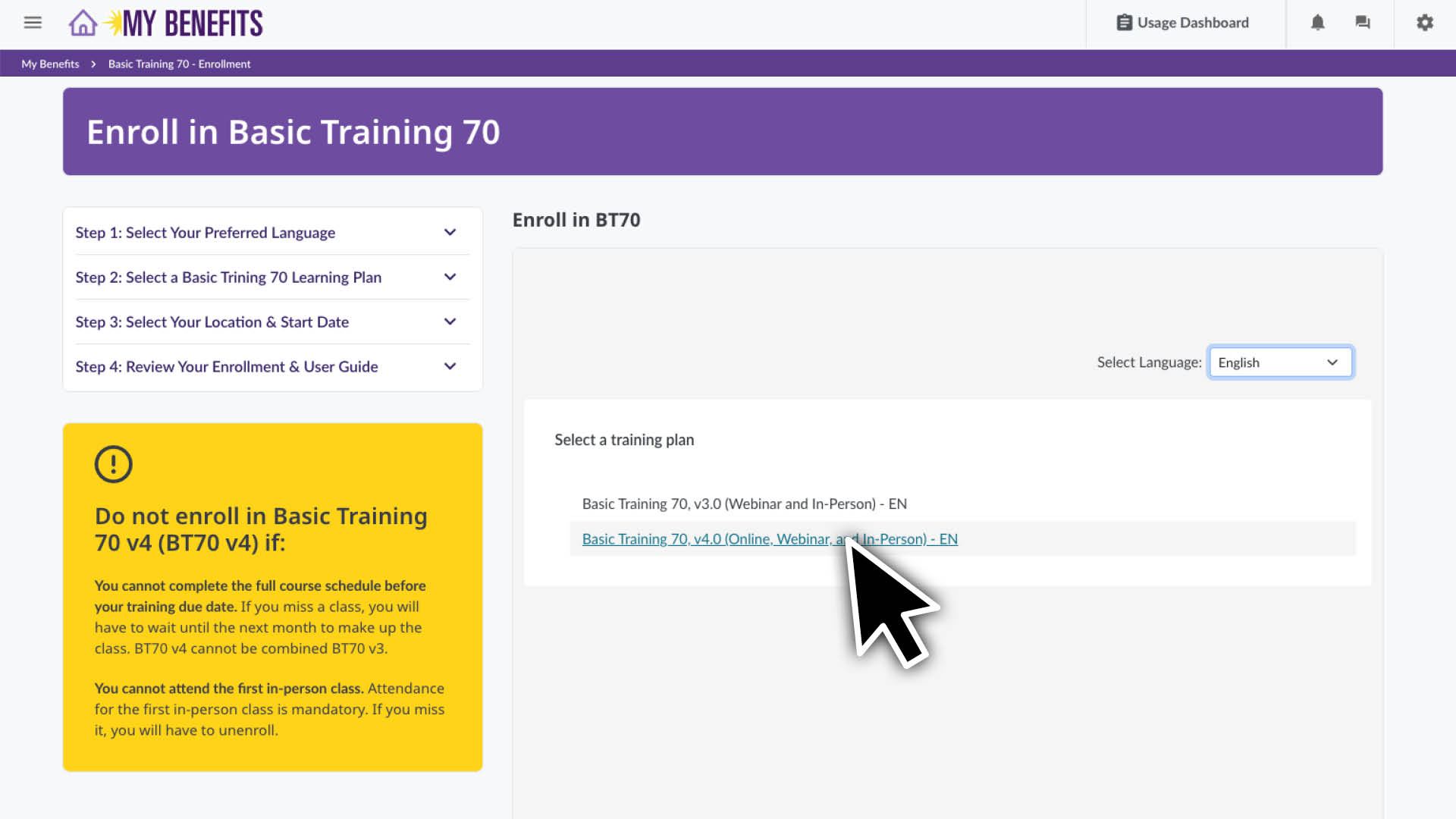
  3. 点击您首选的 Basic Training 70(基本培训 70)版本。
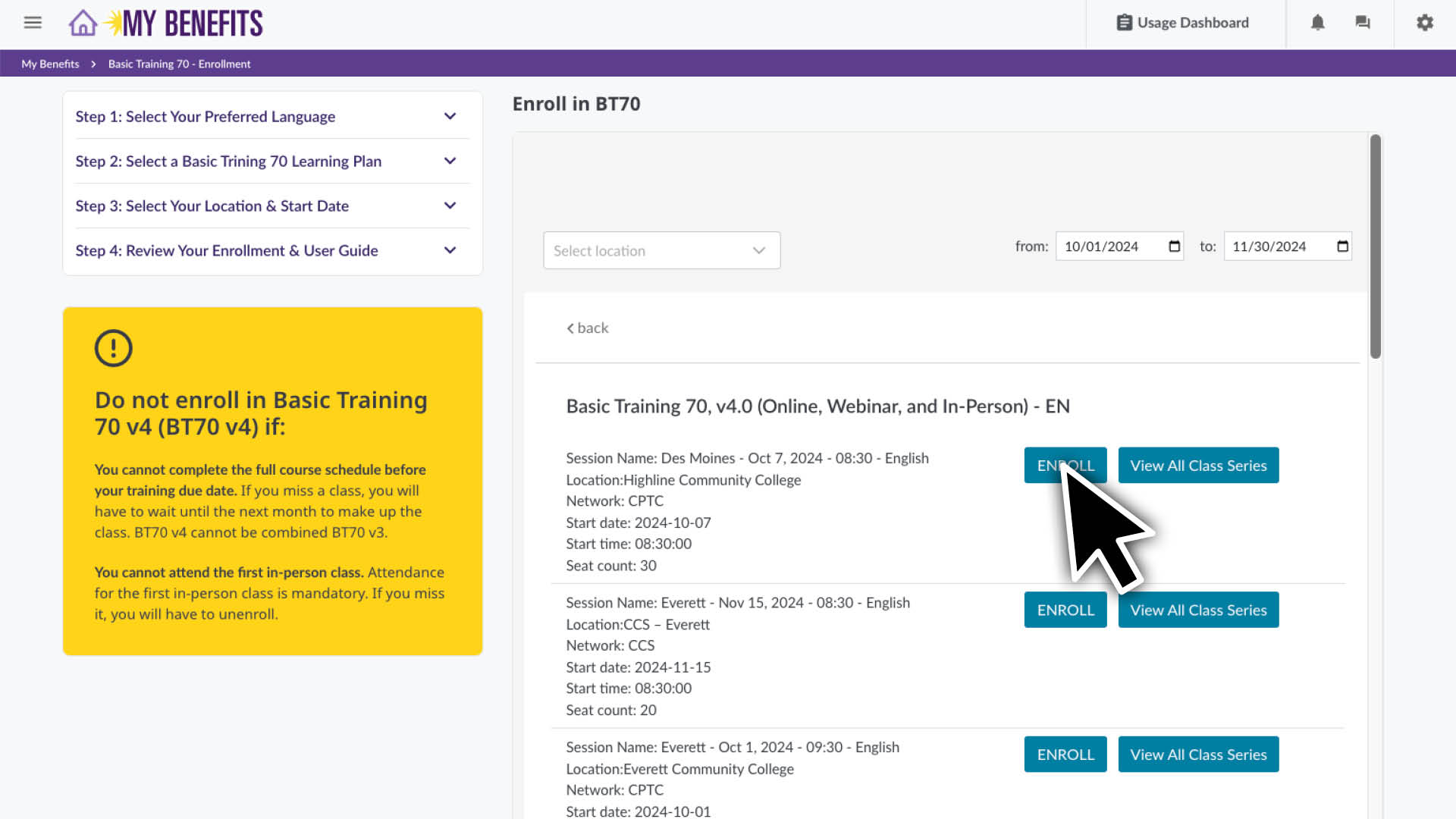
  4. 您将看到按地点和开始日期排序的课程列表。滚动查找您首选的培训地点。
    注意:点击 View All Class Series(查看所有课程系列)按钮,即可查看该课程系列的完整日程安排。
  5. 点击您想要报名的课程系列旁的 Enroll(报名)按钮
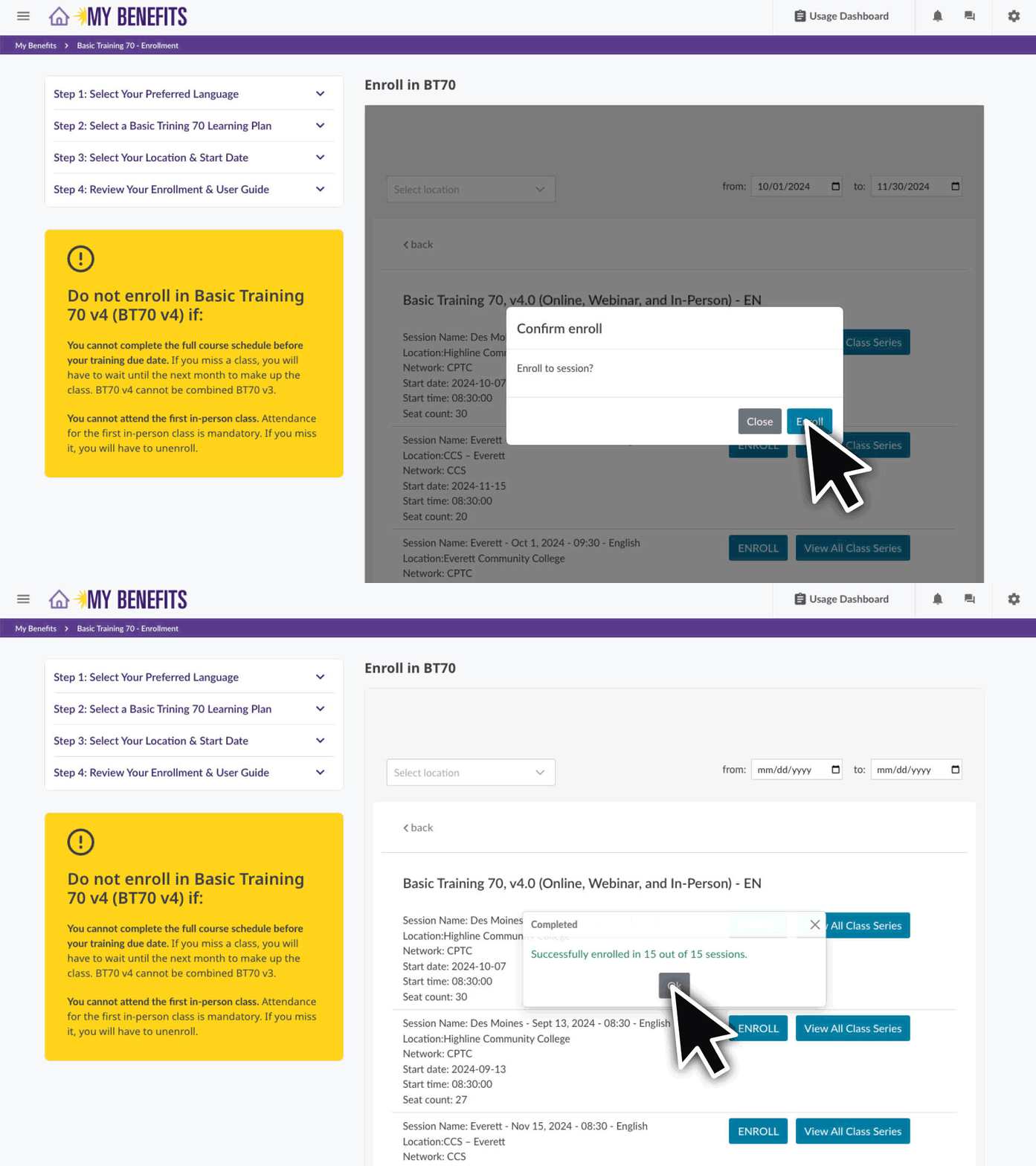
  6. 点击 Enroll(报名)按钮,然后点击 Ok(确定)按钮确认您的报名。
    如果您收到 Unable to enroll in these sessions(无法报名参加这些课程)的提示,则表示您已报名参加 Basic Training 70(基本培训 70),但需要自行安排这些课程。在此了解如何操作。

您现在已报名!点击徽标返回主页。 

如果您收到 Unable to enroll in these sessions(无法报名参加这些课程)的提示信息,

请拨打 1-866-371-3200 联系 Member Resources Center(成员资源中心),我们将协助您安排剩余课程。

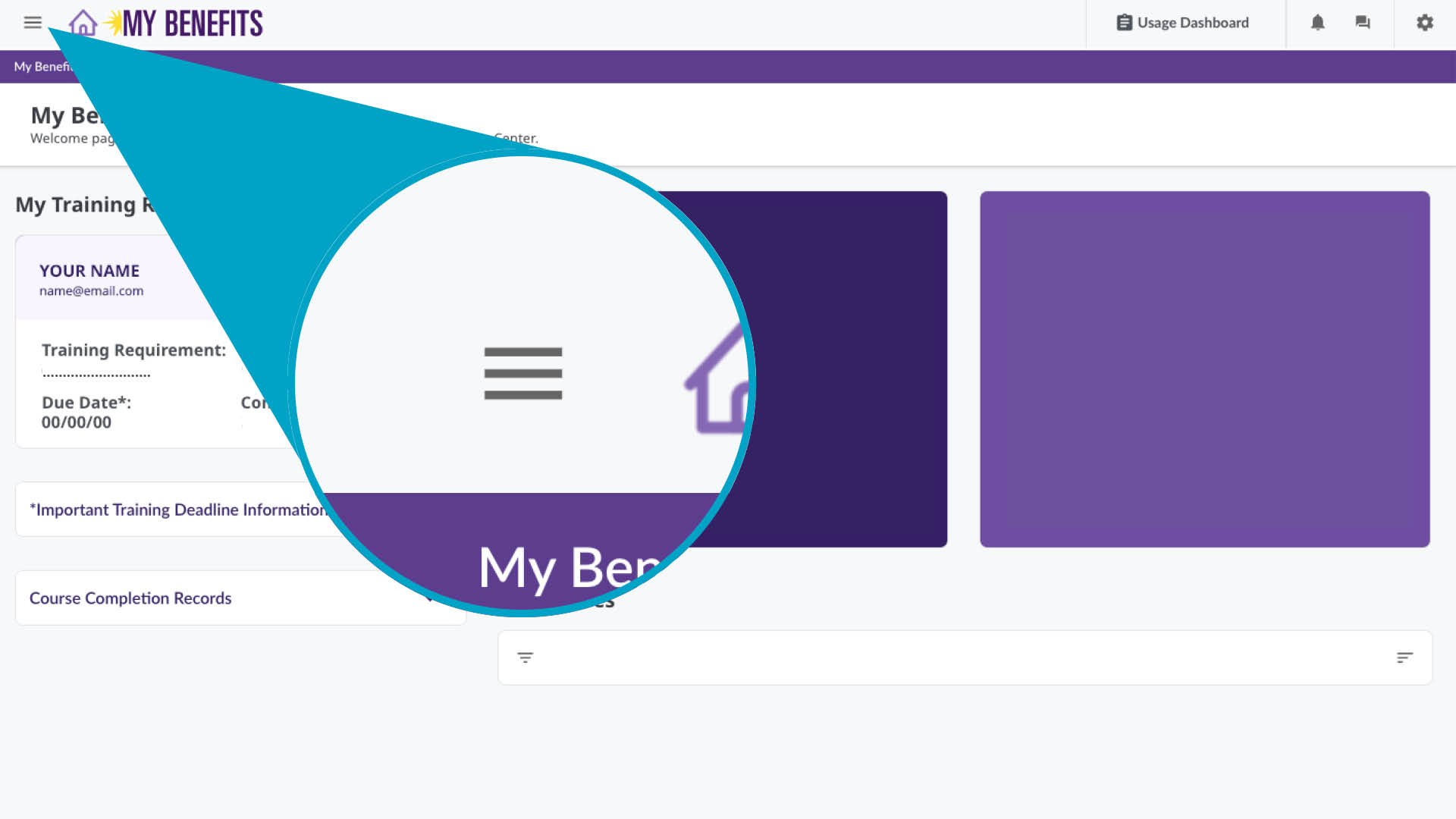
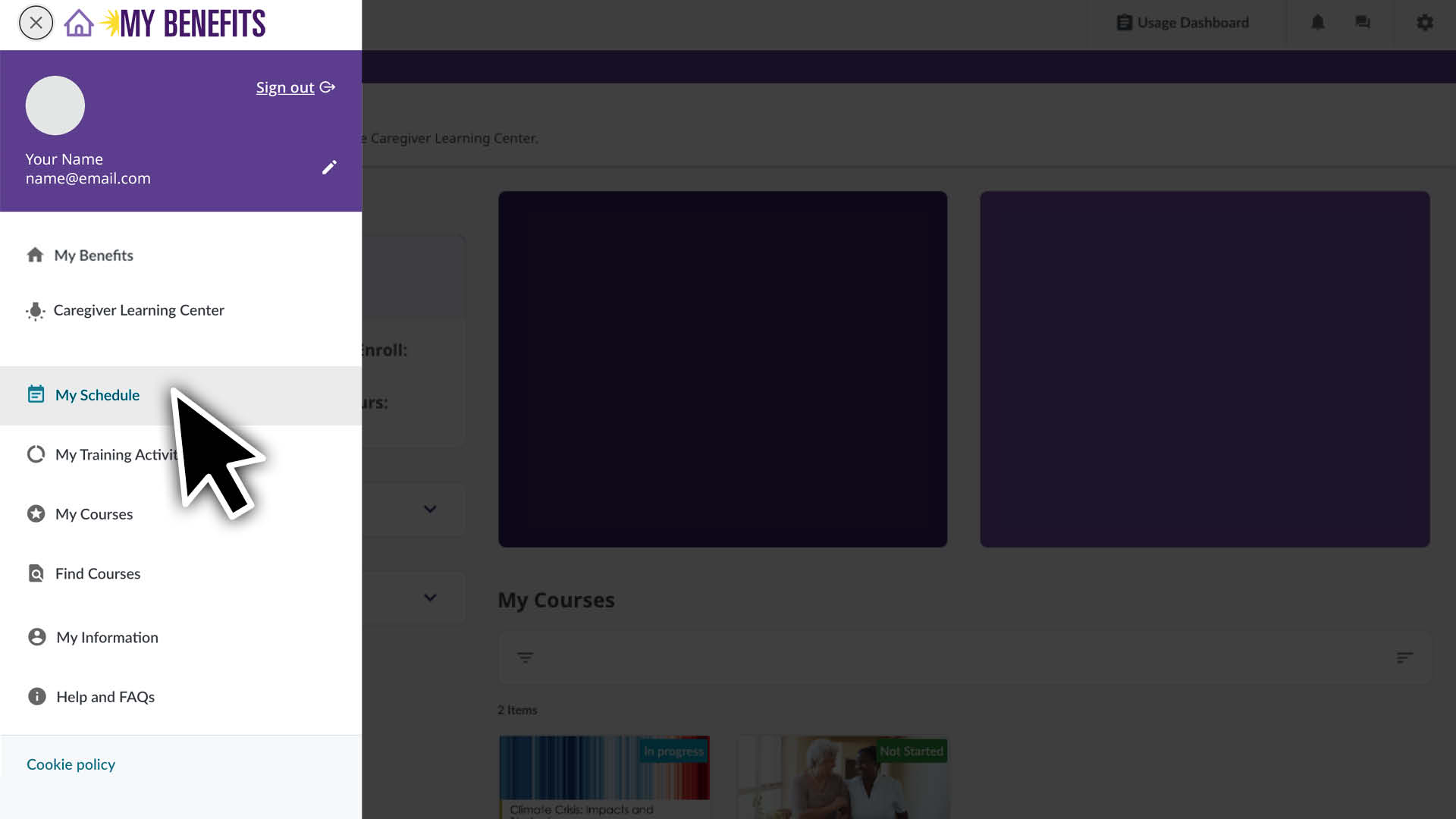
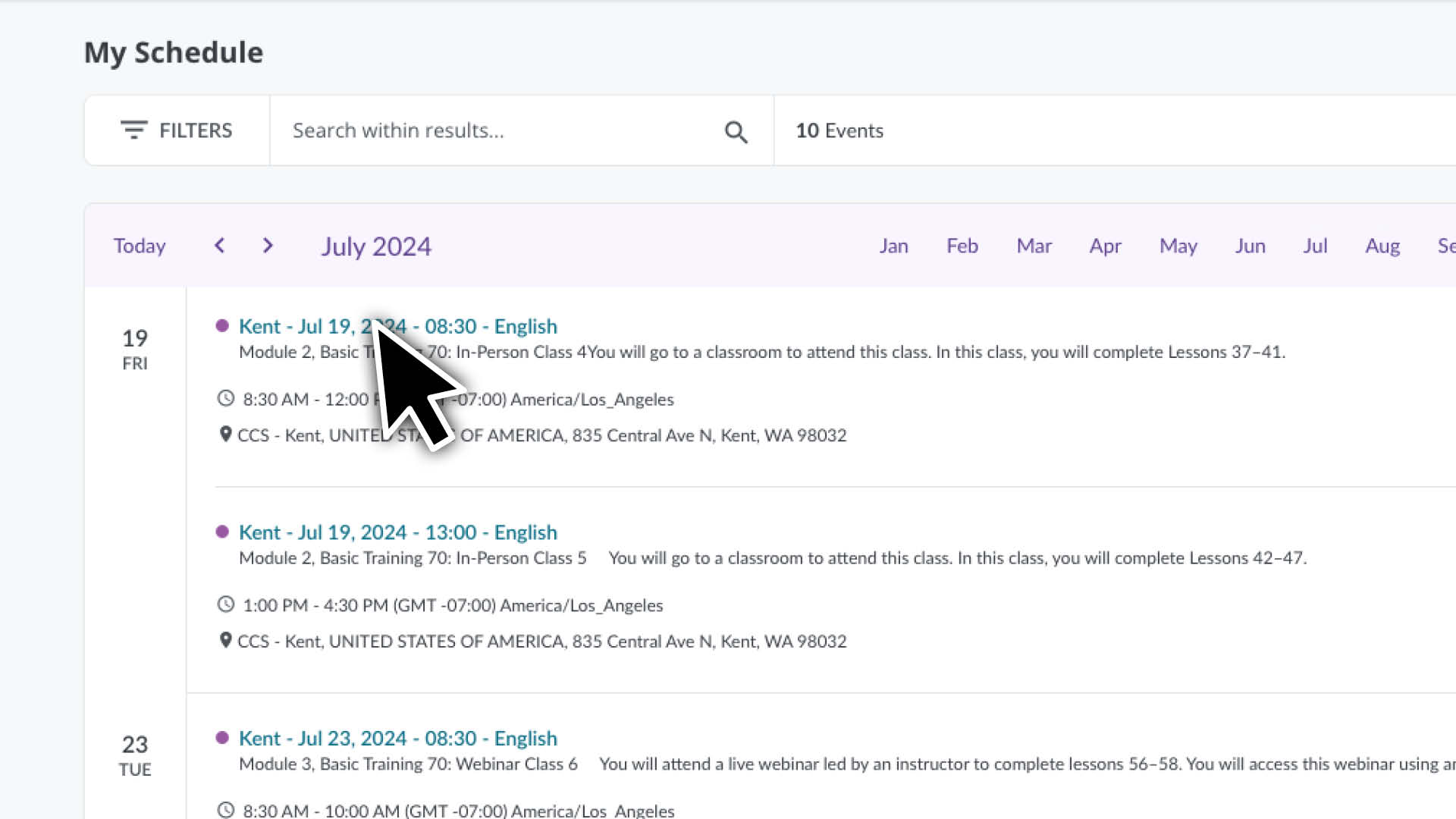
点击菜单图标,然后选择 My Schedule(我的时间安排)页面

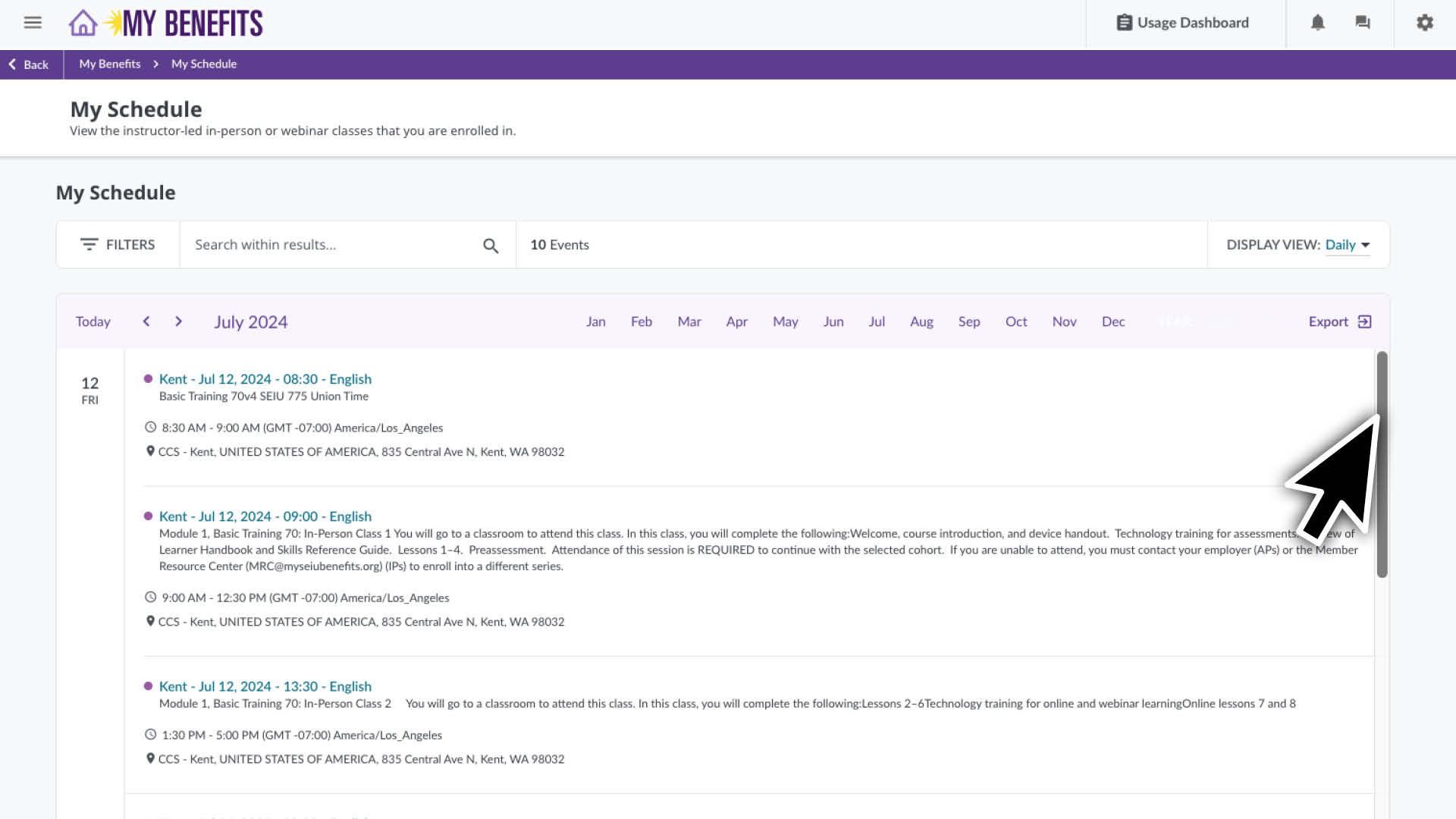
  • 您将看到当月注册的课程列表。
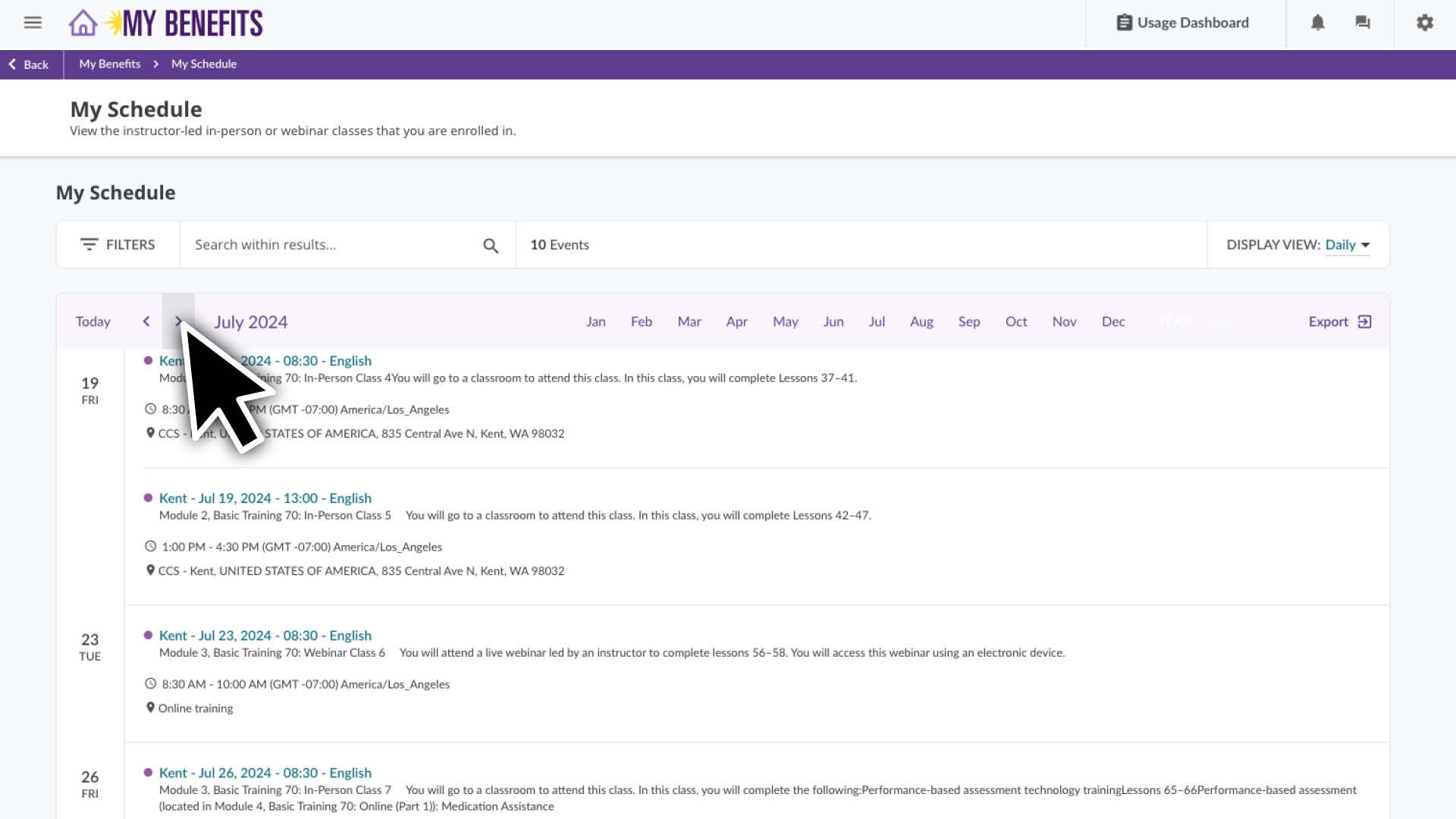
  • 向下滚动可查看这个月的更多课程,或使用箭头选择其他月份。

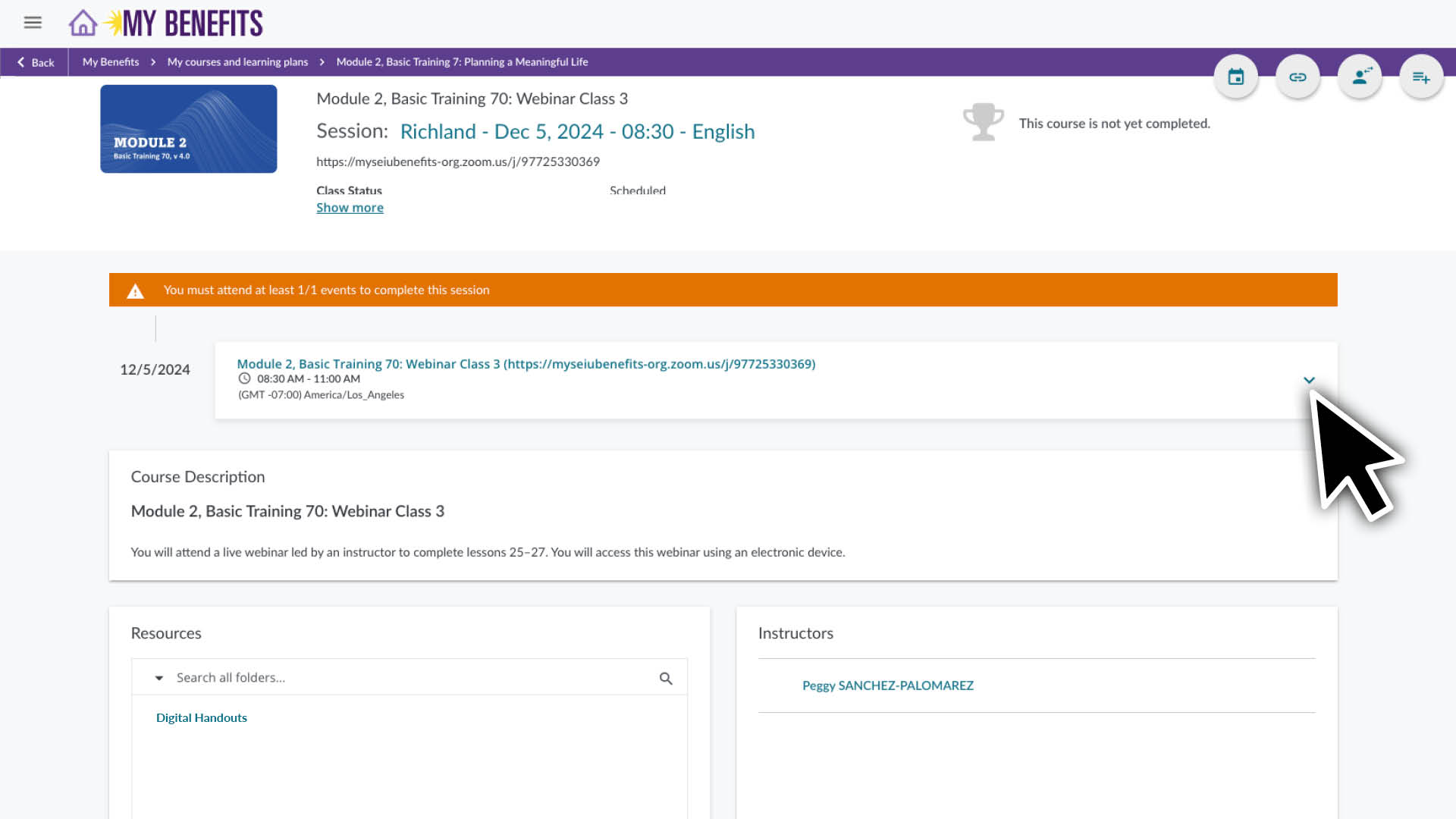
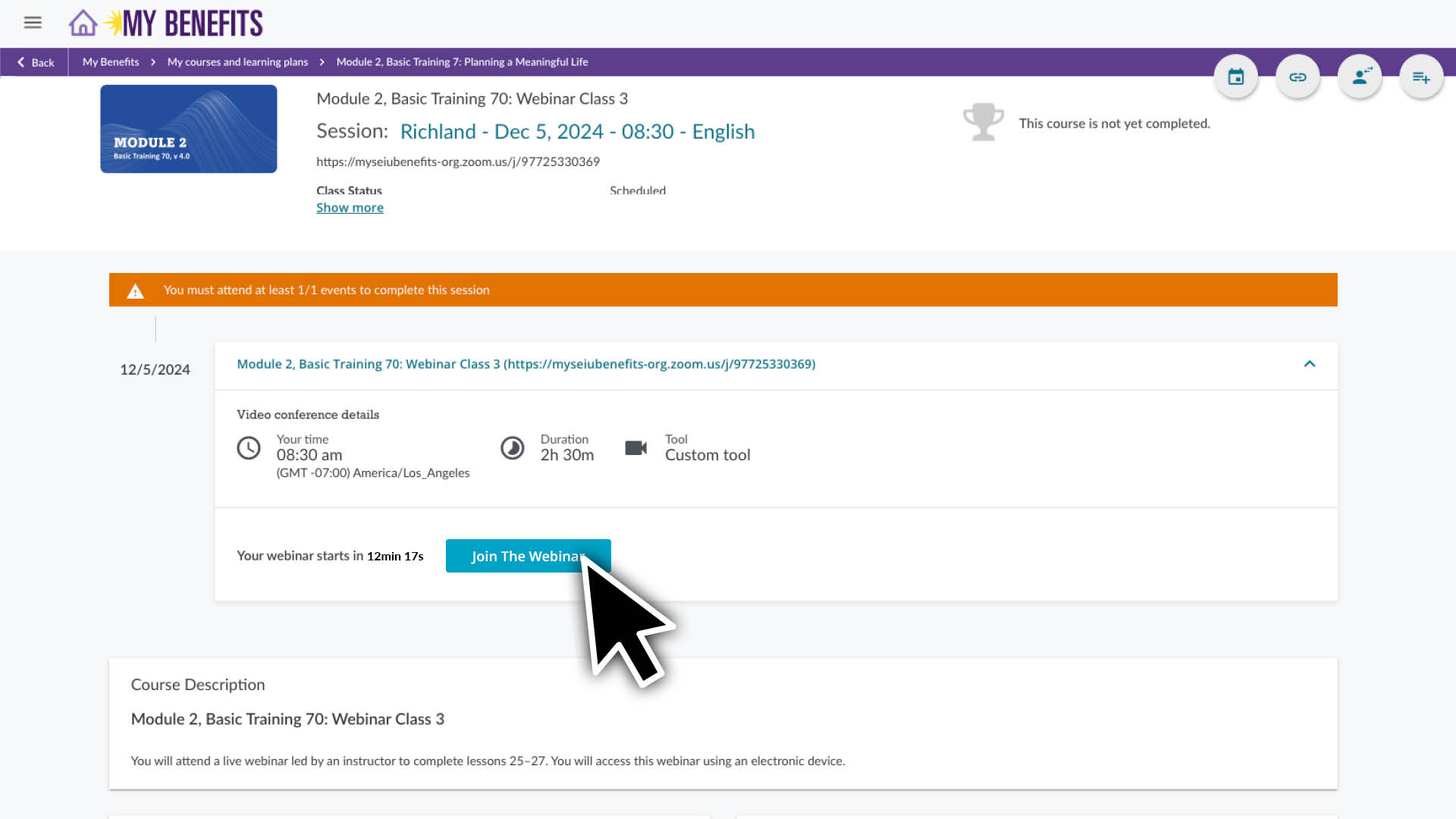
点击课程可查看其页面和课程详细信息。请参阅下方的更多说明,了解如何访问您的网络研讨会 Zoom 链接。

要使用 Zoom,您需要具备以下条件:

  • 可使用具有音频和视频功能的计算机、平板电脑或智能手机。
  • 有可靠的 WiFi 或有线互联网连接。请在课程开始前检查您的连接,应能流畅播放在线视频才满足条件。 

要下载 Zoom:
请访问 zoom.us/download 并下载适合您的设备的版本。您可以在此处获取关于如何下载和安装 Zoom 的进一步说明。


如果您是 Zoom 的新用户:
这些链接会告诉您如何解决关于音频和视频的故障、使用聊天功能,以及更改您的个人资料首选项。

开始使用 Zoom

Zoom 视频、音频和聊天控制

 

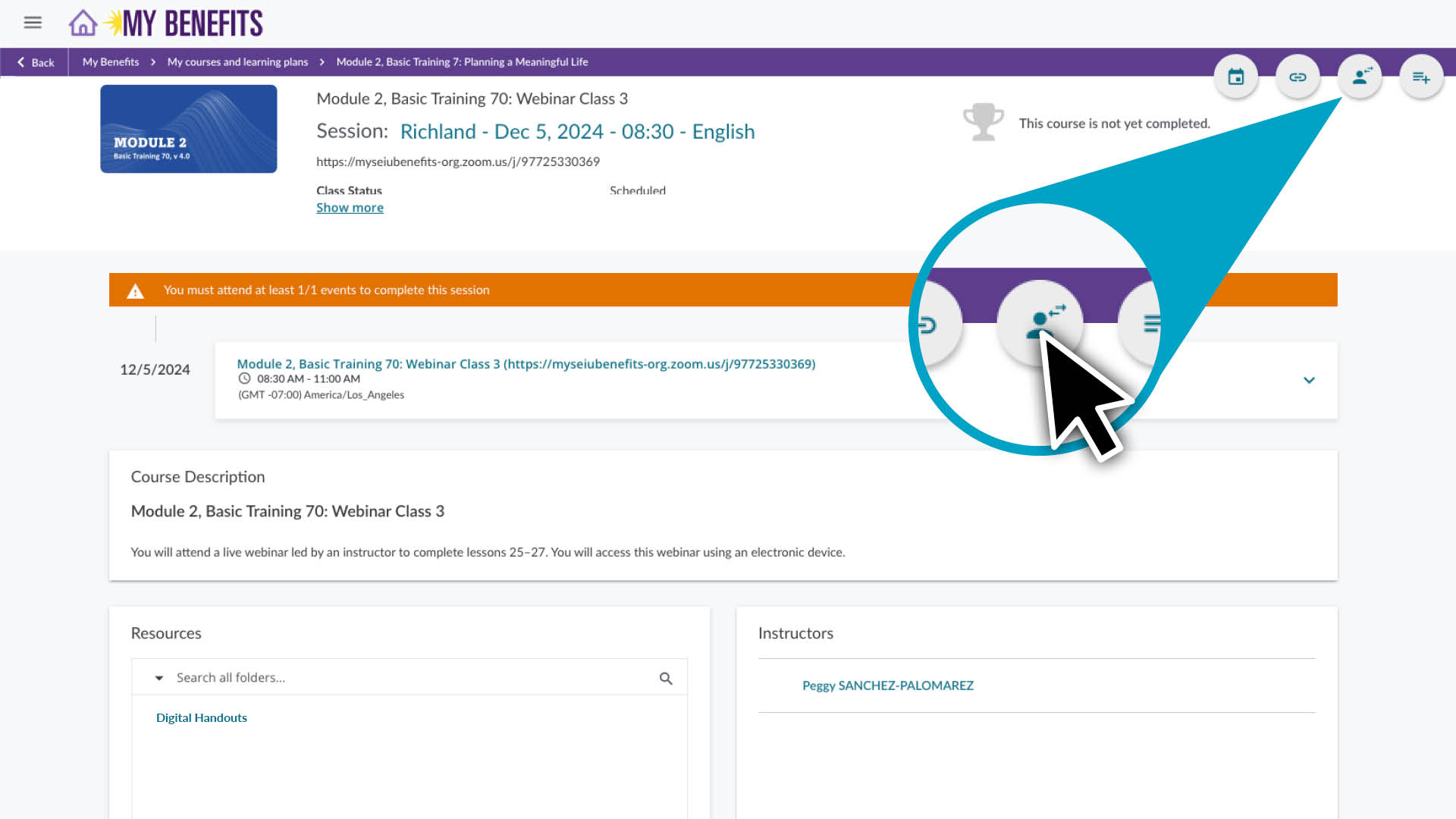
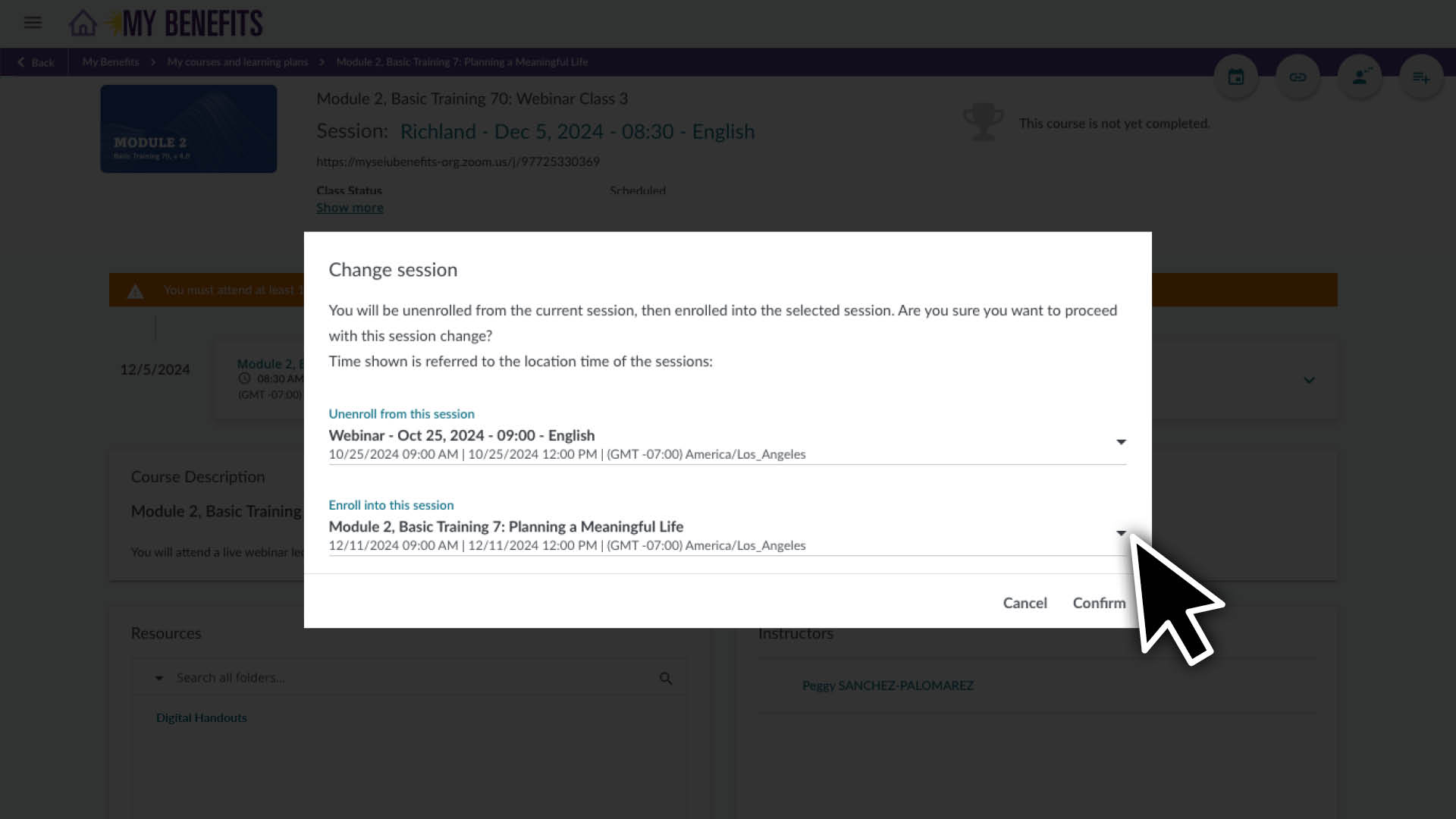
按照上述说明前往您想要重新安排的课程页面。

  1. 点击课程页面右上角的用户图标
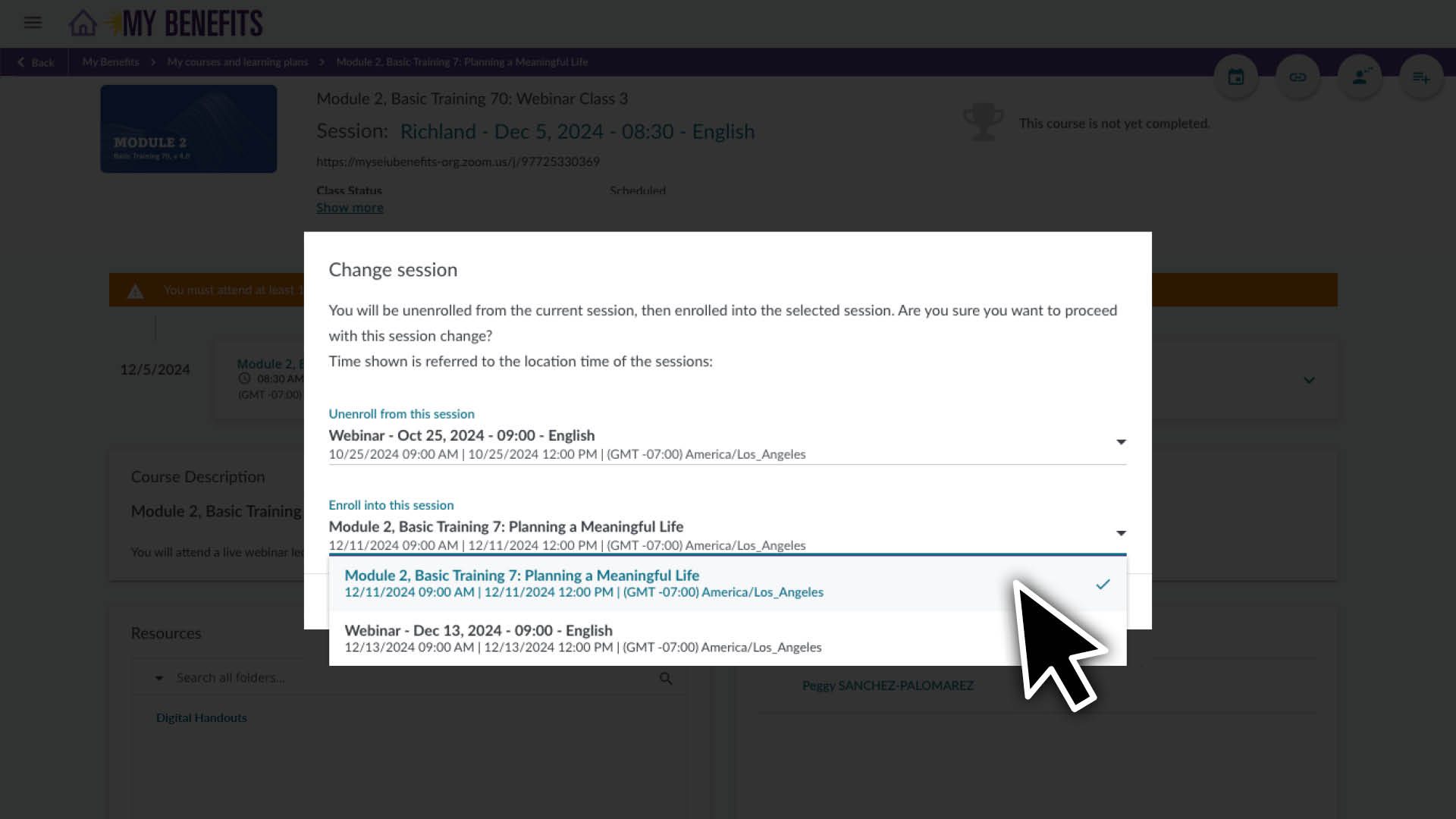
  2. Enroll in this session(报名参加此课程)部分,点击下箭头查看您的选项。
  3. 点击您想要切换到的课程会话。  
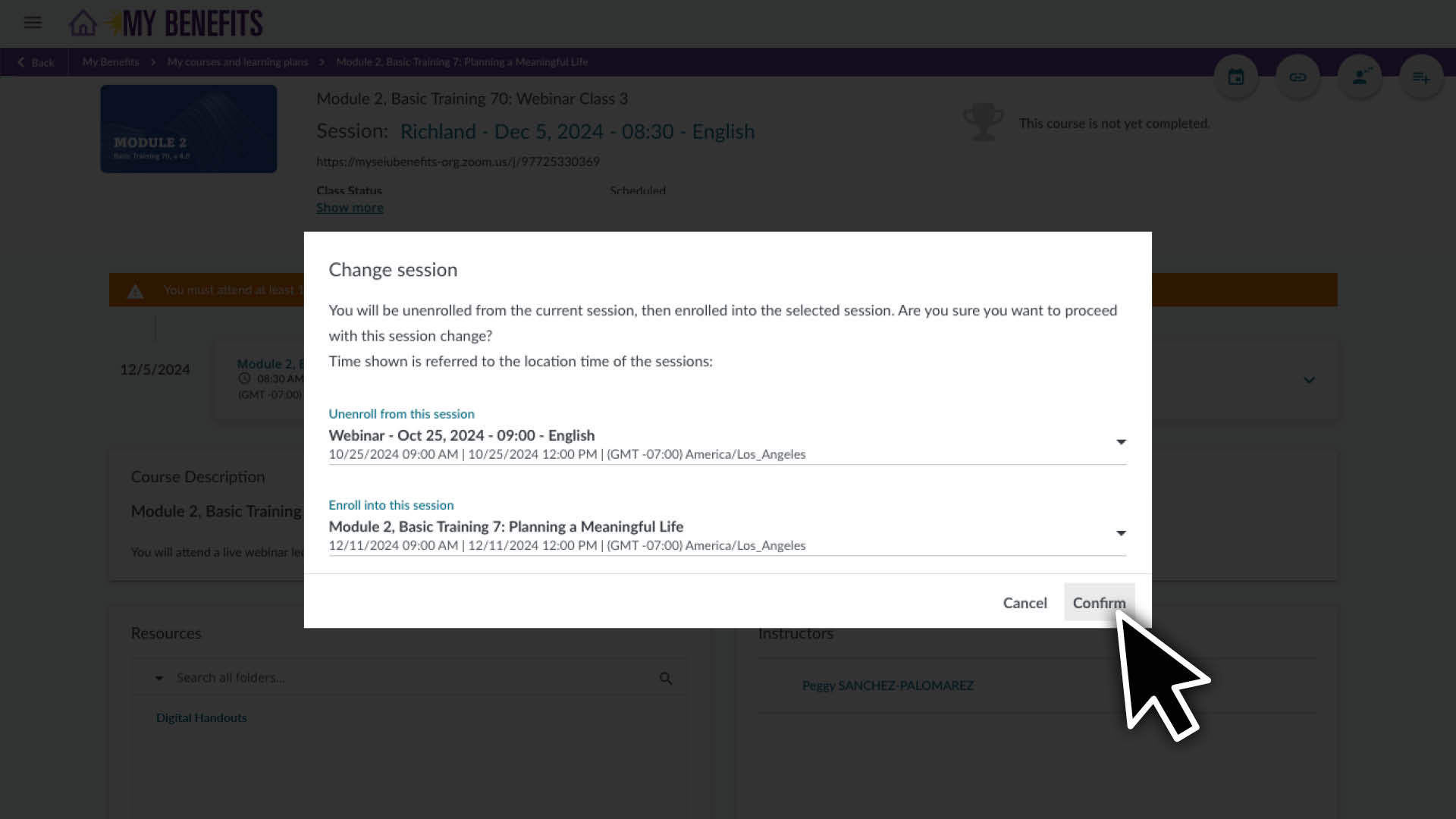
  4. 点击 Confirm(确认)按钮.

确认更改后,页面将刷新并显示新的时间安排信息。

Add Your Heading Text Here

Lorem ipsum dolor sit amet, consectetur adipiscing elit, sed do eiusmod tempor incididunt ut labore et dolore magna aliqua. Ut enim ad minim veniam, quis nostrud exercitation ullamco laboris nisi ut aliquip ex ea commodo consequat. Duis aute irure dolor in reprehenderit in voluptate velit esse cillum dolore eu fugiat nulla pariatur. Excepteur sint occaecat cupidatat non proident, sunt in culpa qui officia deserunt mollit anim id est laborum.

Member Resource Center (MRC) will be closed from December 24 – January 1.

If you have questions about enrolling or completing your training, contact the MRC before they are closed. The MRC will reopen on January 2. 

Note: Contact your employer for questions about your training requirement, pay or deadline.

Get help online:

Caregiver Learning Center System Access 

The Caregiver Learning Center cannot be accessed at caregiverlearning.org. Please use seiu775bg.docebosaas.com to access your training.

感谢您抽出时间提供宝贵见解!

充分利用您的学习福利吧。阅读有关今年 Continuing Education(继续教育)新在线课程的信息或探索您的学习支持选项。

Caregiver Learning Center System Maintenance

June 6 (Thursday) – June 10 (Monday)

You can log in, enroll and take your training in the Caregiver Learning Center during this time. 

If you complete training during the System Maintenance, it will be sent to your employer after June 10. 

Please contact your employer if you have questions about your training requirement, deadline or payment.